


Want to move your Spotify playlists to SoundCloud without rebuilding them track by track? SoundCloud is where you find remixes, DJ mixes, underground releases, and tracks from independent artists that never make it onto Spotify. Switching between them, or keeping both libraries in sync, is a common need.
The problem is that neither platform offers a native transfer feature. This guide covers two working methods to move Spotify playlists to SoundCloud — a free CSV-based approach for small libraries, and a desktop transfer tool for larger ones.
Can You Transfer Spotify Playlists to SoundCloud Directly in 2026?
Spotify and SoundCloud have no built-in integration for playlist migration. There is no "export to SoundCloud" button in Spotify, and SoundCloud has no native Spotify import feature in its settings.
Even so, it is possible to transfer playlists between the two platforms. The main approaches are:
Each method differs significantly in accuracy, how much manual effort is involved, and how well it handles large libraries. The sections below go through what each method actually looks like.
How to Move Your Spotify Playlists to YouTube Music in 2026: 3-Minute Guide
Switching from Spotify to YouTube Music? Don't lose your playlists. Learn how to transfer your Spotify library to YouTube Music in minutes using PlaylistGo.
Method 1. Best Spotify to SoundCloud Playlist Transfer Tool
Best for: Users with libraries of any size who want an accurate, automated transfer without manual searching or rebuilding playlists from scratch.
Desktop applications handle transfers differently from browser-based tools. They manage the connection to each platform on their own. This means they can work through large libraries in chunks, and if something interrupts the process — a network drop, a rate limit pause, or the computer going to sleep — they pick up from where they stopped rather than starting over.
PlaylistGo was built with full library migration as the main focus, not just moving a single playlist at a time. It processes tracks in batches with automatic retry on anything that doesn't match on the first pass, which cuts down on the manual cleanup you'd otherwise have to do after a transfer.
PlaylistGo matches tracks using more than just song title and artist — it also checks album name, track length, and release year, which is how it reaches a 99.2% match rate across supported platforms, based on internal testing. Anything it can't match is saved to a transfer report at the end, so you know exactly what's missing rather than discovering gaps after the fact.
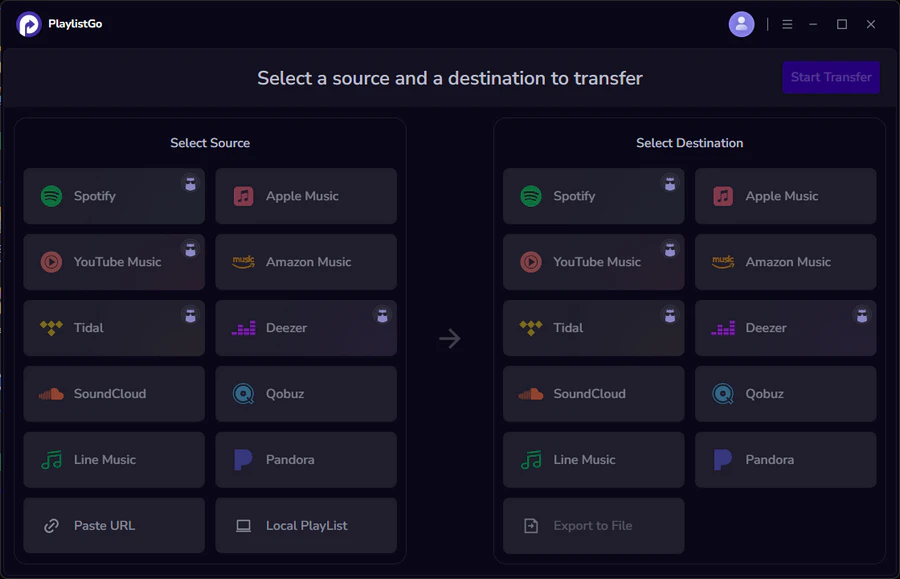
PlaylistGo supports transfers between Spotify, SoundCloud, Apple Music, YouTube Music, TIDAL, Deezer, and Amazon Music, including Spotify to Apple Music, Spotify to Tidal, and more.
PlaylistGo: Transfer Playlists Across Platforms Try It Free
Move playlists between Spotify, Apple Music, YouTube Music and more in just a few clicks.
| Item | Details |
|---|---|
| Compatible with | Windows, macOS |
| Supported Platforms | Spotify, Apple Music, Amazon Music, YouTube Music, TIDAL, Deezer, and more |
| Transfer Objects | Liked songs, albums, playlists, full music library, local playlists, playlist URLs |
| Import & Export | Local files in M3U, M3U8, XSPF, XML, CSV, XLS, XLSX, JSON, TXT |
| Transfer Accuracy | Up to 99.2% matching accuracy |
| Transfer Speed | Fast and stable |
| Security | Safe and reliable. All transfers run locally |
Tutorial: How to Transfer Spotify Playlists to SoundCloud with PlaylistGo
Most Spotify to SoundCloud transfers finish within 3–10 minutes depending on library size, based on internal testing across supported streaming platforms.
Select Spotify as Source Platform
Install and launch PlaylistGo on your computer. On the main interface, select Spotify as your source platform and log in to your Spotify account. PlaylistGo will load your full library — playlists, Liked Songs, and saved albums.
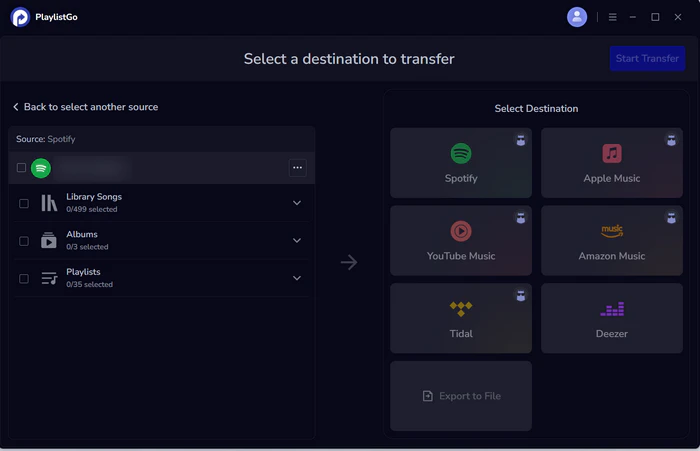
Connect Your SoundCloud Account
Select SoundCloud as the destination platform and log in to your account. PlaylistGo uses SoundCloud's standard OAuth authorization flow. Your password is never stored in the app.
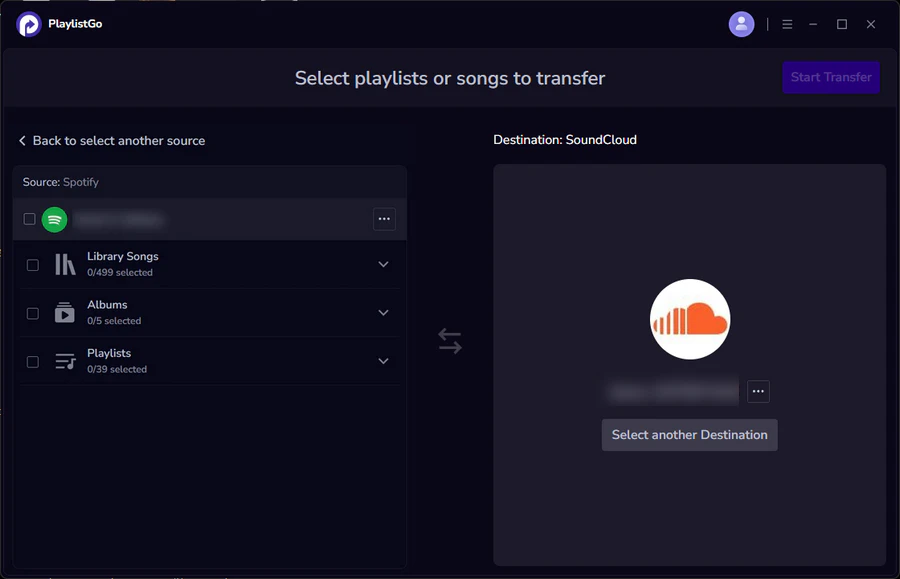
Select Playlists and Start Transfer
Select the playlists or Liked Songs you want to move to SoundCloud. Click Start Transfer. PlaylistGo will match tracks in batches and show progress in real time. Any tracks that fail to match are flagged in a transfer report for review, not silently dropped.
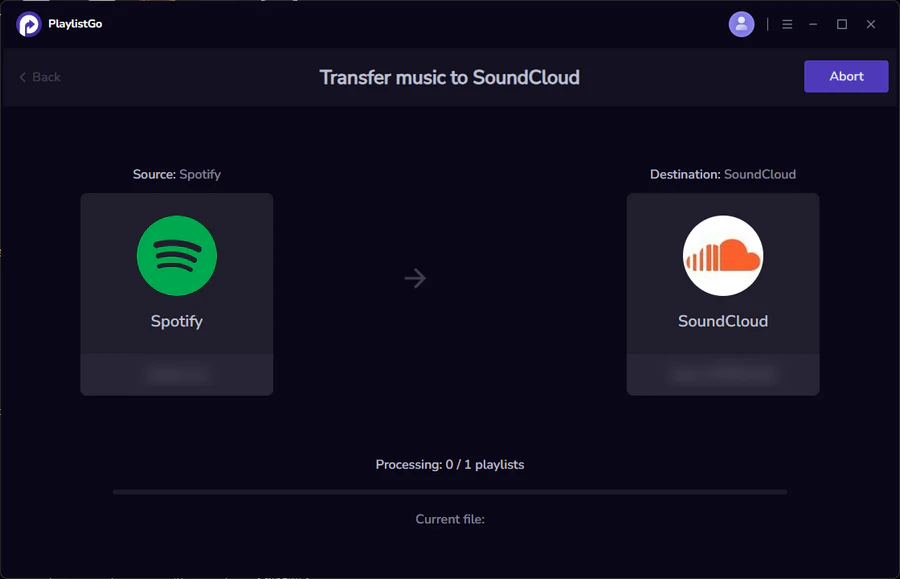
What transfers successfully:
| Data Type | Supported |
|---|---|
| Spotify Liked Songs | ✅ |
| Spotify Playlists | ✅ |
| Spotify Saved Albums | Partial |
| Spotify Followers / Following | ❌ |
| Spotify Listening History | ❌ |
| Spotify Discover Weekly / Daily Mix | ❌ |
Method 2. Transfer Spotify Playlist to SoundCloud Using CSV
Best for: Users who want to import an existing playlist file into SoundCloud, or restore a previously exported backup.
If you have a playlist saved as a CSV file — exported from Spotify, Apple Music, or another tool — PlaylistGo can read that file and use it as the source for a transfer. This is useful when you're working from a backup, migrating from a platform PlaylistGo connects to directly, or just want to bring an organized track list into SoundCloud.
SoundCloud doesn't support direct CSV playlist imports on its own. PlaylistGo handles the matching step. It reads your file, looks up each track on SoundCloud by metadata, and builds the playlist for you.
PlaylistGo supports M3U, CSV, JSON, XML, and XLSX as import formats, so the file doesn't need to come from any specific source.
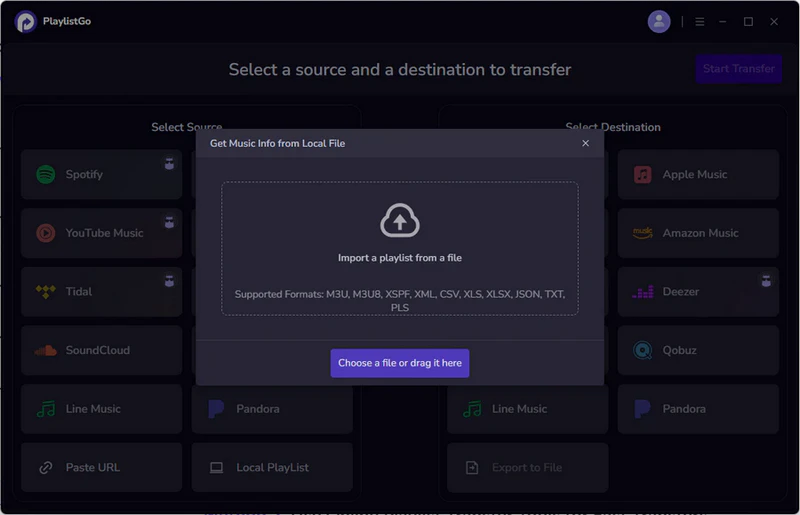
How to import a playlist into SoundCloud from a CSV file using PlaylistGo:
- Download and install PlaylistGo
- Open the app and select Import from File
- Choose your CSV (or M3U / JSON / XML / XLSX) file
- Select SoundCloud as the destination platform
- Review the matched tracks in the pre-transfer preview screen
- Click Transfer to import the playlist into your SoundCloud account
Limitations
- Match accuracy depends on how complete your CSV metadata is. Missing artist or track info may reduce results.
- Tracks not available on SoundCloud will appear in the unmatched report but cannot be added automatically.
- SoundCloud's library is smaller than Spotify or Apple Music. Some niche tracks may not be found.
Import Any Playlist File into SoundCloud with PlaylistGo Try It Free
PlaylistGo reads your CSV, M3U, or JSON file and matches tracks to SoundCloud automatically.
How to Export Spotify to CSV File?
Learn to export Spotify playlists to CSV for easy backup, sharing, or transfer with this straightforward guide.
Common Problems When Transferring Spotify to SoundCloud
Why Are Some Spotify Songs Missing on SoundCloud After Transfer?
SoundCloud's catalog is largely user-uploaded content, which means major label tracks that exist on Spotify may not exist on SoundCloud at all, or may only appear as unofficial re-uploads in inconsistent quality.
If a track doesn't exist on SoundCloud in any form, no transfer tool can add it. Mainstream commercial releases tend to get lost easily when moving playlists. In contrast, electronic music, remixes, and indie songs achieve a much higher matching success rate.
Why Does SoundCloud Match the Wrong Spotify Songs?
SoundCloud's catalog includes a high volume of remixes, live recordings, fan edits, and unofficial uploads alongside official releases. Tools that match by title and artist name only can easily land on the wrong version — a remix instead of the studio cut, or a live recording instead of the original.
PlaylistGo uses additional metadata fields to improve version accuracy. If you notice mismatches after a transfer, sort your SoundCloud playlist by date added and scan the most recent entries, since wrong versions are usually easy to spot.
How to Fix Matching Errors in Music Transfer
Wrong songs, live versions, or covers showing up after a playlist transfer? Here's how to fix matching errors — and how to avoid them before they happen.
Why Does Spotify to SoundCloud Transfer Stop Halfway?
Large transfers are easily interrupted due to server access restrictions, connection drops, or expired login status. Web-based tools like Soundiiz and TuneMyMusic often face this problem. Once you close the page, let your device idle, or lose connection halfway, all progress will disappear and you have to start again.
PlaylistGo runs as a desktop program that keeps a stable connection throughout. If a transfer is interrupted, it resumes from where it left off rather than restarting from scratch, working far better for large playlists with over 1,000 tracks.
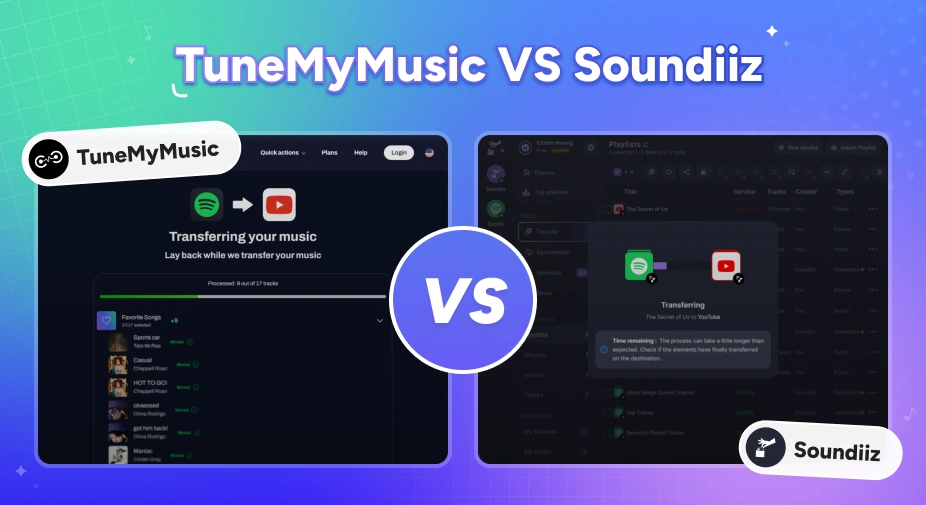
TuneMyMusic vs Soundiiz: Which Playlist Transfer Tool Is Better in 2026?
Moving music platforms? Compare TuneMyMusic vs Soundiiz — speed, accuracy, pricing, and which playlist transfer tool wins in 2026.
FAQs about Transferring Spotify Playlists to SoundCloud
Final Words
Spotify and SoundCloud have different music libraries, so playlist transfers will always have missing tracks and can't be 100% complete. Mainstream songs often get lost when moving platforms, while electronic music, remixes, and indie tracks transfer much more successfully.
The CSV method works as a free reference but takes manual work for every track. If you need accurate, full transfers, PlaylistGo is the most reliable option.

PlaylistGo – Best Desktop Transfer Tool
The fastest and most reliable way to move entire Spotify library to Apple Music, YouTube Music, TIDAL, etc. 100% offline • No Cloud Required • 99.2% success rate


 Language ▴