


TuneMyMusic and Soundiiz are the two most recommended playlist transfer tools. Both are browser-based and handle transfers between Spotify, Apple Music, YouTube Music, and all the major platforms.
But they're not identical. We ran the same playlists through both tools to find out which one actually wins in 2026 — the results weren't close.
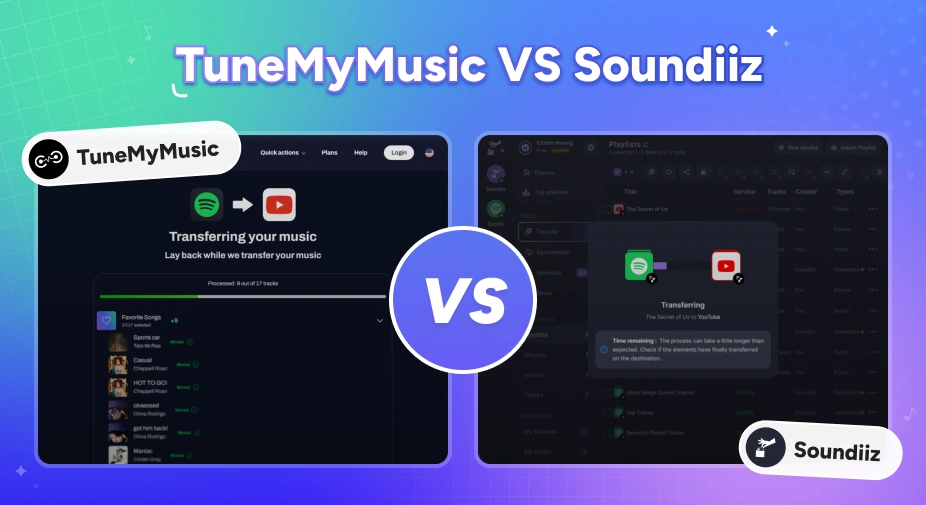
TuneMyMusic vs Soundiiz — Quick Comparison
Before diving into the details, let's quickly compare the two tools side by side on their key features.
| Feature | TuneMyMusic | Soundiiz |
|---|---|---|
| Desktop App | No (web-only) | No (web-only) |
| Platforms Supported | 20+ services | 40+ services |
| Transfer Speed (200 tracks) | 15 sec | 4 min 42 sec |
| Match Accuracy (50-track test) | 5 mismatches / 50 tracks | 10 mismatches / 50 tracks |
| Playlist Sync | ✅ Daily, manual trigger available | ✅ Daily / weekly / monthly, no manual trigger |
| Playlist Management Tools | ❌ | ✅ Sort, merge, split, shuffle, clone |
| Pricing | $5.5/mo · $24/yr | €5/mo · €39/yr (Premium) €9.50/mo · €75/yr (Creator) |
| Free Plan Track Limit | Up to 500 tracks | Up to 200 tracks |
* Transfer speed and match accuracy figures are based on hands-on testing with the same playlists on both tools. See Part 3 for the full test methodology and results.
Part 1. TuneMyMusic and Soundiiz: What Each Tool Actually Does
TuneMyMusic is a browser-based transfer tool built around simplicity. The whole process only takes three simple steps: connect source, connect destination, transfer. It covers 20+ platforms including all the major services, and offers a free tier up to 500 tracks. If you just want to move your playlists fast without going through complicated guides, this is the tool that gets out of your way.
Soundiiz covers more ground. It supports 40+ platforms, including niche and regional services that TuneMyMusic doesn't reach. You can also set up playlist auto-sync with more custom timing options. The trade-off is a busier interface. You need to click through more menus just to do a basic transfer. Plus, the free version only lets you move up to 200 songs at a time.
For most users moving between Spotify, Apple Music, YouTube Music, Amazon Music, TIDAL, or Deezer, both tools cover the same ground. The differences show up in match accuracy, transfer speed, and how many tracks you'll have to fix manually afterward. We'll break all of that down in the rest of this comparison.
TuneMyMusic vs FreeYourMusic: Which Playlist Transfer Tool Is Better in 2026?
Comparing TuneMyMusic and FreeYourMusic on pricing, sync speed, and accuracy to help you pick the right playlist transfer tool for your needs.
Part 2. Key Differences Between TuneMyMusic and Soundiiz
How We Tested These Tools
We ran a hands-on test moving a 50-song playlist from Spotify to YouTube Music to check how well each tool matches tracks. The playlist was built to include multiple versions of songs (Live, Radio Edit, Deluxe), non-English titles (Japanese, Korean, Spanish), small indie-label tracks, same-titled songs by different artists, and compilation tracks with unclear album details.
Round 1: Match Accuracy
Winner: TuneMyMusic — 5 mismatches out of 50 tracks vs. Soundiiz's 10.
Both tools report a 100% transfer rate when moving playlists from Spotify to YouTube Music. But "transferred" and "correctly matched" are not the same thing. In our test, TuneMyMusic had 5 wrong matches, while Soundiiz had 10. The errors fell into two categories:
| Error Type | TuneMyMusic | Soundiiz |
|---|---|---|
| Wrong version (Live, Official Audio, incorrect year) | 2 tracks | 3 tracks |
| Wrong album / compilation (correct song, wrong release) | 3 tracks | 7 tracks |
| Total mismatches | 5 / 50 | 10 / 50 |
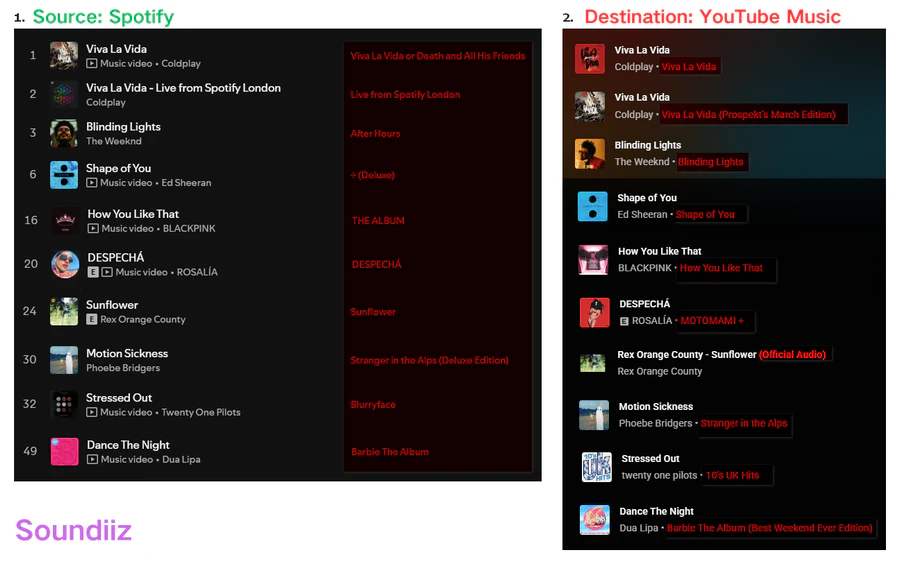
The most common error on both tools was wrong album info. They'll find the right song, but pull it from a compilation, deluxe version or regional release instead of the original album. For example, Soundiiz matched Twenty One Pilots' Stressed Out to a 10's UK Hits compilation, not their Blurryface record.
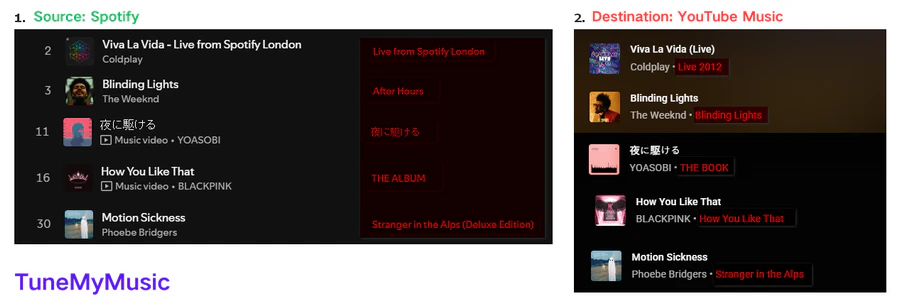
TuneMyMusic's mismatches were fewer but included a notable cross-language failure: YOASOBI's 夜に駆ける was matched to the full album THE BOOK rather than the individual track. This kind of metadata issue often happens with non-English song titles without Latin characters.
Neither tool flags these as errors; both report the transfer as complete. You need to manually check for wrong versions or misattributed albums. In our test, correcting TuneMyMusic's 5 mismatches took around 10 minutes; Soundiiz's 10 took around 15 minutes. The extra time wasn't because fixing each track was harder, you just have to spend longer spotting all the mismatches.
Tired of Checking Results by Hand? Try PlaylistGo Try It Free
PlaylistGo uses multi-point metadata matching for a 99.2% accuracy rate.
Round 2: Transfer Speed
Winner: TuneMyMusic — significantly faster on larger playlists.
The difference barely matters for a short 50-song playlist, so it probably won't change which tool you pick. But the speed gap gets huge when moving a large library at once.
We tested a 200-track playlist: TuneMyMusic finished the transfer in just 15 seconds, while Soundiiz needed 4 minutes and 42 seconds for the exact same list. Neither tool froze mid-transfer, and you don't have to keep the browser tab open while they work.
| Playlist Size | TuneMyMusic | Soundiiz |
|---|---|---|
| 50 tracks | 8 sec | 1 min 37 sec |
| 200 tracks | 15 sec | 4 min 42 sec |
| Keep browser tab open? | Not required | Not required |
| Large library stability | Stable | Stable |
Round 3: Playlist Sync
Winner: Depends on your use case. With TuneMyMusic, you can start a sync anytime you want manually. Soundiiz has more customizable scheduled syncs, but there's no one-click manual refresh.
We tested how well their sync works by making three edits to the original playlist: adding 3 songs, deleting 2 songs, and reordering songs. Then we checked if the new playlist updated properly. Both tools synced all three changes accurately.
TuneMyMusic automatically syncs once a day, and you can also hit a button on its homepage to sync right away whenever you want. Soundiiz gives you more control over the schedule — daily, weekly, or monthly — but offers no manual trigger. Once the schedule is set, you wait for it to run.
| TuneMyMusic | Soundiiz | |
|---|---|---|
| Sync accuracy (our test) | ✅ All changes synced correctly | ✅ All changes synced correctly |
| Auto-sync frequency options | Daily only | Daily / Weekly / Monthly |
| Manual sync trigger | ✅ Available | ❌ Not available |
| Auto-sync slots (premium) | 20 playlists | 20 playlists (50+ on Creator) |
Round 4: Extra Features
Winner: Soundiiz — a whole set of playlist management tools that TuneMyMusic doesn't have.
Both tools have extra features beyond basic transfer: you can make AI-generated playlists by typing a mood or genre, create universal share links that send people to their own music app, and import or export local music files. The difference is what Soundiiz adds on top.
Soundiiz includes a set of playlist management tools that TuneMyMusic doesn't offer at all. You can sort songs by name, artist or album, combine two playlists, split one big playlist into smaller ones, randomize the track order, copy a whole playlist, or merge two lists into a brand new one. If you manage playlists across platforms regularly, this is a meaningful addition. If you're doing a one-time migration, you likely won't use any of them.
Round 5: Supported Platforms
Winner: Soundiiz — 40+ supported services versus TuneMyMusic's 20+.
Both tools work equally well if you're moving music between the six big streaming services: Spotify, Apple Music, YouTube Music, Amazon Music, TIDAL and Deezer.
But Soundiiz is far better if you use smaller, local music platforms. It supports over 40 services, almost twice as many as TuneMyMusic. If your source or destination isn't mainstream, check Soundiiz's platform list first.
Round 6: Privacy and Account Access
Result: Identical — both tools request the same OAuth permissions when connecting to YouTube Music.
When connecting either tool to your streaming accounts, you grant access via OAuth. Using YouTube Music as an example, both TuneMyMusic and Soundiiz request the same two access permissions: full control over your YouTube account and full YouTube Music data access.
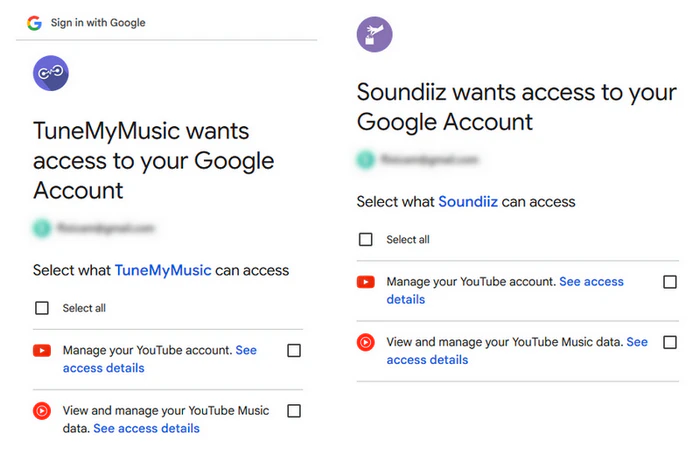
The "Manage your YouTube account" permission covers more than playlist read/write access. Both tools process this authorization on their own remote servers. If you don't want your account credentials sent off your device, you can use a desktop program that runs transfers locally without cloud authorization.
Round 7: Pricing
Winner: TuneMyMusic — lower annual price and a more generous free tier (500 tracks vs 200).
Both tools are subscription-only with no one-time purchase option. TuneMyMusic Premium costs $24 a year; Soundiiz Premium is $39 per year. On the free side, TuneMyMusic lets you move up to 500 songs each time, but Soundiiz only allows 200 tracks per transfer. This gap matters a lot if you want to test them out before paying for premium.
| TuneMyMusic Premium | Soundiiz Premium | Soundiiz Creator | |
|---|---|---|---|
| Monthly Price | $5.5/mo | €5/mo | €9.50/mo |
| Annual Price | $24/yr | €39/yr | €75/yr |
| Free Tier Limit | Up to 500 tracks | Up to 200 tracks | Up to 200 tracks |
| Auto Sync Slots | 20 | 20 | 50+ |
| One-Time Purchase | ❌ | ❌ | ❌ |
Part 3. A Better Alternative to TuneMyMusic and Soundiiz
TuneMyMusic and Soundiiz both get the job done for basic transfers, but they share the same core limitation: neither flags version mismatches, and both run on remote servers. These flaws become noticeable if you're moving a huge music library and want everything perfectly matched on the first try.
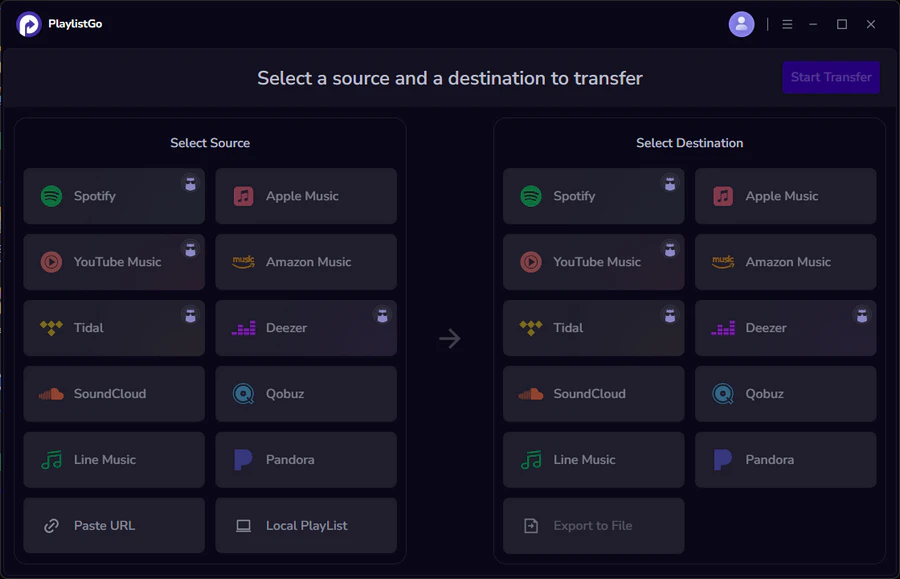
PlaylistGo is a desktop application for Windows and macOS that runs all transfers entirely on your own computer, so large library migrations finish without timeouts or dropout risks. It matches songs using ISRC codes together with title, artist, and album metadata, which is way more accurate than just searching by song and artist names, and it hits a 99.2% matching success rate.
Besides transferring playlists, PlaylistGo also works as a backup tool. It can export your playlists into M3U, M3U8, CSV, XLSX, JSON, XML, and more.
Transfer Your Entire Library. Get It Right the First Time. Try It Free
99.2% match rate. No version mismatches. No manual cleanup after.
TuneMyMusic vs Soundiiz vs PlaylistGo — Full Comparison
| Feature | PlaylistGo ★ | TuneMyMusic | Soundiiz |
|---|---|---|---|
| Matching Method | ISRC + title / artist / album | Title / artist / album | Title / artist / album |
| Match Accuracy | Up to 99.2% | 90% (5 mismatches / 50 tracks) |
80% (10 mismatches / 50 tracks) |
| Mismatch Flagging | ✅ Before transfer completes | ❌ None | ❌ None |
| Processing | ✅ Local — stays on your device | ❌ Cloud-based | ❌ Cloud-based |
| Desktop App | ✅ Windows & macOS | ❌ Web-only | ❌ Web-only |
| Large Library Transfer | ✅ Stable — runs as a native desktop app, no browser limitations | Web-based | Web-based |
| Local File Import / Export | M3U, M3U8, CSV, XLSX, JSON, XML, TXT, PLS, XSPF | CSV, TXT | CSV, TXT, XML, M3U, XSPF |
| One-Time Purchase | ✅ $49.95 lifetime | ❌ Subscription only | ❌ Subscription only |
| Pricing | $2.16/mo (billed yearly) | $5.5/mo | €5/mo |
Part 4. TuneMyMusic vs Soundiiz vs PlaylistGo: Which One Wins?
Choose TuneMyMusic if:
If you just need to quickly move one or two playlists easily, go with TuneMyMusic. Its free plan supports up to 500 tracks, which is plenty for casual transfers.
- Your playlist is under 500 tracks and you want to stay within the free tier
- You want the simplest possible workflow — three steps, no reading required
- You need to trigger a sync immediately rather than waiting for a scheduled run
Choose Soundiiz if:
You're on a less common platform, manage playlists across multiple services regularly, or want tools for ongoing curation beyond a one-time transfer.
- Your source or destination is a niche or regional platform outside the mainstream six
- You want playlist management tools — sort, merge, split, shuffle — not just transfer
- You share playlists publicly and want Smartlinks with click analytics
- You need flexible sync scheduling — weekly or monthly rather than daily
Choose PlaylistGo if:
If you've moved playlists before and had to fix mismatched songs by hand afterward, or you're transferring a huge music library and can't stand any messy results.
- You're migrating a large library and need the transfer to complete reliably in one session
- You want the highest match accuracy — ISRC-based matching, up to 99.2%
- Privacy matters — local processing only, your credentials never leave your device
- You'd rather pay once than subscribe monthly
FAQs about TuneMyMusic vs Soundiiz
Final Verdict
TuneMyMusic and Soundiiz are both real tools that genuinely work for basic playlist transfers. However, the two services share clear limitations when faced with more demanding tasks, such as large music libraries, full platform migrations, or high accuracy.
PlaylistGo fills the gap those tools leave open. It's built for users who are serious about migrating their music. Local processing, high accuracy, full library support, and a one-time purchase make it the most practical choice for anyone doing a real platform switch in 2026.

PlaylistGo – Best Desktop Transfer Tool
The fastest and most reliable way to move entire Spotify library to Apple Music, YouTube Music, TIDAL, etc. 100% offline • No Cloud Required • 99.2% success rate



 Language ▴