Loading
playlistgo logo
Trusted by over 100,000 music lovers

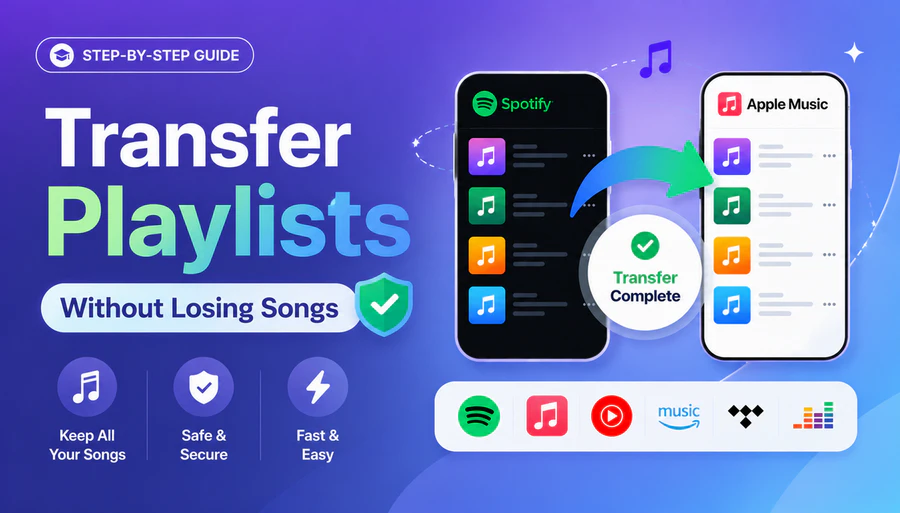
Transfer Your Spotify Playlists to Apple Music

PlaylistGo — the smartest desktop app for Windows & macOS for reliable music library migration from Spotify to Apple Music.

  • Move playlists from Spotify to Apple Music with 99.2%+ accuracy
  • Preserve exact song order, original artwork & full metadata
  • 100% Secure & Private with Read-Only OAuth
  • Runs locally on your device — much more powerful than web tools
99.2%+
Success Rate
100K+
Playlists Transferred
200+
Countries Served
Spotify
Source
0
songs transferred
Apple Music
Destination
Transfer Complete!
99.2% matched

Works seamlessly with

Spotify Spotify
Apple Music Apple Music
YouTube Music YouTube Music
Amazon Music Amazon Music
Tidal TIDAL
Deezer Deezer

How to Transfer Spotify Playlists to Apple Music

Local Spotify to Apple Music transfer on Windows & Mac — no cloud.

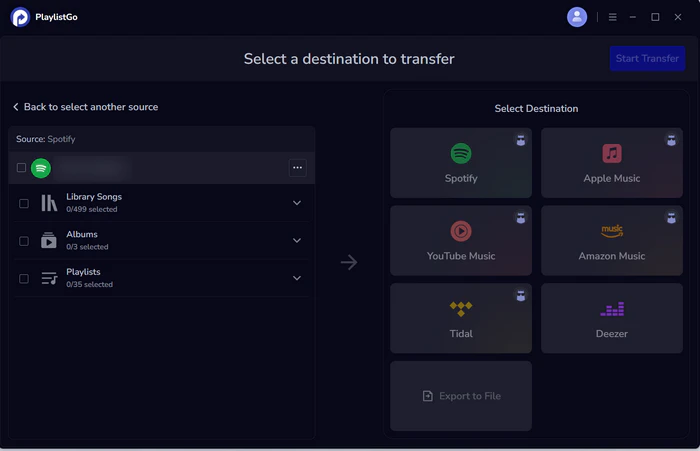
select spotify as source
1

Select Source

Choose Spotify and your playlists

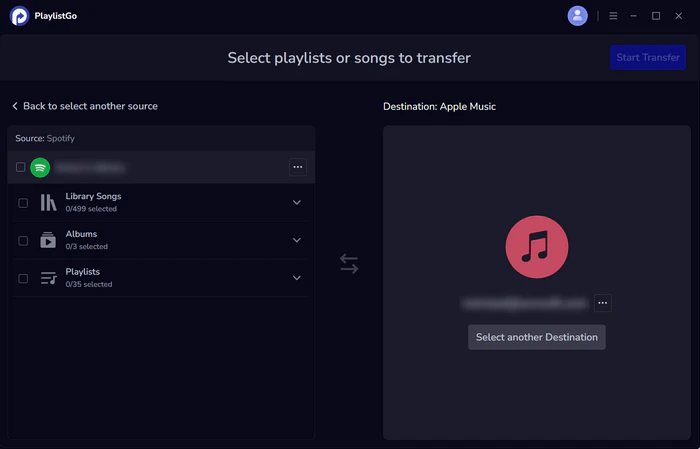
choose apple music as destination
2

Choose Destination

Select Apple Music

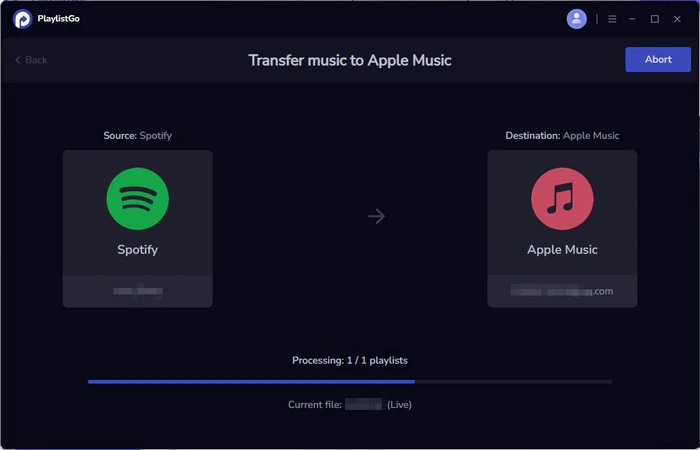
transfer spotify to apple music
3

Start Transfer

Transfer your Spotify library to Apple Music

Why Music Lovers Choose PlaylistGo

More than just a transfer tool — PlaylistGo helps you move your music, own your library, and switch freely.

↔️

Works with All Major Platforms

Transfer between Spotify, Apple Music, YouTube Music, Amazon Music, TIDAL, and Deezer. One app for all your music services.

📦

True Ownership of Your Library

Export your playlists and songs as local backup files in 10 formats — M3U, CSV, JSON, and more. Your music collection is yours forever, no platform can take it away.

♻️

Flexible & Future-Proof

Easily move your library to any new music service that appears in the future. Export local backups anytime so your collection is never locked to a single platform.

Built for Power Users

Browser-based tools weren't built for serious music libraries. PlaylistGo was. As a desktop app, it runs locally on your device, and handles 100,000+ songs without limits.

🔒

Secure Official OAuth Connection

We use secure official OAuth from Spotify and Apple Music — read-only access only. We never see or store your password, never modify your original library.

🎯

99.2%+ Smart & Accurate Matching

Songs are matched using ISRC codes, track title, artist, and album data — so you get the exact version. Exact order, high-quality artwork, and complete metadata included.

What Our Users Say

Real feedback from music lovers who made the switch with PlaylistGo

★★★★★

"I'd been putting off switching to Apple Music because I didn't want to rebuild my playlists from scratch. PlaylistGo made the whole thing a non-issue — every playlist landed in Apple Music exactly as I had it on Spotify. Wish I'd done it sooner."

ER
Emma Richardson
Music Blogger • Manchester
★★★★★

"Switched to Apple Music for the lossless audio but dreaded losing my Spotify library. PlaylistGo moved everything over perfectly — even my most obscure indie tracks got matched. The iCloud sync kicked in immediately after."

LF
Lucas Ferreira
Music Producer • São Paulo
★★★★★

"I have over 200 playlists built up over 8 years on Spotify. Every other tool I tried either hit a limit or missed songs. PlaylistGo handled the whole library and flagged the tracks it couldn't match so I could fix them manually."

RP
Rachel Park
DJ & Music Collector • Toronto

Frequently Asked Questions

Yes. PlaylistGo transfers your Spotify playlists, liked songs, and albums directly into Apple Music — preserving song order, playlist names, and metadata. On top of that, you can export a local backup of your entire Spotify library in up to 10 file formats including M3U, M3U8, PLS, XSPF, XML, CSV, XLS, XLSX, JSON, and TXT before or after the switch. Your music history lives on your device, independent of any subscription.

PlaylistGo achieves a 99.2% song matching success rate on Spotify to Apple Music transfers. Our matching engine cross-references track title, artist, album, and ISRC code against Apple Music's catalog to find the correct version — not just any version. Regional releases, deluxe editions, and remastered tracks are all handled accurately. Any unmatched tracks are clearly flagged in the results so you can review them manually.

Completely safe. PlaylistGo connects to Spotify via official OAuth authorization and to Apple Music via Apple's official MusicKit framework — your passwords are never accessed, entered into PlaylistGo, or stored at any point. All transfer data is processed locally on your device and cleared once the process is complete. Your Apple ID, Spotify credentials, and personal library data remain fully private.

Yes, an active Apple Music subscription is required to receive and play the transferred playlists. PlaylistGo creates the playlists directly in your Apple Music library, but Apple Music is a subscription-based streaming service — without an active plan, you won't have access to the catalog your playlists draw from. If you haven't subscribed yet, Apple Music offers a free trial so you can transfer first and explore before committing.

If you experience any issues while transferring your Spotify playlists to Apple Music, our support team is ready to help. You can reach us directly at [email protected]. We're committed to responding promptly and resolving your issue as quickly as possible so you can get back to enjoying your music.

Ready to Switch From Spotify to Apple Music?

Start your free transfer today — no credit card required.