


If you've ever tried to move your music library from Spotify to Apple Music — or any streaming service to another — you've probably run into Soundiiz. It's one of the most well-known playlist transfer tools out there. But you’ll find that Soundiiz also comes with quite a few restrictions.
This article rounds up the 8 best Soundiiz alternatives in 2026. Whether you want something cheaper, faster, more beginner-friendly, or better mobile support, this list has you covered. We've tested and compared each tool so you don't have to start from scratch.
YouTube Video: Soundiiz Alternatives in 2026
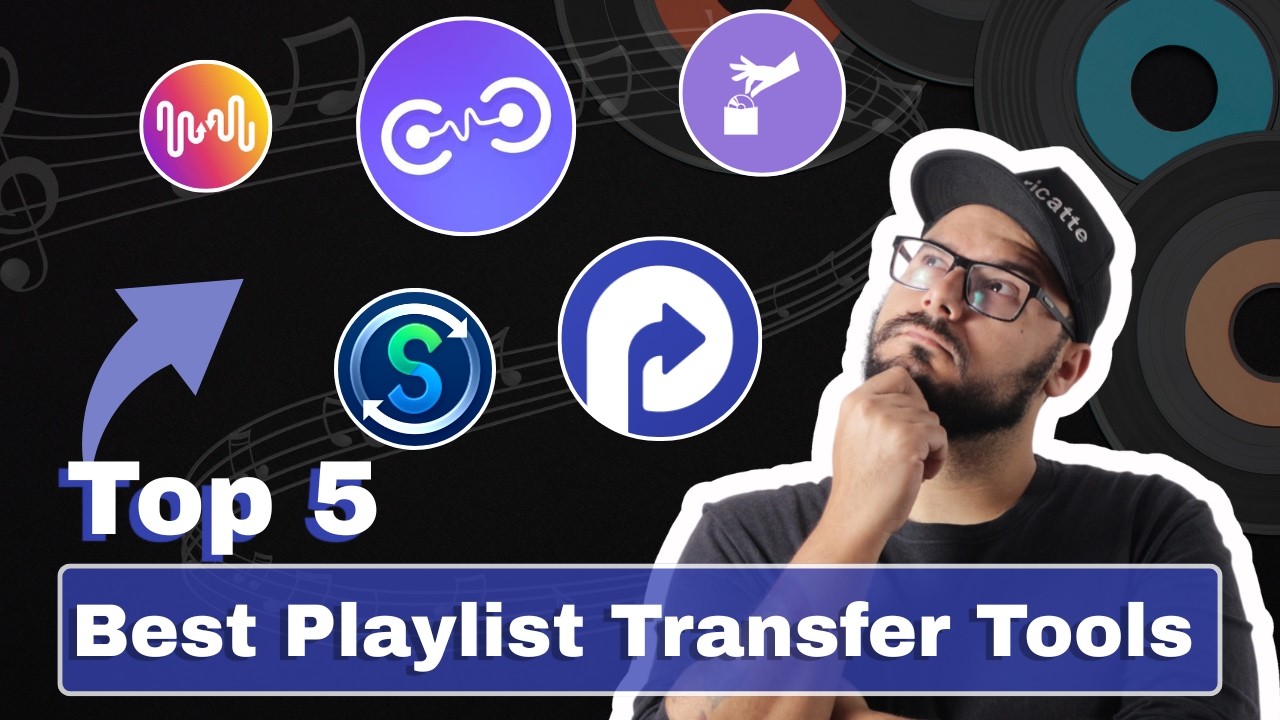
Quick Comparison: Best Soundiiz Alternatives at a Glance
| Tool | Platforms | Match Accuracy | Privacy & Security | Export & Backup | Best For |
|---|---|---|---|---|---|
| PlaylistGo 🏆 | Desktop (Win & Mac) | ✅ 99.2% | ✅ Fully local — no cloud storage | ✅ 10 formats (CSV, TXT, M3U, JSON, etc.) | Large libraries & privacy-focused users |
| TuneMyMusic | Web-based | 96% | ⚠️ Cloud-based | Basic export | Quick, simple transfers |
| FreeYourMusic | Desktop + Mobile | 95% - 98% | Mixed (local app + cloud) |
Basic export | Cross-device users |
| SongShift | iOS app | 70% - 90% | App-based | ❌ | iPhone / iPad users |
| MusConv | Desktop + Mobile | 94% - 97% | Mixed (local app + cloud) |
Basic export | Niche platforms |
| Exportify | Web-based | 92% | Browser-based | CSV only | Spotify playlist backups |
| Paradify | Web + Browser Extension | 93% | ⚠️ Cloud-based | ❌ | YouTube → Spotify transfers |
| Playlisty | iOS + Mac | 90% - 95% | App-based | Basic export | Apple Music users |
Part 1. What Is Soundiiz and Why Consider Alternatives?
Soundiiz is a web-based playlist transfer tool that lets you transfer playlists across dozens of music streaming services, including Spotify, Apple Music, YouTube Music, Deezer, Tidal, Amazon Music, and many others. The platform offers a free plan, a Premium plan at $5/month (or $39/year), and a Creator plan for anyone who need advanced smartlink and more sync slots.
The free tier lets you transfer individual playlists, but it caps each playlist at 200 tracks. Batch transfers, simultaneous sync for multiple playlists, and advanced data exports are all locked behind the paid plans.
Why are people looking for alternatives to Soundiiz? Most common complaints are:
- The free plan is limited — only 200 tracks per playlist. Most real libraries hit the limit quickly.
- Pricing is steep for occasional users — especially when it’s just a one-time job.
- The interface is a bit complicated. Between transfers, syncs, smartlinks, and AI tools, it’s more than most people need for a quick migration.
- Batch migration isn't available on the free tier. Moving all your playlists at once requires paying up.
If even one of these frustrates you, it's worth knowing there are alternatives that handle it better.
Part 2. Top 8 Soundiiz Alternatives in 2026 [Fully Tested]
1. PlaylistGo — Best Desktop Playlist Transfer App
Who it's for: Desktop users who value speed, privacy, stability, and high accuracy for their music library.
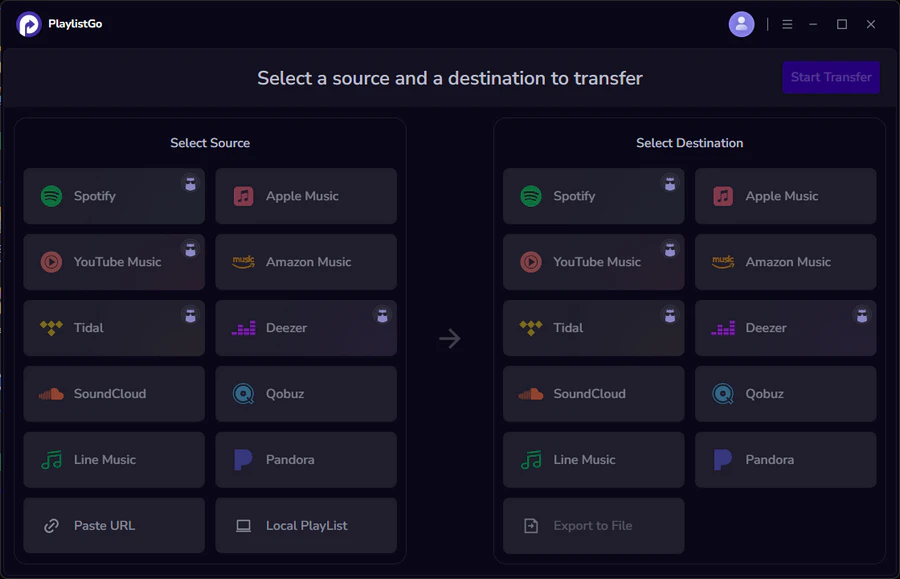
If you’re looking for a simple, speedy way to transfer playlists without using a browser or cloud server, PlaylistGo is among the top alternatives to Soundiiz in 2026. It’s a dedicated desktop app for both Windows and macOS, supporting major streaming services including Spotify, Apple Music, YouTube Music, Deezer, and Amazon Music.
Transfers are typically faster than browser-based tools and your privacy is better protected since PlaylistGo does not store or share your playlist information. Everything is running locally on your device — your playlist data never passes through any third-party server.
PlaylistGo also supports importing local playlist files in ten formats — M3U, M3U8, PLS, XSPF, XML, CSV, XLS, XLSX, JSON, and TXT — useful for users migrating from local music libraries.
PlaylistGo: The Best Soundiiz Alternative Try It Free
No subscription needed — faster local processing, 99.2% match rate, and a one-time purchase option.
| Item | Details |
|---|---|
| Compatible with | Windows, macOS |
| Supported Platforms | Spotify, Apple Music, Amazon Music, YouTube Music, TIDAL, Deezer, and more |
| Transfer Objects | Liked songs, albums, playlists, full music library, local playlists, playlist URLs |
| Import & Export | Local files in M3U, M3U8, XSPF, XML, CSV, XLS, XLSX, JSON, TXT |
| Transfer Accuracy | Up to 99.2% matching accuracy |
| Transfer Speed | Fast and stable |
| Security | Safe and reliable. All transfers run locally |
Free vs. Paid:
| Plan | Pricing | Key Features |
|---|---|---|
| Free Trial | / | 10 tracks per playlist |
| Premium (subscription) | $14.95/mo, $25.95/yr | Unlimited transfers, library backup |
| Lifetime (one-time) | $49.95 | All premium features, pay once |
How to Use PlaylistGo: Transfer Spotify to Apple Music? [3 Simple Steps]
Select Spotify as the Source Platform
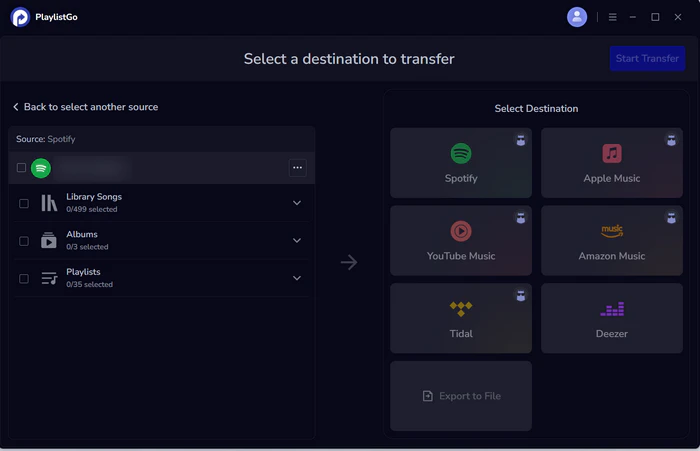
Launch PlaylistGo, choose Spotify as the source platform, and log in to your Spotify account. PlaylistGo will load your Spotify library.
Select Apple Music as the Target Platform
Next, choose Apple Music as the destination platform and sign in with your Apple Music account.
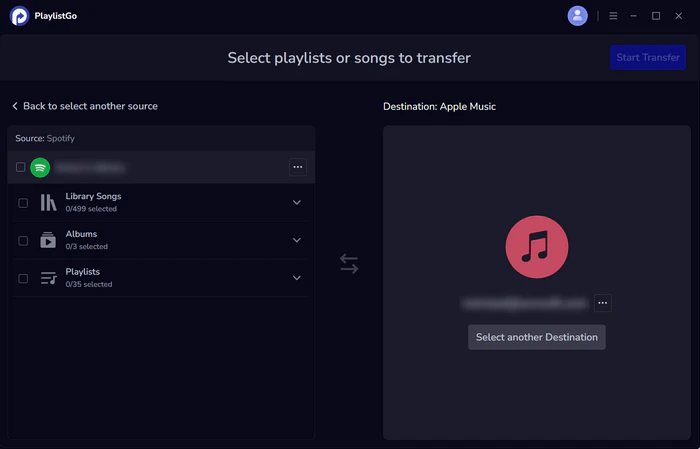
Start Transfer
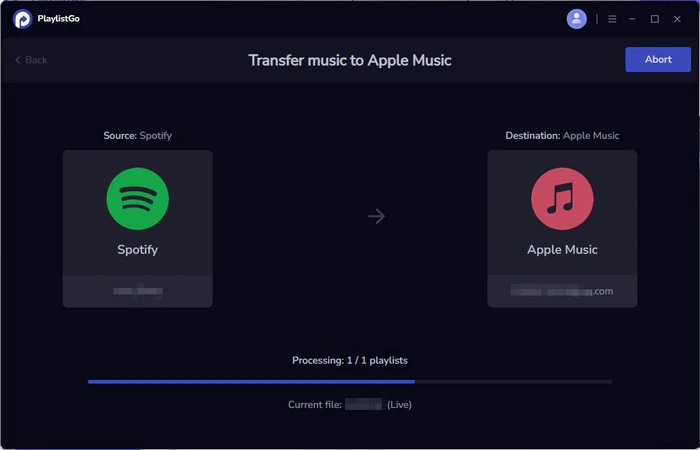
Choose the entire music library, playlists or songs you want to transfer. Then click Start Transfer to begin. PlaylistGo will automatically match tracks and migrate them to Apple Music. once finished, you can open Apple Music to check the transferred playlists.
Pros
- Local processing: enjoy faster transfers and complete data privacy
- High-accuracy matching: boasts a 99.2% track match rate
- Batch transfer: move your entire library or multiple playlists in one go
- Local file import/export: supports 10 playlist formats including M3U, CSV, JSON and more
- Lifetime license: offers a one-time purchase with no recurring subscriptions
Cons
- Windows and macOS only — no web version or mobile app
- Fewer supported platforms
2. TuneMyMusic — Best Web-Based Playlist Transfer Tool
Who it's for: Casual users who wants a fast, reliable web-based transfer tool without installing anything.
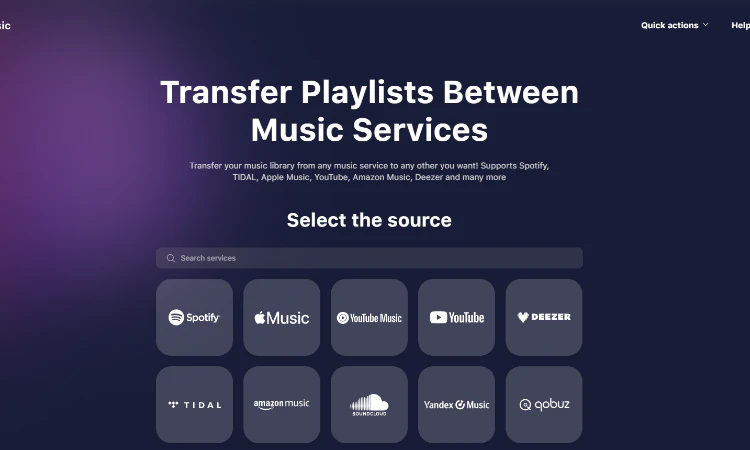
TuneMyMusic offers a simple, browser-based way to transfer playlists between music services. No downloads are required — simply sign in, connect your accounts, and you can start transferring immediately.
It supports over 20 major platforms, including Spotify, Apple Music, YouTube Music, Amazon Music, TIDAL, and Deezer. Its free plan is particularly generous, allowing up to 500 tracks per transfer.
TuneMyMusic is praised for its clean, intuitive interface and fast transfer speeds. It also comes with useful extras like automatic playlist synchronization and transfer reports for any tracks that fail to import.
Free vs. Paid:
| Plan | Pricing | Key Features |
|---|---|---|
| Free Trial | / | Transfer up to 500 tracks total, CSV/TXT export |
| Premium (subscription) | $5.5/mo,$24/yr | Unlimited transfers, up to 20 auto-syncs, music backup |
Pros
- No installation needed — works entirely in the browser
- Up to 500 tracks per transfer
- Transfers playlists, liked songs, albums, and followed artists
- Supports 20+ platforms, including several niche services
Cons
- Transfers run on TuneMyMusic’s servers — speed is unstable and raises privacy risks
- Auto-sync is capped at 20 playlists
- No native desktop or mobile app — requires a browser session
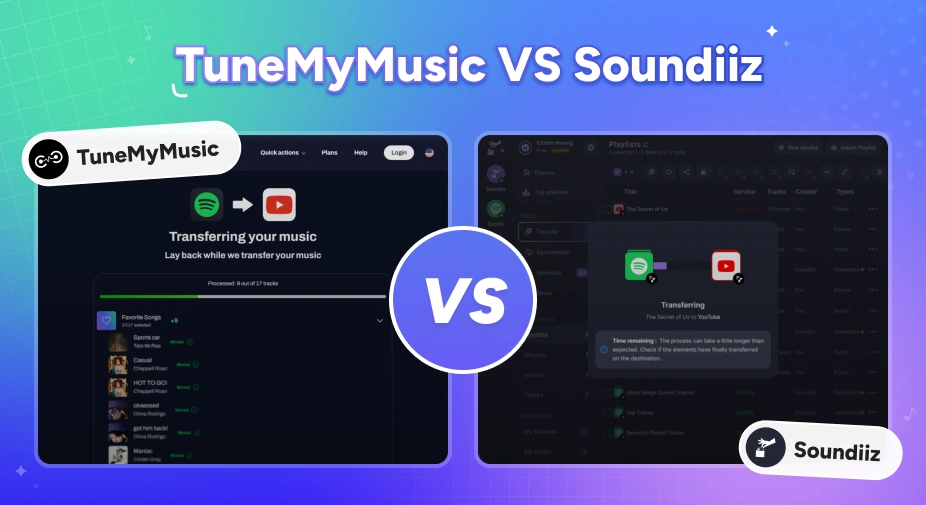
TuneMyMusic vs Soundiiz: Which Playlist Transfer Tool Is Better in 2026?
Moving music platforms? Compare TuneMyMusic vs Soundiiz—speed, accuracy, pricing, and which playlist transfer tool wins in 2026.
3. FreeYourMusic — Best Multi-Device Playlist Transfer with Auto-Sync
Who it's for: Users who want automatic sync across devices and platforms
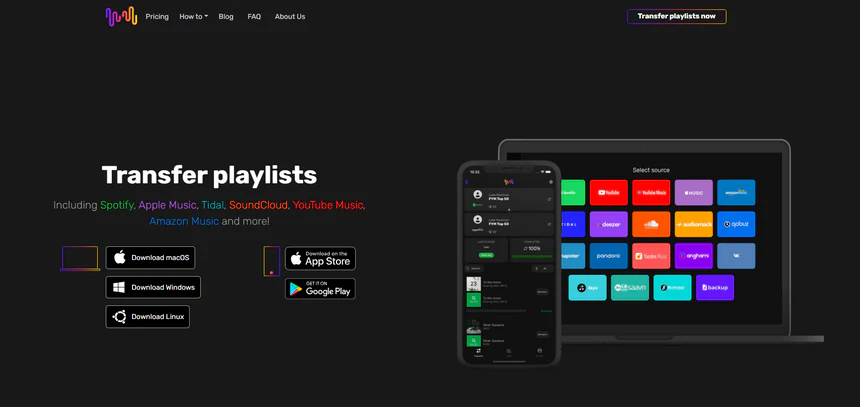
FreeYourMusic (formerly known as STAMP) is one of the most fully-featured alternatives to Soundiiz. It supports 20+ streaming platforms, including Spotify, Apple Music, YouTube Music, Amazon Music, Tidal, Deezer, Qobuz, Napster, SoundCloud, and many more.
With native apps for Windows, macOS, Linux, iOS, and Android, it provides great cross-platform support. The free tier allows up to 600 tracks — the most generous free limit among similar tools.
The 15-minute auto-sync without slot limits is a clear advantage over Soundiiz, making it especially convenient for users who want frequent, hands-off playlist updates.
Free vs. Paid:
| Plan | Pricing | Key Features |
|---|---|---|
| Free Trial | / | Transfer up to 600 tracks total |
| Premium (subscription) | €14.99/qtr,€39.99/yr | Unlimited transfers, auto-sync, cloud backup |
| Lifetime (one-time) | €199.99 | All premium features, no renewal |
Pros
- Native apps for Windows, macOS, Linux, iOS, and Android
- The free tier supports up to 600 tracks in total.
- Auto-sync every 15 minutes with no slot limits
- Lifetime plan available (€199.99) — Soundiiz has no lifetime option
Cons
- Pricing is in euros, which can be confusing for US-based users
- Some App Store reviews note that cancelling the subscription is not intuitive
- Version distinction (original vs. remastered vs. remix) sometimes needs manual correction
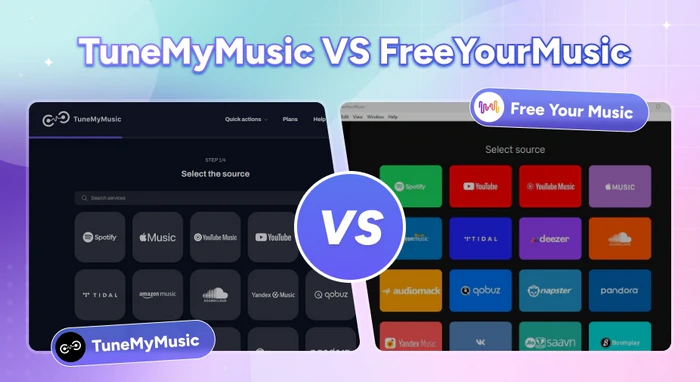
TuneMyMusic vs FreeYourMusic: Which Playlist Transfer Tool Is Better in 2026?
Comparing TuneMyMusic and FreeYourMusic on pricing, sync speed, and accuracy to help you pick the right playlist transfer tool for your needs.
4. SongShift — Best Playlist Transfer App for iPhone and iPad
Who it's for: iPhone and iPad users who want a native experience and often share playlists between different streaming services.
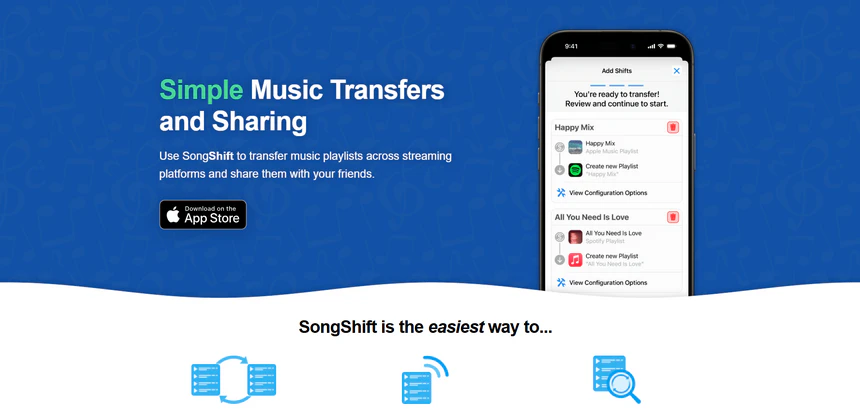
SongShift is an iOS-native app that has built a loyal following among Apple device users. Its clean, minimal design and intuitive step-by-step transfer flow make it one of the most polished mobile experiences in this category.
It supports 10+ major streaming platforms, including Spotify, Apple Music, YouTube Music, Tidal, Amazon Music, Deezer, Qobuz, and more. More recently, Apple has integrated SongShift directly into iOS — you can now import music from other services via Settings → Apps → Music → Transfer from Other Services on supported iOS versions.
Free vs. Paid:
| Plan | Pricing | Key Features |
|---|---|---|
| Free Trial | / | 200 tracks per playlist |
| Pro (subscription) | $6.99/mo,$29.99/yr | Batch transfers, unlimited tracks, full sync |
| Pro Includes Family Sharing (subscription) | $9.99/mo,$39.99/yr | Everything in Pro, family sharing |
| Lifetime (one-time) | $59.99 | All Pro features, no renewal |
Pros
- Batch transfer setup available on SongShift Pro
- Auto-sync new tracks from source playlists to keep transfers updated
- Share playlists with friends across services, including Instagram and Snapchat story posts
Cons
- iOS only — no Android, desktop, or web version
- Free tier caps transfers at 200 tracks per playlist
- Pricing can be higher than some alternatives at the Pro tier
5. MusConv — Best Playlist Transfer Tool for Niche Platforms
Who it's for: DJs, music collectors, and anyone migrating between niche or regional streaming services.
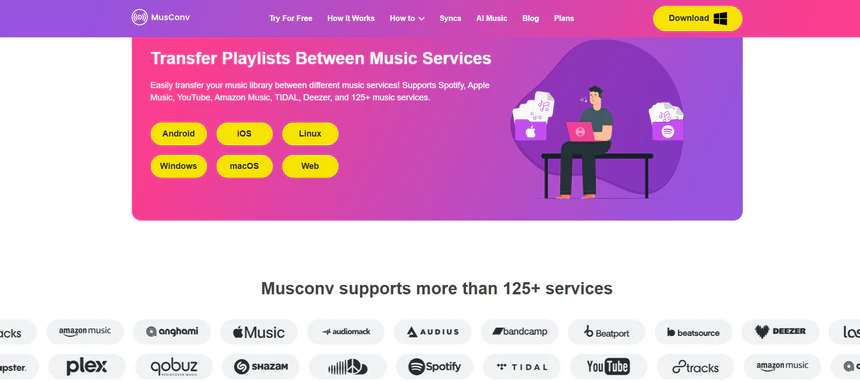
MusConv covers more platforms than any other tool here. With support for over 125 music services — including Spotify, Apple Music, YouTube Music, Amazon Music, TIDAL, Deezer, SoundCloud, Pandora, Qobuz, and many regional, niche, and legacy platforms — it's the only option that handles libraries from less mainstream services.
Beyond the transfer itself, MusConv can auto-sync playlists across services on an ongoing basis, remove duplicates, rematch failed or incorrect song matches, and carry over DJ hot cues. SpeedMatch handles even large libraries fast — often thousands of tracks in seconds. Apps are available for Windows, macOS, Linux, iOS, and Android.
Free vs. Paid:
| Plan | Pricing | Key Features |
|---|---|---|
| Free Trial | / | Transfer up to 30 tracks total |
| Basic | $9.99/mo $59.88/yr |
Batch transfers, unlimited tracks |
| Professional | $15.99/mo $95.88/yr |
All Basic features, duplicate removal, listening stats, daily music charts |
| Ultimate | $19.99/mo $119.88/yr |
All Professional features, song rematch, sync song order, songs quiz game |
| Premium | $21.99/mo $131.88/yr |
All Professional features, auto sync, SpeedMatch |
| Annual License (one-time) | $62 | All Premium features, no renewal |
| Lifetime (one-time) | $147 | All Premium features, no renewal |
Pros
- Supports 125+ music platforms, including niche services others don't cover
- Auto-syncs playlists across services
- Rematch failed or incorrect song matches manually after transfer
- Available on Windows, macOS, Linux, iOS, and Android
Cons
- Interface looks dated compared to more modern tools
- Auto-sync and faster matching are available in the higher-priced plans.
- Occasional manual fixes still needed for obscure or regional tracks
6. Exportify — Best Spotify Playlist Export & Data Backup Tool
Who it's for: Users wanting a Spotify library backup before switching, or those who want to analyze their playlists in a spreadsheet.
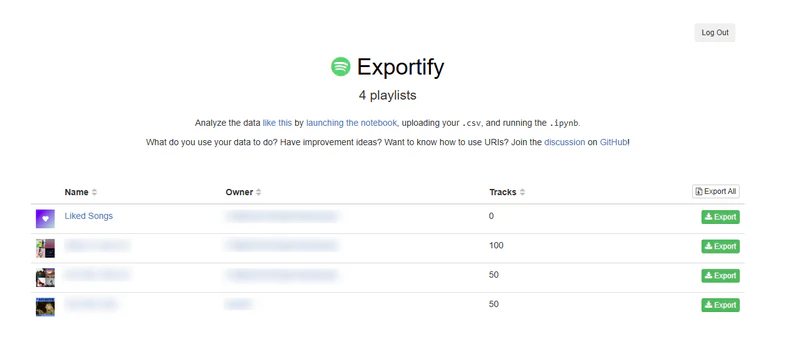
Exportify is different from everything else on this list. It doesn't transfer playlists between streaming services — instead, it exports your Spotify playlist data to CSV files. Think of it as a backup and analysis tool rather than a migration tool.
If you want to archive your Spotify playlists in a spreadsheet, analyze your listening history, or prepare your data before switching platforms, Exportify is the cleanest free solution for the job.
Free vs. Paid:
| Plan | Pricing | Key Features |
|---|---|---|
| Free (only plan) | / | Full CSV export of all Spotify playlists, with optional audio features and album data |
Pros
- Completely free — no account, no payment
- Open-source and available on GitHub
- Exports detailed track metadata: title, artist, album, duration, Spotify URL, added-by, date added
Cons
- Spotify only — cannot pull data from Apple Music, YouTube Music, or any other service
- Exports data only — does not actually transfer playlists to another streaming service
- Needs to be paired with a separate transfer tool for full migrations
How to Export Spotify to CSV File?
Learn to export Spotify playlists to CSV for easy backup, sharing, or transfer with this straightforward guide.
7. Paradify — Best for YouTube-to-Spotify Transfers
Who it's for: Users who discover music mainly on YouTube and want it in Spotify.
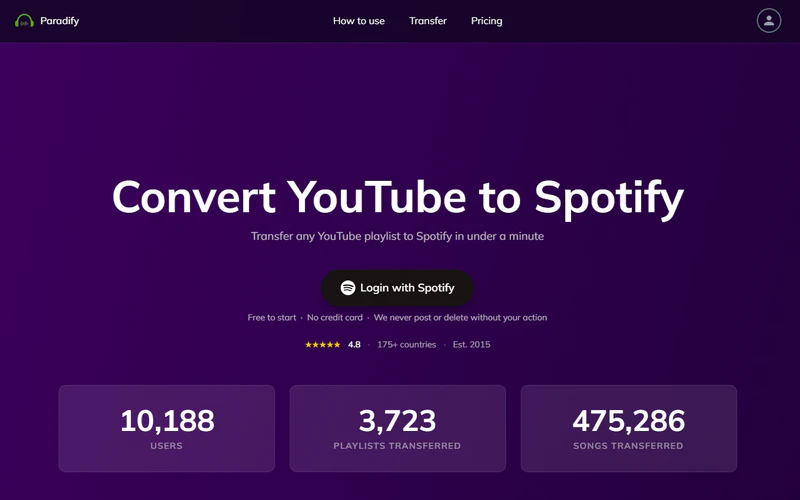
If you create playlists on YouTube and want to enjoy them on Spotify, Paradify makes this common transition quick with minimal effort. Unlike the multi-platform tools above, Paradify is built entirely around moving content from YouTube and YouTube Music into Spotify.
There's also a Chrome extension for ongoing use: while browsing YouTube, click the Paradify button next to any video to add that song directly to a Spotify playlist without leaving the page.
Free vs. Paid:
| Plan | Pricing | Key Features |
|---|---|---|
| Free Trial | / | 100 tracks per playlist |
| Transfer Unlock (one-time) | $11.99 | Full access for 30 days, no renewal |
Pros
- Specially built for YouTube to Spotify transfers
- Handy Chrome extension for saving songs to Spotify while watching YouTube
- Clear results showing exactly which tracks were transferred and which were not
Cons
- Only works for YouTube to Spotify — no support for other services
- Paid version lasts only 30 days, not a permanent unlock
- No automatic sync — transfers are one-time only
How to Move Your Spotify Playlists to YouTube Music in 2026: 3-Minute Guide
Moving your Spotify playlists to YouTube Music has never been easier. No more tedious manual searching. Just click, connect, and done.
8. Playlisty — Best Tool for Apple Music Playlist Transfers
Who it's for: Apple Music users on iPhone or Mac who want accurate imports from Spotify, YouTube, and other sources.
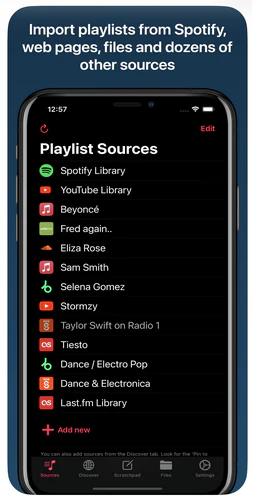
Playlisty offers two simple apps for iOS and Mac — one for Apple Music and one for Spotify. Each app is designed specifically to import playlists cleanly and reliably into its own service.
It supports transfers into Apple Music from Spotify, YouTube, and many others, while the companion Spotify app handles transfers from Apple Music, YouTube, and others. There’s no subscription, just a small one-time unlock for unlimited transfers. Many users also find Playlisty more accurate than SongShift.
Free vs. Paid:
| Plan | Pricing | Key Features |
|---|---|---|
| Free Trial | / | 20 tracks per playlist for Spotify & YouTube sources |
| Pro (one-time) | $3.99 per app | One-off purchase, no renewal; buy separately for Apple Music and Spotify versions |
Pros
- Remembers your manual fixes and re-applies them automatically in future transfers
- Unique Scratchpad feature: paste any text, URL, or file and Playlisty converts it to a playlist
- Backs up Apple Music playlists to a file — a feature Apple Music itself lacks
- Transfers playlist artwork alongside tracks
Cons
- iOS and Mac only — no Android, Windows, or web version
- Free version caps at 20 tracks per playlist
- Transferring in both directions (Spotify → Apple Music and Apple Music → Spotify) requires purchasing two separate apps
FAQs about Soundiiz Alternatives
Conclusion: Which Soundiiz Alternative Should You Try First?
While Soundiiz offers advanced features like smart links, AI playlist generation, and auto-sync, it’s not the best choice for users who simply want fast, accurate transfers without paying for a subscription.
PlaylistGo is the top recommendation for users who want speed, privacy, and a clean desktop experience. If you prefer a web-based workflow or need sync across mobile devices, TuneMyMusic and FreeYourMusic are both strong choices. And if you're on iOS, SongShift remains one of the most polished mobile experiences in the category.

PlaylistGo – Best Desktop Transfer Tool
The fastest and most reliable way to move entire Spotify library to Apple Music, YouTube Music, TIDAL, etc. 100% offline • No Cloud Required • 99.2% success rate



 Language ▴