


FreeYourMusic (formerly known as Stamp) has a 4.7-star average across more than 32,000 ratings, and most transfers go smoothly. But dig into the reviews and a few complaints repeat: some tracks get swapped for a remix instead of the original, and the free tier cuts off sooner than the app makes clear upfront, among other issues.
None of that makes it a bad app, but if any of it sounds familiar, here are 9 alternatives worth testing, compared on pricing, platform support, and transfer reliability.
YouTube Video: FreeYourMusic Alternatives in 2026
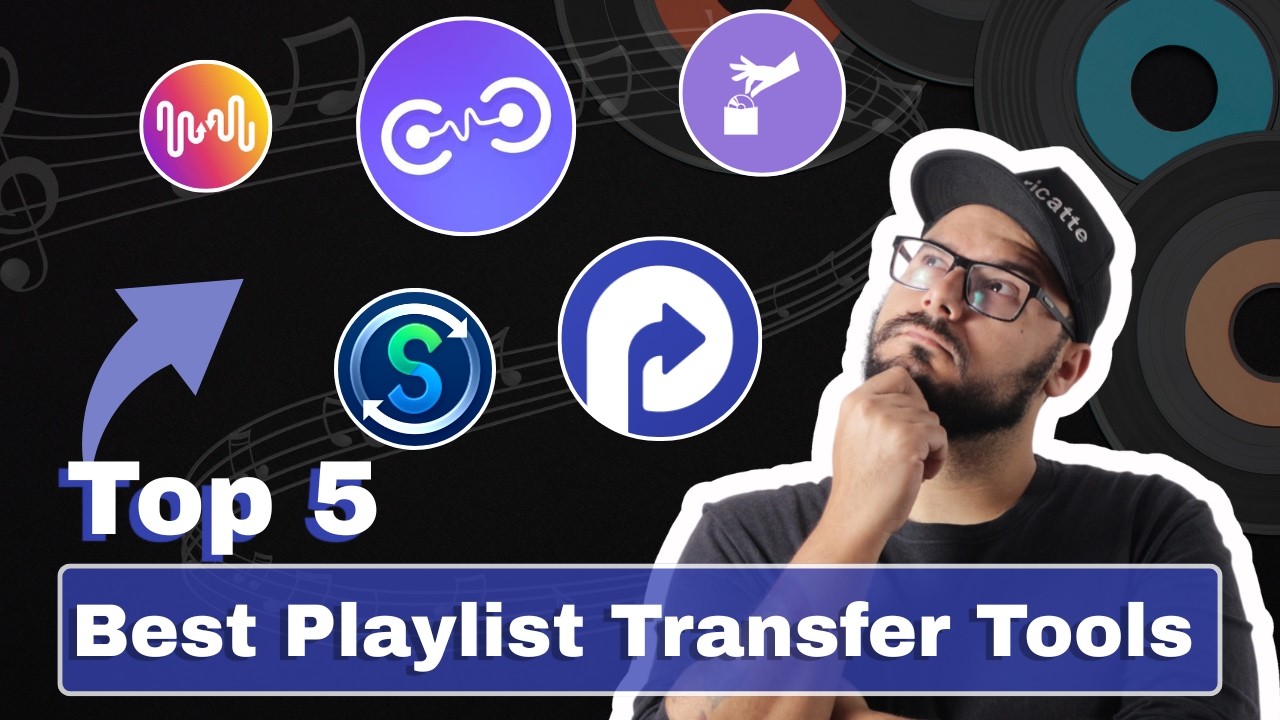
Quick Comparison: Best FreeYourMusic Alternatives at a Glance
| Tool | Platforms | Local Processing | Pricing | Best For |
|---|---|---|---|---|
| PlaylistGo | Desktop (Win & Mac) | ✅ Fully local | One-time purchase | Power users & large libraries |
| TuneMyMusic | Web-based | ❌ Cloud-based | Free tier + subscription | Quick web transfers |
| Soundiiz | Web-based | ❌ Cloud-based | Subscription | Widest platform coverage |
| SongShift | iOS app | ❌ Cloud-based | Freemium | iPhone & iPad users |
| MusConv | Desktop + Mobile | Mixed (local app + cloud) | One-time or subscription | Desktop power users & niche platforms |
| Playlisty | iOS + Mac | ❌ Cloud-based | One-time per app | Apple Music imports |
| Exportify | Web-based (Spotify only) | ❌ Cloud-based | Free | Free Spotify backup |
| Playlistor | Web-based | ❌ Cloud-based | Free | Free, no-install web transfer |
| Music Playlist Transfer | iOS app | ❌ Cloud-based | One-time unlock | Lightweight Spotify ↔ Apple Music on iOS |
Part 1. What Is FreeYourMusic and Why Look for an Alternative?
FreeYourMusic moves playlists, songs, and albums between streaming services such as Spotify, Apple Music, YouTube Music, Amazon Music, TIDAL, and Deezer, with native apps on Windows, macOS, Linux, iOS, and Android.
Beyond the free tier limit and pricing, a few other patterns show up often enough in user reviews to be worth flagging:
- "Liked Songs" often becomes a new playlist instead of getting re-liked on the destination platform.
- Some tracks get swapped for a remix or alternate version instead of the original when an exact match isn't available.
- YouTube Music connections can be unstable, with occasional disconnects and platform errors during transfer.
- File backup is limited to basic Excel exports — no M3U, CSV, or other widely used playlist formats.
Here's how 9 alternatives stack up against each of those.
Part 2. 9 Best FreeYourMusic Alternatives in 2026 [Fully Tested]
1. PlaylistGo — Best Overall FreeYourMusic Alternative
Who it's for: Users with large libraries who want a stable, high-accuracy transfer and prefer paying once instead of subscribing.
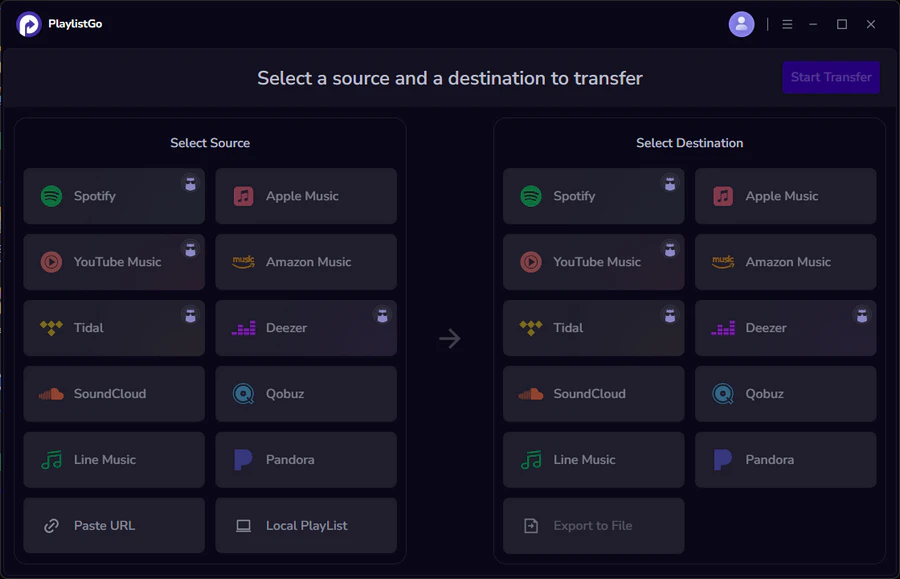
Where FreeYourMusic processes transfers through its own cloud servers, PlaylistGo moves music playlists locally on your own Windows or Mac machine. That difference matters most once a library gets large: the transfer runs at your computer's own speed and finishes in one pass, even across thousands of tracks.
Match accuracy holds up at scale too — PlaylistGo reports up to 99.2% song matching, which means fewer wrong versions or missing tracks to clean up afterward, a common complaint with FreeYourMusic on large or less mainstream libraries.
PlaylistGo also covers a gap FreeYourMusic leaves open: local file import and export across ten formats, including M3U, M3U8, XSPF, XML, CSV, XLS, XLSX, JSON, and TXT. And because everything runs on-device, no account passwords or playlist data are stored on a remote server.
PlaylistGo: The Best FreeYourMusic Alternative Try It Free
Local processing, 99.2% match rate, and one-time purchase.
| Item | Details |
|---|---|
| Compatible with | Windows, macOS |
| Supported Platforms | Spotify, Apple Music, Amazon Music, YouTube Music, TIDAL, Deezer, and more |
| Transfer Objects | Liked songs, albums, playlists, full music library, local playlists, playlist URLs |
| Import & Export | Local files in M3U, M3U8, XSPF, XML, CSV, XLS, XLSX, JSON, TXT |
| Transfer Accuracy | Up to 99.2% matching accuracy |
| Transfer Speed | Fast and stable |
| Security | Safe and reliable. All transfers run locally |
Free vs. Paid:
| Plan | Pricing | Key Features |
|---|---|---|
| Free Trial | / | 10 tracks per playlist |
| Premium (subscription) | $14.95/mo, $25.95/yr | Unlimited transfers, library backup |
| Lifetime (one-time) | $49.95 | All premium features, pay once |
Pros
- Local processing: faster transfers and full data privacy, unlike FreeYourMusic's server-based transfers
- High-accuracy matching: up to 99.2% track match rate
- Local file import/export: supports 10 formats, far more than FreeYourMusic's basic Excel backup
Cons
- Windows and macOS only, no mobile app, while FreeYourMusic covers iOS and Android
PlaylistGo vs. FreeYourMusic at a Glance
| Feature | PlaylistGo | FreeYourMusic |
|---|---|---|
| Processing | ✅ Fully local | ❌ Cloud-based |
| Local file import/export | ✅ 10 formats (CSV, M3U, XML, and more) | Limited (basic Excel export only) |
| Lifetime price | $49.95 | €199.99 |
| Free tier | 10 tracks/playlist | 600 tracks, 1 playlist |
| Mobile apps | ❌ Desktop only | ✅ iOS & Android |
2. TuneMyMusic — Best for Quick Web-Based Transfers
Who it's for: Users who want a fast transfer with no download required.
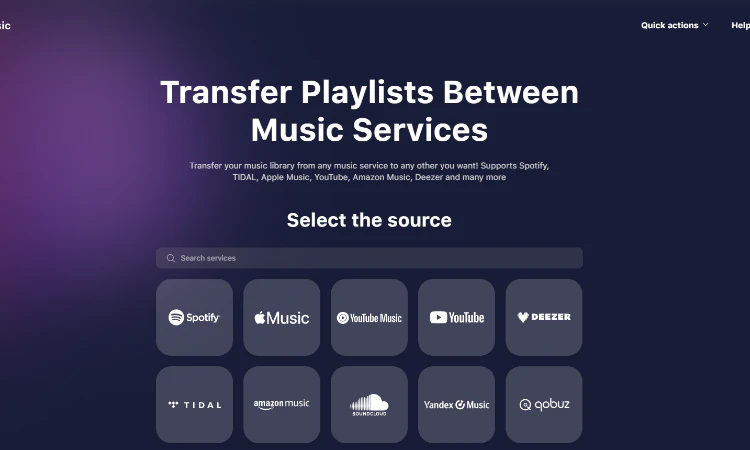
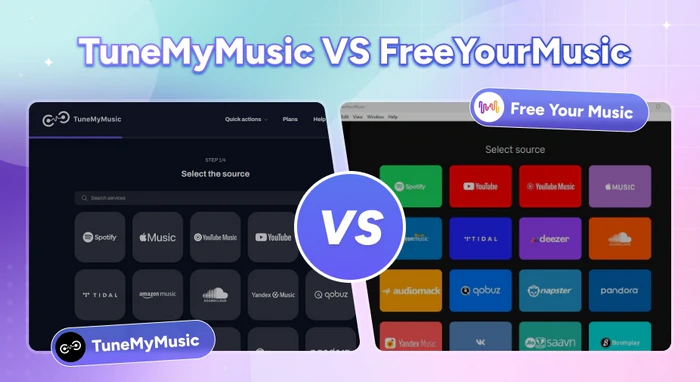
TuneMyMusic is a browser-based tool that connects your source and destination accounts directly — no installation needed. It supports 20 platforms, including Spotify, Apple Music, YouTube Music, and TIDAL, and connects through official APIs rather than unofficial workarounds.
Compared with FreeYourMusic, TuneMyMusic's free tier is slightly smaller (500 tracks vs. 600). For keeping playlists updated over time, TuneMyMusic lets you set sync to run daily, weekly, or monthly at a specific hour, rather than FreeYourMusic's fixed 15-minute interval.
Free vs. Paid:
| Plan | Pricing | Key Features |
|---|---|---|
| Free Trial | / | Transfer up to 500 tracks total, CSV/TXT export |
| Premium (subscription) | $5.5/mo, $24/yr | Unlimited transfers, up to 20 auto-syncs, music backup |
Pros
- No installation needed, works entirely in the browser
- Flexible sync scheduling, pick daily, weekly, or monthly
- Supports 20 platforms with a clean, simple interface
Cons
- Free tier caps out at 500 tracks, slightly less than FreeYourMusic's 600
- No native desktop or mobile app, every transfer means opening a browser tab
TuneMyMusic vs FreeYourMusic: Which Playlist Transfer Tool Is Better in 2026?
Comparing TuneMyMusic and FreeYourMusic on pricing, sync speed, and accuracy to help you pick the right playlist transfer tool for your needs.
3. Soundiiz — Best for Platform Coverage
Who it's for: Users moving between niche or regional platforms that other tools don't support.
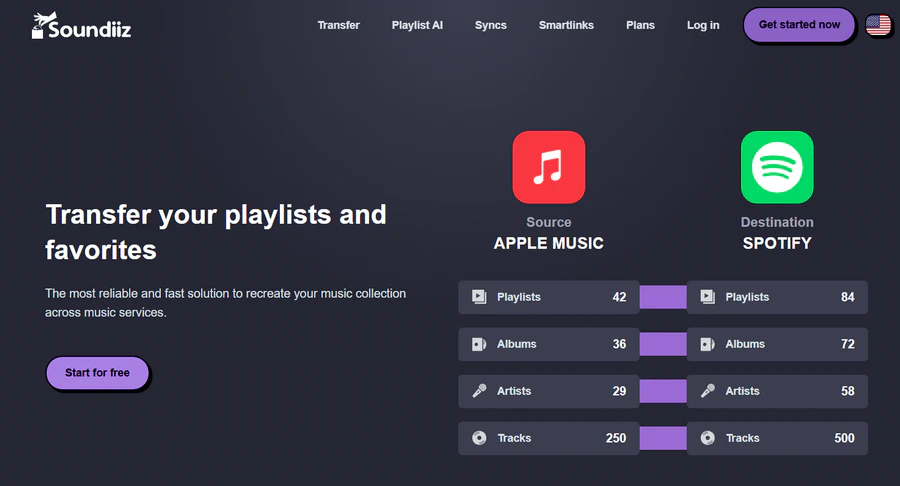
Soundiiz is a web-based playlist transfer tool that supports more than 40 streaming services — the widest coverage of any tool on this list, including FreeYourMusic. It also offers playlist import and export via M3U, XSPF, iTunes, CSV, web links, and plain text.
The free plan has no time limit, but it caps transfers at 200 tracks per playlist, smaller than FreeYourMusic's 600-track allowance. Full unlimited transfers require a subscription with no one-time purchase option.
Free vs. Paid:
| Plan | Pricing | Key Features |
|---|---|---|
| Free Plan | / | No time limit; up to 200 tracks per playlist |
| Premium (subscription) | $5/mo, $39/yr | Unlimited transfers, batch operations, auto-sync, priority support |
Pros
- Supports 40+ platforms, well beyond FreeYourMusic's list
- Free plan has no time limit
- Flexible file import/export: M3U, XSPF, iTunes, CSV, and web links
Cons
- Free plan caps at 200 tracks per playlist, lower than FreeYourMusic's 600
- No one-time purchase option, subscription only
- No native desktop or mobile app
4. SongShift — Best for iOS Users
Who it's for: iPhone and iPad users who want a native, polished mobile experience.
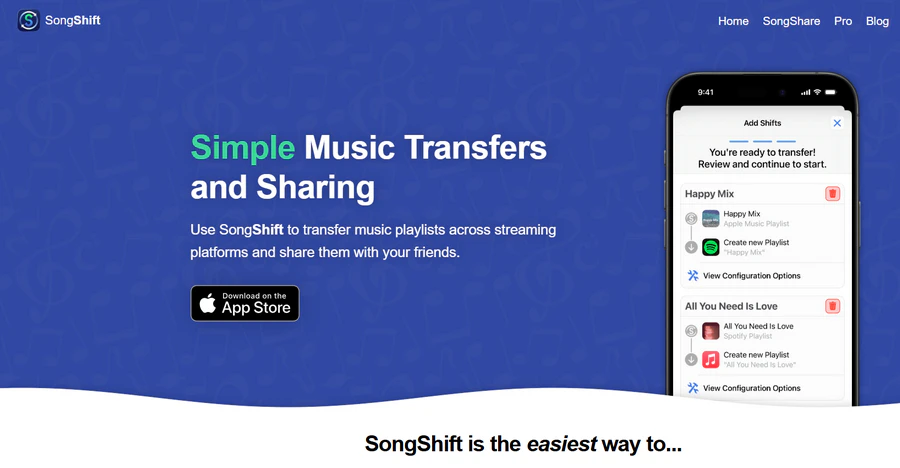
SongShift is an iOS-native app with a simple transfer flow, supporting 10+ platforms including Spotify, Apple Music, YouTube Music, TIDAL, Amazon Music, Qobuz, Pandora, and Napster. It includes a manual match review step before a transfer completes, which FreeYourMusic's mobile app doesn't offer.
Apple has also introduced a built-in transfer feature in iOS. You can now import music from other services via Settings → Apps → Music → Transfer from Other Services.
Free vs. Paid:
| Plan | Pricing | Key Features |
|---|---|---|
| Free Plan | / | 200 free song shifts total |
| Pro (subscription) | $6.99/mo, $29.99/yr | Unlimited shifts, full sync, manual match review |
| Family Plan (subscription) | $9.99/mo, $39.99/yr | All Pro features, shared with up to 5 family members |
| Family Plan Lifetime (one-time) | $59.99 | All Family Plan features, no renewal |
Pros
- Manual match review catches mismatches before they land in your library
- Now works alongside Apple's native iOS transfer feature for basic use cases
- Lifetime option available through the Family Plan
Cons
- iOS only, no Android, desktop, or web version, unlike FreeYourMusic's broader device support
- Free plan caps out at 200 total song shifts, with no individual lifetime option below the Family tier
5. MusConv — Best for Desktop Power Users
Who it's for: Users migrating to niche or regional platforms that other tools don't cover.
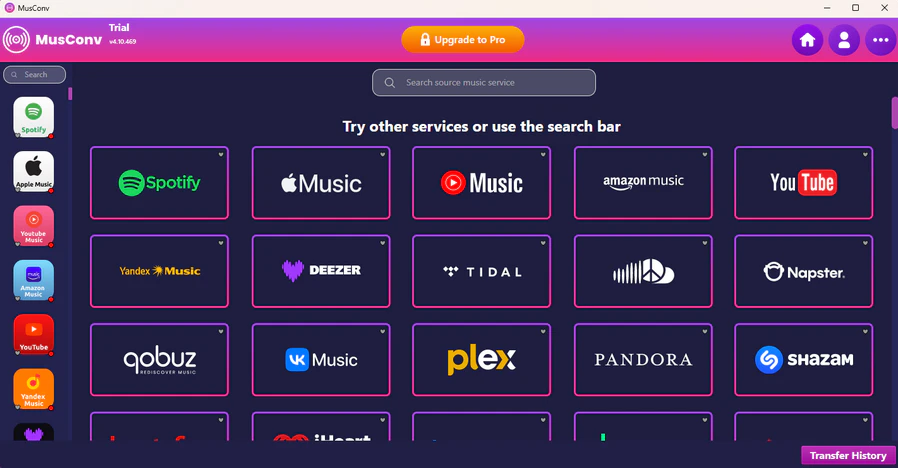
MusConv supports over 125 music services, including regional and legacy platforms that FreeYourMusic doesn't cover. Beyond playlist transfer, it can also rematch tracks that failed to find a match the first time, sync song order between platforms, and convert audio files between formats like MP3, AAC, Vorbis, and Opus.
It runs on Windows, macOS, Linux, iOS, and Android, and supports local file import via M3U, WPL, XML, CSV, and XSPF.
Free vs. Paid:
| Plan | Pricing | Key Features |
|---|---|---|
| Free Trial | / | Transfer up to 200 tracks total |
| Basic (subscription) | $9.99/mo, $4.99/mo billed yearly | Unlimited transfers, no track cap |
| Premium (subscription) | $21.99/mo, $10.99/mo billed yearly | All lower-tier features, plus auto-sync and SpeedMatch |
| Lifetime (one-time) | $147 | All Premium features, no renewal |
Pros
- Supports 125+ platforms, including ones FreeYourMusic doesn't cover
- Rematches failed or incorrect song matches after the initial transfer
- Also converts local audio files between formats like MP3, AAC, and Opus
Cons
- Free trial is capped at 200 tracks, less generous once you factor in FreeYourMusic's 600
- Auto-sync and faster matching are locked behind the higher-priced Premium plan
6. Playlisty — Best for Apple Music Imports
Who it's for: Apple Music users importing from Spotify, YouTube, or other sources.
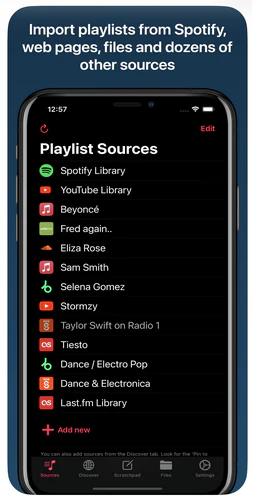
Playlisty is a focused iOS and Mac app for importing playlists into Apple Music, with a companion app for importing into Spotify. Unlike FreeYourMusic's broader multi-platform approach, Playlisty does one direction well rather than covering everything.
The free version is limited to 20 tracks per playlist, and a one-time unlock removes that cap — no subscription required.
Free vs. Paid:
| Plan | Pricing | Key Features |
|---|---|---|
| Free Trial | / | Create playlists up to 20 tracks |
| Pro (one-time) | $3.99 per app | One-off purchase, no renewal; buy separately for Apple Music and Spotify versions |
Pros
- One-time purchase, no subscription required
- Review and edit the match list before the final export
- Backs up Apple Music playlists to a file
Cons
- iOS and Mac only, no Android, Windows, or web version
- Free version caps at just 20 tracks per playlist, far below FreeYourMusic's 600
- Transferring both directions requires buying two separate apps
7. Exportify — Best Free CSV Backup Tool
Who it's for: Users who just want a free Spotify backup, not a full transfer.
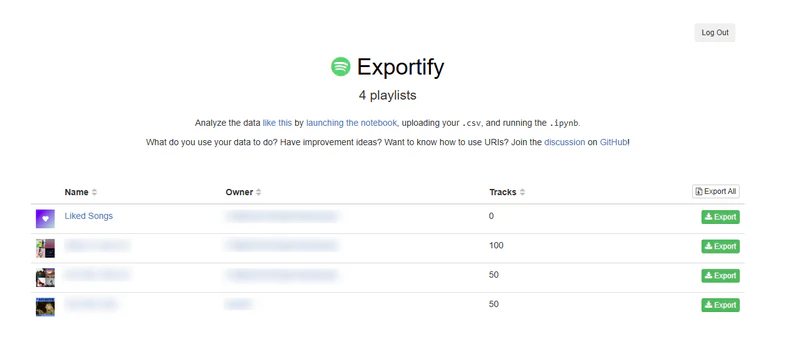
Exportify doesn't transfer playlists between services at all. Instead, it exports your Spotify playlist data directly to CSV files. It goes well beyond a basic backup: alongside track, album, and artist info, it pulls genre, popularity, and Spotify's own audio analysis fields like danceability, energy, valence, and tempo. There's even an optional Jupyter notebook for plotting your listening habits, if you want to go that far.
Free vs. Paid:
| Plan | Pricing | Key Features |
|---|---|---|
| Free (only plan) | / | Full CSV export of all Spotify playlists |
Pros
- Completely free, no account, no payment
- Open-source on GitHub, with hundreds of stars and active maintenance
- Exports far more than basic metadata — genre, popularity, and audio features, not just title and artist
Cons
- Spotify only — can't pull data from Apple Music, YouTube Music, or other services
- Exports data only — doesn't transfer playlists to another platform
- Needs to be paired with a separate transfer tool for a full migration
How to Export Spotify to CSV File?
Learn to export Spotify playlists to CSV for easy backup, sharing, or transfer with this straightforward guide.
8. Playlistor — Best Completely Free Web Option
Who it's for: Casual users who want a no-cost transfer for a small number of playlists.
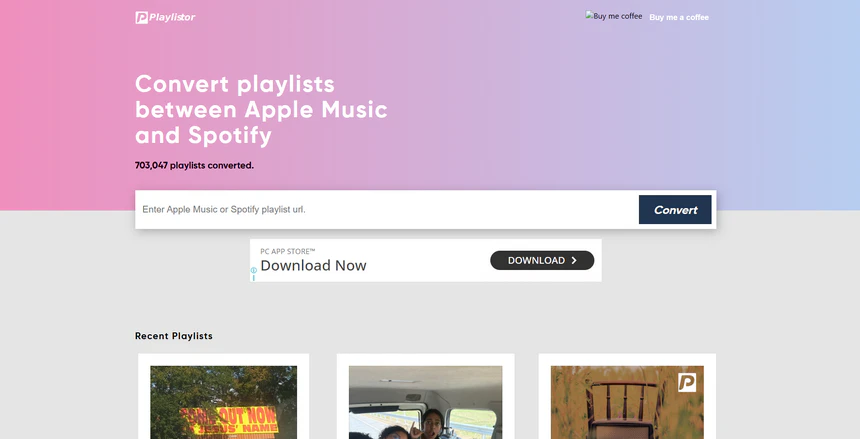
Playlistor is a free, web-based tool for converting playlists between Spotify and Apple Music. There's no install and no account setup beyond pasting a playlist link, which makes it approachable for casual, one-off transfers. It's a small open-source project built and maintained by an individual developer and supported through donations rather than ads.
Free vs. Paid:
| Plan | Pricing | Key Features |
|---|---|---|
| Free (only plan) | / | Donation supported, no track limit specified |
Pros
- Fully free, no subscription or account required
- Simple paste-a-link workflow for quick one-off transfers
- Open-source and ad-free
Cons
- Supports only Spotify and Apple Music, far narrower than FreeYourMusic
- No manual match review step
- Maintained by a single independent developer, so support and updates may be slower than larger tools
9. Music Playlist Transfer — Best Lightweight iOS App
Who it's for: iOS users who only need Spotify ↔ Apple Music and prefer a one-time fee over a subscription.
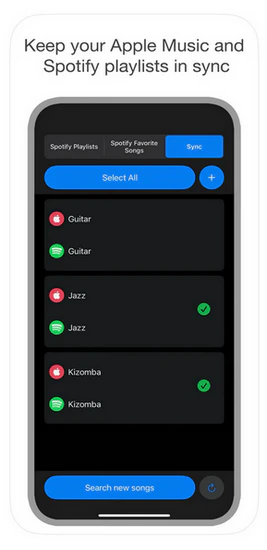
Music Playlist Transfer is a smaller, single-purpose iOS app focused entirely on moving playlists between Spotify and Apple Music. It's a much narrower tool than FreeYourMusic, but it lets you select multiple playlists at once, compare and filter songs before transferring, and check a transfer report afterward.
The free version transfers up to 5 songs per playlist and 5 favorite Spotify songs, plus playlist syncing without song transfer. A $7.99 one-time purchase unlocks unlimited playlist and song transfers along with full sync.
Free vs. Paid:
| Plan | Pricing | Key Features |
|---|---|---|
| Free Version | / | Up to 5 songs per playlist, 5 favorite songs, sync without song transfer |
| Pro (one-time) | $7.99 | Unlimited playlist and song transfers, full sync, no renewal |
Pros
- One-time purchase at $7.99, no subscription
- Simple and single-purpose app
- Check a transfer report before and after moving songs
Cons
- Only supports Spotify and Apple Music — no YouTube Music, TIDAL, or Deezer like FreeYourMusic
- Free tier is very limited at just 5 songs per playlist
FAQs about FreeYourMusic Alternatives
Conclusion: Which FreeYourMusic Alternative Should You Try First?
FreeYourMusic is a reasonable choice if you only transfer playlists occasionally and don't mind a subscription for anything beyond the free tier. But it's not the best fit for users who want local processing, a one-time purchase, or file backups beyond a basic Excel export.
How to Choose the Right FreeYourMusic Alternative
The right tool depends on three things: where you're transferring, how much you're moving, and whether you want to pay once or subscribe.
If you're moving a large library — thousands of tracks across multiple playlists — a desktop tool like PlaylistGo will finish faster and more reliably than a browser-based tool, which depends on your connection staying stable throughout.
If you only need Spotify ↔ Apple Music on your phone, SongShift or Music Playlist Transfer are the simplest options. Both cost less than $10 one-time and don't require a desktop.
If your library includes niche platforms — Qobuz, Napster, or regional services — Soundiiz or MusConv are the only tools here that cover them. FreeYourMusic's platform list stops well short of either.
If you want to keep a local backup before switching, PlaylistGo exports to M3U, CSV, and other formats. Exportify does this for free if you only need Spotify data in a spreadsheet.

PlaylistGo – Best Desktop Transfer Tool
The fastest and most reliable way to move entire Spotify library to Apple Music, YouTube Music, TIDAL, etc. 100% offline • No Cloud Required • 99.2% success rate



 Language ▴