


The best Spotify alternatives for 2026 include Apple Music, YouTube Music, TIDAL, Deezer, Amazon Music, Qobuz, SoundCloud, and Pandora. After three price increases starting in 2023, Spotify Premium now costs $12.99 per month. Add in ongoing criticism over AI‑generated music and artist pay, and more Spotify listeners are shopping around for other streaming choices.
This guide breaks down what each Spotify alternative does best, and how to move your Spotify playlists over without rebuilding them song by song.
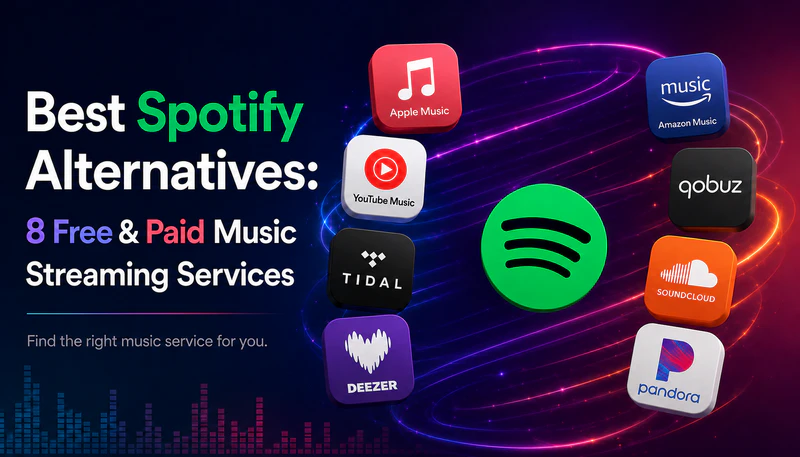
Best Spotify Alternatives at a Glance
| Platform | Key Feature | Max Audio Quality | Free Access | Lowest‑Priced Tier |
|---|---|---|---|---|
| Spotify | Discover Weekly + social features | FLAC lossless, 24-bit/44.1 kHz | ✅ | $12.99/mo |
| Apple Music | Hi-Res audio + Apple device integration |
Hi-Res Lossless, 24-bit/192kHz | ❌ | $11.99/mo |
| YouTube Music | Free on-demand playback + live sets and covers |
256kbps AAC | ✅ | $11.99/mo |
| TIDAL | Hi-Res audio + strict anti-AI policy | Hi-Res FLAC, 24-bit/192kHz | ❌ | $11.99/mo |
| Deezer | Discovery that updates in real time | FLAC lossless, 16-bit/44.1kHz | ✅ | $11.99/mo |
| Amazon Music | Cheaper if you have Prime | Ultra HD lossless, 24-bit/192kHz + Dolby Atmos |
✅ | $11.99/mo |
| Qobuz | Deepest Hi-Res catalog + highest artist pay |
24-bit/192kHz FLAC | ❌ | $12.99/mo |
| SoundCloud | Underground tracks & DJ sets | 128kbps MP3 (256kbps AAC on Go+) |
✅ | $4.99/mo |
| Pandora | Lowest overall price + adaptive radio | Up to 192kbps | ✅ | $4.99/mo |
- 💸 Tired of Price Hikes: Pandora, SoundCloud or YouTube Music — from free, or as low as $4.99/mo
- 🎧 Want Better Audio: Apple Music, TIDAL, Qobuz, or Amazon Music — true Hi-Res FLAC up to 24-bit/192kHz
- 🚫 Avoiding AI-Generated Tracks: Qobuz, TIDAL or Deezer — the strictest anti-AI policies of any major platform
- 🤝 Want Artists Paid Fairly: Qobuz or TIDAL — several times Spotify's per-stream rate
- 🎛️ Bored of the Algorithm: SoundCloud or Deezer — DJ sets, indie artists and real-time recommendations
Top 8 Spotify Alternatives Compared in 2026
1. Apple Music — Best Spotify Alternative for Hi-Res Audio and Apple Devices
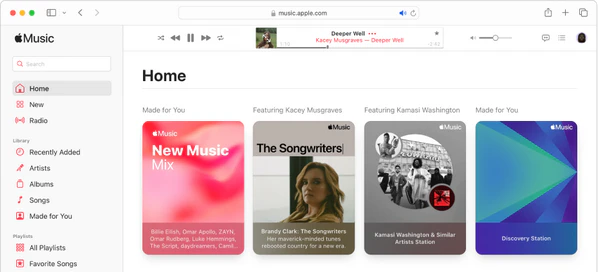
While Spotify now supports lossless audio up to 24-bit/44.1kHz, Apple Music goes further with Hi-Res Lossless up to 24-bit/192kHz plus Dolby Atmos spatial audio. Its catalog runs over 100 million songs and works on both iOS and Android, so leaving Spotify doesn't require buying an iPhone. If you already own lots of Apple devices like an iPhone, Mac or HomePod, switching will give you much smoother daily integration.
Its only downside is that Apple Music has no free access. Spotify's Discover Weekly recommendations are also generally considered sharper than Apple Music's. It remains an excellent option if you seek higher‑fidelity audio, cost‑effective subscription pricing, and full compatibility with Apple devices.
Pros
- Lossless and Hi-Res audio included
- Deep integration with Apple devices and Siri
- No ads on any tier, plus exclusive radio shows and artist content
Cons
- No free access — Spotify's biggest advantage
- Discovery is less personalized than Spotify's algorithm at its best
- Playlist collaboration and social features are limited
| Plan | Price | Details |
|---|---|---|
| Free Trial | — | No permanent free tier; new subscribers get 1 month free, credit card required upfront |
| Individual | $11.99/mo | Full catalog, lossless + Hi-Res + Dolby Atmos included |
| Family | $19.99/mo | Up to 6 accounts, each with a separate library |
| Student | $6.99/mo | Verified students, first month free, includes Apple TV at no extra cost |
Switching from Spotify to Apple Music? Try It Free
PlaylistGo moves your Spotify playlists, liked songs, and saved albums straight into Apple Music — matched automatically, no manual rebuilding.
2. YouTube Music — Best Free Spotify Alternative
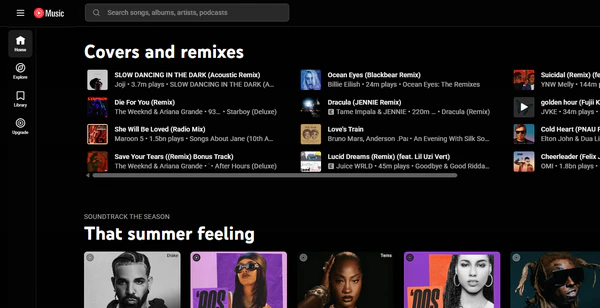
If price is what's pushing you off Spotify, YouTube Music's free tier solves it outright: full on-demand playback with ads, not Spotify Free's shuffle-only mobile restriction. It also includes YouTube's user-uploaded content — live performances, cover versions, music videos — that Spotify's licensed catalog doesn't carry, and if you already pay for YouTube Premium, ad-free music streaming comes bundled in at no extra cost.
What it doesn't fix is audio quality. YouTube Music maxes out at 256kbps AAC with no lossless option, so if Spotify's lossless tier was the appeal, switching here means losing fidelity.
Pros
- Free ad-supported tier with full on-demand playback
- Access to music videos, live performances, and user uploads Spotify doesn't carry
- Strong value if bundled with YouTube Premium
Cons
- No lossless or Hi-Res audio option — caps at 256kbps AAC
- Fewer podcast and audiobook offerings than Spotify
| Plan | Price | Details |
|---|---|---|
| Free | — | Permanent free tier; full on-demand playback with ads |
| Individual | $11.99/mo | Ad-free, offline downloads, background play |
| Family | $18.99/mo | Up to 6 accounts |
| Student | $5.99/mo | Verified students, up to 4 years |
| YouTube Premium (bundle) | $15.99/mo | Adds ad-free YouTube video on top of Music Premium |
3. TIDAL — Best Spotify Alternative for Hi-Res Audio and Strict Anti-AI Policy
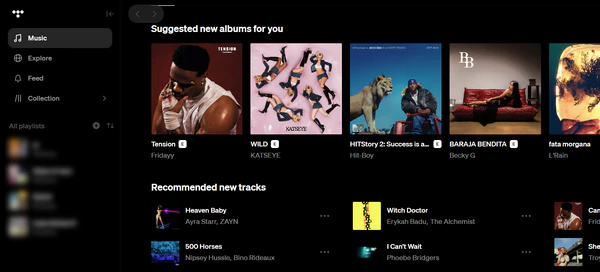
TIDAL is one of the strongest answers to AI-generated music on streaming: since July 2026, fully AI-generated tracks get tagged and lose royalty eligibility entirely, one of the strictest policies of any major platform. That said, TIDAL's discovery and curated playlists aren't as robust as Spotify.
On the audio front, TIDAL includes lossless FLAC, Hi‑Res FLAC up to 24‑bit/192kHz, plus Dolby Atmos. On artist pay, TIDAL's per‑stream rate runs about three to five times what Spotify pays — the second-highest of any platform on this list, behind only Qobuz. TIDAL Connect also lets you stream directly to compatible hi‑fi equipment, a feature Spotify does not offer.
Pros
- Lossless and Hi-Res audio included in a single plan
- Highest per-stream artist payouts of any major platform besides Qobuz
- Strictest AI-music policy of any major platform — no royalties for fully AI-generated tracks
Cons
- Recent price increase narrows its previous cost advantage
- No free access
- Discovery and editorial features are thinner than Spotify's
| Plan | Price | Details |
|---|---|---|
| Free | — | No permanent free tier; 30-day trial for new subscribers, full access, credit card required upfront |
| Individual | $11.99/mo | Lossless FLAC, Hi-Res up to 24-bit/192kHz, Dolby Atmos included |
| Family | $19.99/mo | Up to 6 accounts |
| Student | $6.99/mo | Verified students, re-verify every 11 months |
4. Deezer — Best Spotify Alternative for Stale Discover Weekly
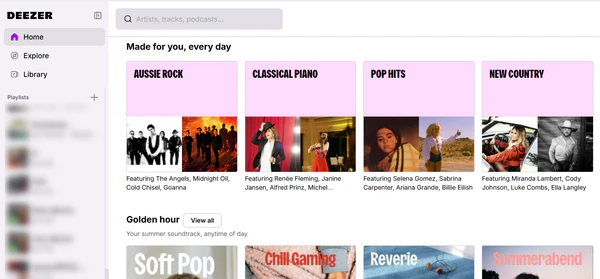
Deezer's biggest strength is Flow, its automated radio feature that keeps evolving your suggestions in real time — a real alternative if Spotify's Discover Weekly has started feeling stale or repetitive for you, which is one of the most common complaints from Spotify users in 2026. Its Premium plan also includes FLAC lossless audio, and SongCatcher lets you identify a song just by humming it, a feature no other platform on this list offers.
AI-generated music is a growing problem across every streaming platform, and Deezer receives more AI uploads than most rivals. However, Deezer took early action: it was the first service to detect, tag and strip AI‑made tracks from algorithm suggestions and official playlists. While its detection system performs well, Deezer has more AI content to clean up than Spotify or Apple Music.
Pros
- CD-quality lossless FLAC included (no Hi-Res tier)
- Flow adapts continuously, a real fix if Discover Weekly has gone stale
- Most aggressive AI-detection system, stripping flagged tracks from recommendations
Cons
- Reportedly among the highest shares of AI-generated uploads of any major platform
- Smaller North American user base means fewer localized playlists
- Podcast catalog is thinner than Spotify's
| Plan | Price | Details |
|---|---|---|
| Free | — | Permanent free tier; ad-supported; mobile playback more limited than desktop |
| Premium (Individual) | $11.99/mo | FLAC lossless included, ad-free |
| Duo | $15.99/mo | 2 individual Premium accounts |
| Family | $19.99/mo | Up to 6 accounts |
| Student | $5.99/mo | ~50% off Premium, verified annually |
Switching from Spotify to Deezer? Try It Free
PlaylistGo transfers your Spotify playlists, liked songs, and saved albums to Deezer in a few clicks, so Flow has your full library to work with from day one.
5. Amazon Music Unlimited — Best for Prime Members
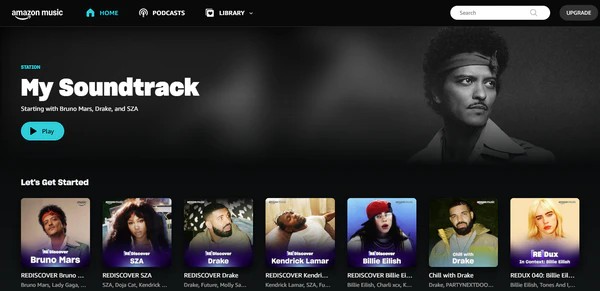
If you're already paying for Prime, Amazon Music is close to a straight upgrade: $11.99/month gets you Ultra HD lossless audio and Dolby Atmos, cheaper than Spotify Premium and with better audio quality, plus deeper Alexa and Echo integration than Spotify offers. It's a lower-effort switch than most on this list since you're not adding a new subscription, just using one you're already paying for.
That said, its recommendation is less refined than Spotify's, and the free plan is station-based rather than full on-demand, so it's not a like-for-like replacement if you're on Spotify Free.
Pros
- Discounted pricing for Prime members
- Ultra HD lossless and Dolby Atmos included
- Deep Alexa and Echo integration
Cons
- Non-Prime pricing offers little advantage over Spotify or Apple Music
- Recommendation engine is less refined than Spotify's or Apple's
| Plan | Price | Details |
|---|---|---|
| Free | — | Permanent free tier; ad-supported, station-based only |
| Unlimited (Prime members) | $11.99/mo | Discounted rate for Prime subscribers; full catalog, Ultra HD lossless + Dolby Atmos |
| Unlimited (non-Prime) | $12.99/mo | Full catalog, Ultra HD lossless + Dolby Atmos, no Prime required |
| Family | $21.99/mo | Up to 6 accounts, listen simultaneously |
| Single Device | $6.99/mo | Full Unlimited catalog, limited to one Echo or Fire TV device |
| Student | $5.99/mo | Requires student verification |
6. Qobuz — Best Spotify Alternative for Hi-Res Depth
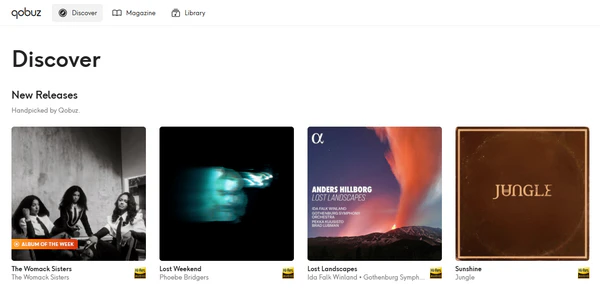
Qobuz delivers the highest‑quality audio with true Hi-Res FLAC up to 24-bit/192kHz, and it has an large collection of classical and jazz music. It also pays artists more per stream than any other platform, and takes one of the firmest stances against AI music: Qobuz's AI Charter restricts fully AI-generated content and includes systems designed to detect and filter it, rather than just labeling it.
What you're trading away are the extra features Spotify offers alongside music: there's no strong recommendation algorithm, no podcasts, no music videos, and noticeable catalog gaps in some genres. It is not a Spotify replacement for daily casual listening — it's the switch for people whose main complaint with Spotify is audio quality or AI content, not discovery or price.
Pros
- Genuine 24-bit/192kHz Hi-Res FLAC across nearly its whole catalog, not just select titles
- Highest per-stream artist payouts of any platform, and one of the strictest AI-music policies — restricts fully AI-generated content rather than just labeling it
Cons
- Little to no personalized discovery or algorithmic recommendations
- No podcasts, audiobooks, or music videos
- Highest price point on this list, with catalog gaps outside its core genres
| Plan | Price | Details |
|---|---|---|
| Free Trial | — | No permanent free tier; 1-month trial for new subscribers, full access, credit card required upfront |
| Studio Solo | $12.99/mo | 24-bit/192kHz Hi-Res FLAC, 1 account |
| Studio Duo | ~$17.98/mo | 2 accounts, same household |
| Studio Family | ~$21.57/mo | Up to 6 accounts, same household |
| Student | ~$5.00/mo | Same Hi-Res streaming as Solo, verified students |
7. SoundCloud — Best for Independent & Underground Music
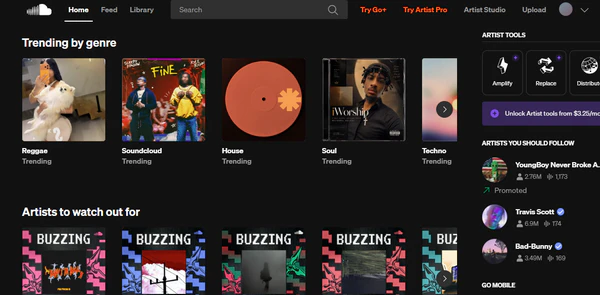
If Spotify's algorithm keeps looping you back to the same mainstream hits, SoundCloud is a strong alternative. Its open‑upload library of over 400 million tracks hosts remixes, DJ sets and independent artists you won't find on Spotify. It also offers a standout free tier: full on‑demand playback with ads and no shuffle‑only limits, beating Spotify's mobile free plan.
The paid Go+ tier adds the licensed major-label catalog and higher audio quality, but there's still no lossless option and mainstream pop or rock coverage isn't as deep as Spotify's. SoundCloud works best for users who want to find music unavailable on Spotify, rather than a full‑on alternative for Spotify's mainstream library.
Pros
- Massive catalog of remixes, DJ sets, and unreleased tracks unavailable elsewhere
- Free tier offers on-demand playback, unlike Spotify Free's mobile shuffle limit
- Strong ties to hip-hop, electronic, and underground music communities
Cons
- Free tier streams at only 128kbps MP3 — lower quality than Spotify's free tier
- Weak podcast and mainstream pop/rock coverage compared to Spotify
| Plan | Price | Details |
|---|---|---|
| Free | — | Permanent free tier; full on-demand playback with ads; some tracks time-limited |
| Go | $4.99/mo | Removes ads and adds offline listening for the standard catalog only |
| Go+ | $10.99/mo | Full licensed catalog, offline listening, higher audio quality |
| Student (Go+) | $5.49/mo | 50% off Go+, verified students |
Switching from Spotify to SoundCloud? Try It Free
PlaylistGo migrates your Spotify playlists and liked songs to SoundCloud automatically, so you keep your library while exploring tracks Spotify never surfaced.
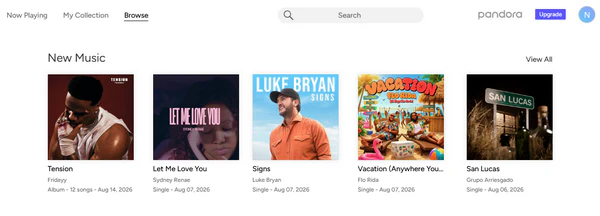
8. Pandora — Cheapest Spotify Alternative for Adaptive Radio
If price is the main reason you're looking to leave Spotify, Pandora is by far the cheapest paid pick on this list. Pandora also does not rely on algorithm‑built playlists: just type in a song, artist, or genre, give it a thumbs up or down as it plays, and the station adapts in real time.
What Pandora won't solve: you can only build radio stations, rather than pick any specific song or album on‑demand like you can on Spotify. So if you want full control over your playlists, this service will feel limiting. Pandora is also only available in the US, and its maximum audio quality falls far short of Spotify's lossless plan.
Pros
- Music Genome Project-powered stations that adapt in real time to thumbs up/down feedback
- Free ad-supported tier with unlimited stations
- Lower price than every other alternative on this list
Cons
- US-only due to licensing restrictions
- Station-based listening, not full on-demand control like Spotify
| Plan | Price | Details |
|---|---|---|
| Free Trial | — | Permanent free tier; ad-supported stations |
| Plus | $4.99/mo | Ad-free stations, more skips, limited offline listening |
| Premium | $10.99/mo | Adds full on-demand playback, playlists, and album access |
| Family (Premium) | $17.99/mo | Up to 6 accounts |
Free vs. Paid Spotify Alternatives: Which One Should You Choose?
Not every platform on this list requires a subscription to be worth switching to. Here's how the 8 alternatives split, and which to pick based on what actually matters most to you.
| Has a Free Access | Paid Only |
|---|---|
| YouTube Music, Deezer, Amazon Music, SoundCloud, Pandora | Apple Music, TIDAL, Qobuz |
Pandora and SoundCloud Go both start at $4.99/month, the lowest paid tiers on this list. Or go fully free with YouTube Music or SoundCloud's free tier, both of which offer full on-demand playback with ads — a real step up from Spotify Free's shuffle-only mobile experience.
Apple Music, TIDAL, and Amazon Music (Ultra HD) all stream up to 24-bit/192kHz Hi-Res with Dolby Atmos included, and Amazon Music is the cheapest of the three if you already have Prime. If you want the deepest Hi-Res catalog rather than just the top spec, Qobuz leans Hi-Res across nearly its entire library.
Qobuz restricts fully AI-generated content from the platform outright. TIDAL stops paying royalties on AI tracks and tags them, and Deezer strips detected AI content from algorithmic recommendations and editorial playlists.
Qobuz pays the highest per-stream rate of any platform, followed by TIDAL and Apple Music — all several times what Spotify pays per stream.
Deezer's Flow adapts continuously instead of refreshing once a week. YouTube Music and SoundCloud surface remixes, live sets, and unsigned artists Spotify's algorithm won't show you at all.
Apple Music is the easiest move if you're on iPhone. Deezer is close behind, with lossless audio included and a Flow feature that starts working from day one.
Amazon Music at $11.99/month for Prime members, or YouTube Music bundled into YouTube Premium, both add music streaming to a subscription you're already paying for.
How to Switch to a Spotify Alternative Without Losing Your Playlists
Choosing a new platform is only half the decision. The bigger practical question is how to transfer your Spotify playlists, liked songs, and saved albums, since every platform on this list builds its own separate library.
A playlist transfer tool solves this. PlaylistGo is a desktop transfer tool that matches your Spotify tracks against the new platform's catalog and rebuilds your playlists in a few clicks. It supports transfers across all 8 alternatives on this list — Apple Music, YouTube Music, TIDAL, Deezer, Amazon Music, SoundCloud, Qobuz, and Pandora. Everything runs locally on your device, so your playlist data never passes through a third-party server, and it can move your entire library without missing a track, no matter which platform you're switching to.
Switch Spotify Alternatives Without Rebuilding a Single Playlist Try It Free
PlaylistGo transfers your Spotify playlists, liked songs, and saved albums straight to Apple Music, YouTube Music, TIDAL, Deezer, or Amazon Music — matched automatically, track by track.
Tutorial: How PlaylistGo Moves Your Spotify Library in a Few Clicks
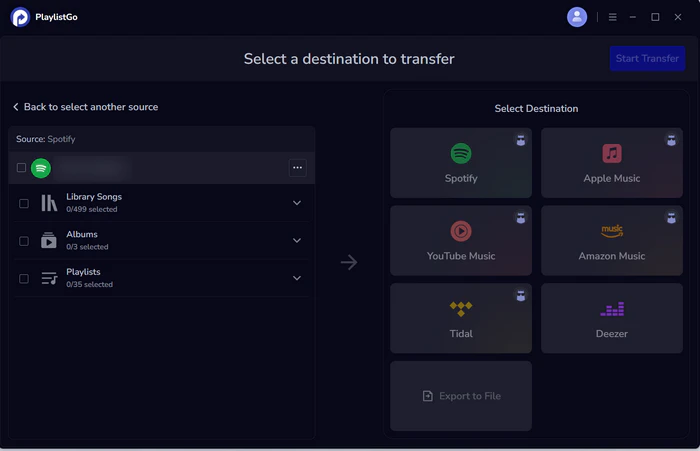
Select Spotify as the source platform
Launch PlaylistGo, choose Spotify as the source platform, and log in to your Spotify account. PlaylistGo will load your Spotify library.
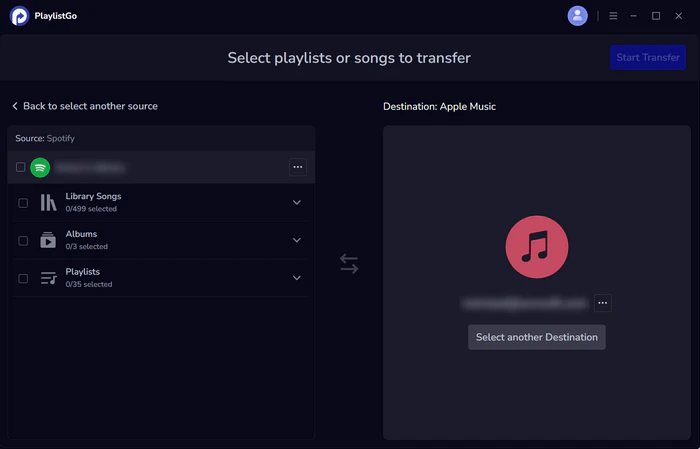
Select your destination platform
Choose your destination platform — Apple Music, YouTube Music, TIDAL, Deezer, Amazon Music, SoundCloud, Qobuz, Pandora, or Line Music — and sign in with your account.
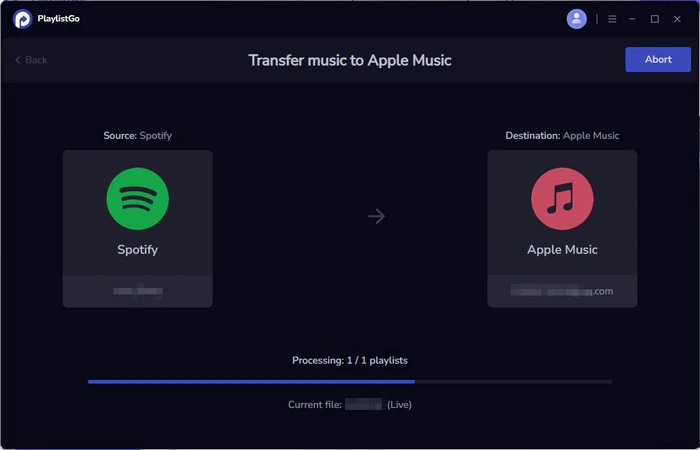
Start Transfer
Choose the playlists, liked songs, or your entire Spotify music library, then click Start Transfer. PlaylistGo automatically matches tracks and migrates them to your new platform. Once finished, open the app to check your transferred playlists.
FAQs about Spotify Alternatives
Conclusion: Which Spotify Alternative Should You Try?
No single app is the best Spotify alternative. Your choice depends on what frustrates you most. Pick Pandora, free YouTube Music or SoundCloud if you want to save money. For better audio quality, Apple Music, TIDAL and Qobuz outperform Spotify. If you worry about AI content or low artist pay, TIDAL, Deezer and Qobuz have stronger policies and higher per‑stream payouts. Apple Music and Deezer are the simplest options for a quick, easy switch.
Whichever platform you land on, the switch only gets easier once you can bring your existing library with you. A tool like PlaylistGo matches and transfers your Spotify playlists, liked songs, and saved albums directly to your new platform, so trying a Spotify alternative doesn't mean starting your music library over from zero.

PlaylistGo – Best Desktop Transfer Tool
The fastest and most reliable way to move entire Spotify library to Apple Music, YouTube Music, TIDAL, etc. 100% offline • No Cloud Required • 99.2% success rate



 Language ▴