


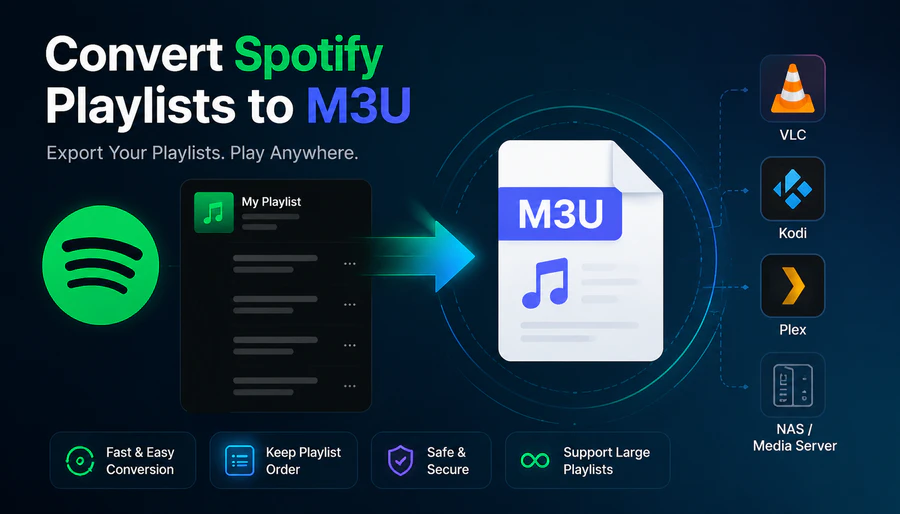
Spotify doesn't have a native option to export playlists as M3U files. If you want to play your Spotify playlists in VLC, Kodi, Plex, or a NAS media server, you'll need a third-party Spotify to M3U converter to get there. This guide covers exactly how to export your Spotify playlist to M3U on desktop, and how to load the file into the media player or server of your choice.
Part 1: What Is an M3U File and Why Spotify Users Need It
An M3U file is just a simple text playlist file for music players. It only lists your songs and the order they play, and there's no actual audio stored inside it. All it has are file locations linking to your local music. If you open an M3U with VLC, your whole playlist loads instantly. You can also add it to Kodi or Plex media servers, and they'll automatically organize your playlist without any manual sorting. If you need to go the other direction and import an M3U playlist into Spotify, that's a separate process covered in its own guide.
Most people want a tool to convert Spotify playlists into M3U files for a handful of simple reasons. Maybe you're transferring your Spotify songs to a local media server and don't want to mess up how your playlists are organized. Or you mainly use VLC media player and wish you could access your Spotify playlists offline. Another common scenario is setting up a home NAS drive, and you need a playlist file your media software can read easily. M3U works perfectly as the standard format for all these needs.
Part 2: How to Export Spotify Playlist to M3U
PlaylistGo is a desktop playlist transfer tool for Windows and Mac that supports M3U as a native export format. Unlike most online tools that only export CSV or JSON, PlaylistGo outputs 10 file formats in total, including M3U, M3U8, PLS, XSPF, XML, CSV, XLS, XLSX, JSON, TXT. It reads your full Spotify library and creates neatly formatted M3U playlists with playlist order preserved and no track limit.
PlaylistGo: Export Spotify Playlists to M3UTry It Free
Export your Spotify library to M3U and 10+ file formats — ready for VLC, Kodi, Plex and more.
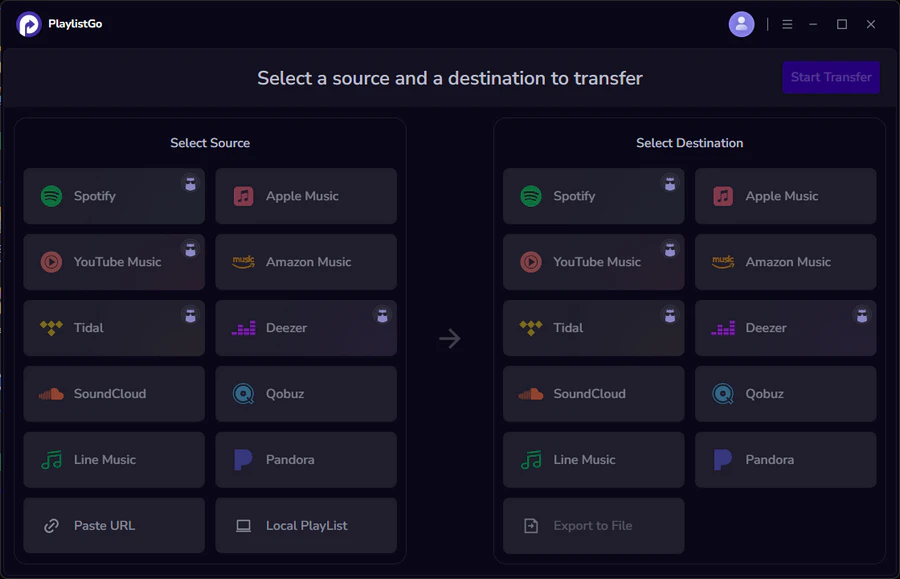
How to Export Spotify Playlist to M3U: Step-by-step Tutorial
Connect Spotify and Select Playlists to Export
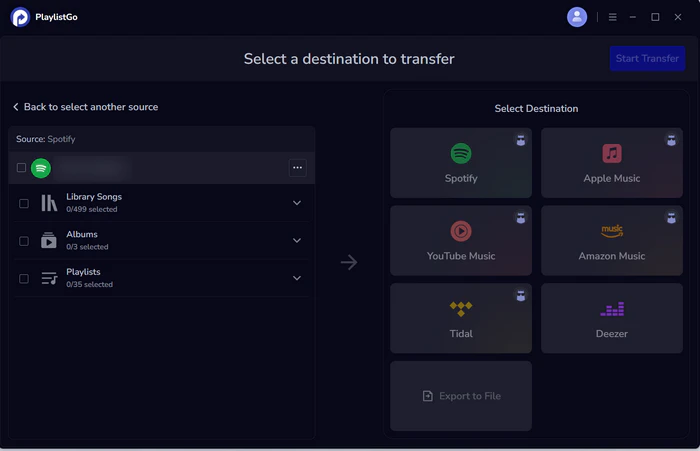
Open PlaylistGo and select Spotify as your source platform. Log in with your Spotify credentials. PlaylistGo will automatically load your full library — playlists, Liked Songs, and albums. You can select individual playlists or export your entire library in one session.
Choose M3U as the Export Format
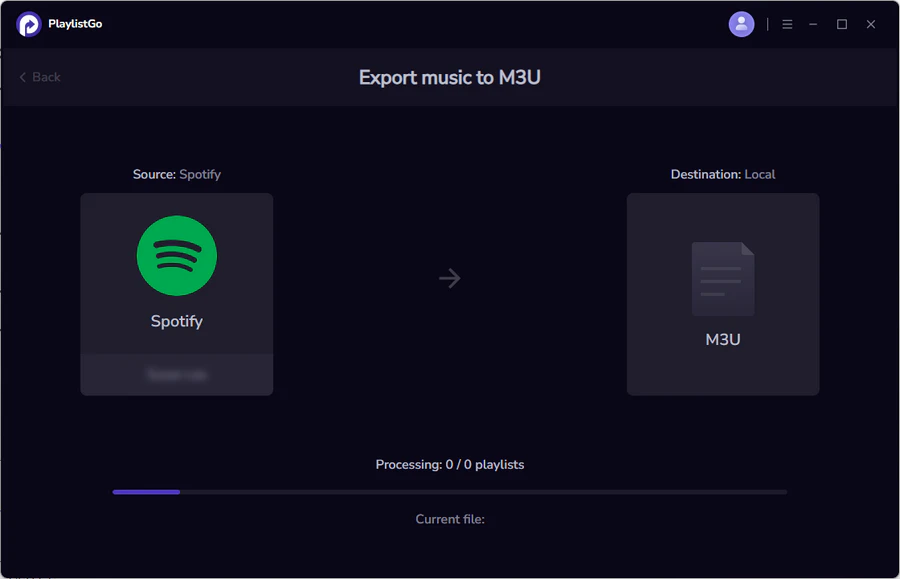
In the destination area, select "Export to File", then choose M3U from the format options.
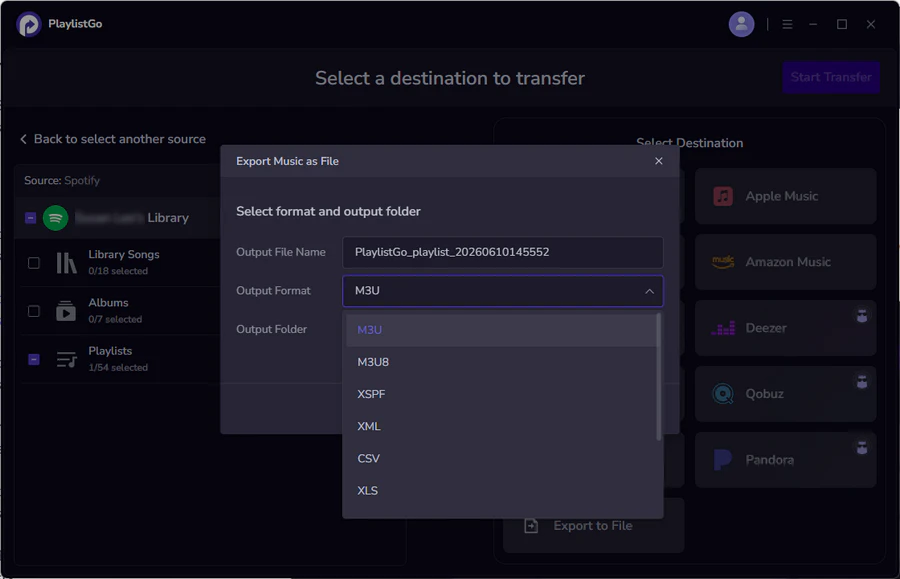
Export Spotify Playlists to M3U File
Click Start Transfer. The M3U file will be saved to your chosen location, ready to open in any M3U-compatible player or import into your media server.
Part 3: How to Open and Use Your Spotify M3U File
Once you have the M3U file, here's how to load it in the most common players and media servers.
Import Spotify M3U Playlist to VLC
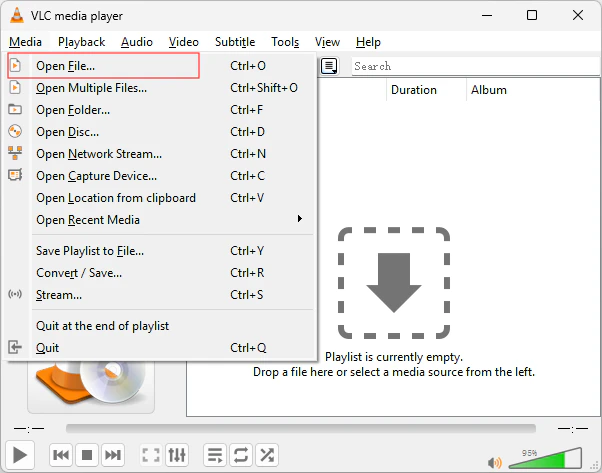
Open VLC and go to Media → Open File. Select your M3U file and VLC will load the full playlist. You can also drag the M3U file directly into the VLC playlist window. For a permanent playlist, save it to VLC's playlist folder so it loads automatically on startup.
Import Spotify M3U Playlist to Kodi
In Kodi, go to Music → Files → Add Music. Select the folder where you saved your M3U file. Kodi will scan the file and add the full playlist to your music library automatically. Make sure your local music files stay in the exact folder paths listed inside the M3U file. If you move the songs somewhere else, Kodi will see the playlist but fail to load any of the tracks.
Import Spotify M3U Playlist to Plex
Plex supports M3U playlist import through its music library settings. Go to your Plex server settings, open the Music library, and add the folder containing your M3U file as a library source. Plex will pick up the playlist during its next library scan. If you want the playlist available immediately, trigger a manual scan after adding the folder.
Use Spotify M3U Playlist on NAS Devices
Most NAS management software supports M3U playlists natively, including Synology's DSM and QNAP's QTS. Copy the M3U file to your music folder on the NAS. Your media apps (including Plex or Emby running on the NAS) will detect it during the next library refresh.
Part 4: Frequently Asked Questions about Exporting Spotify to M3U
Conclusion
Spotify doesn't export M3U files, but the process is straightforward with PlaylistGo. Export your playlists on desktop, load the M3U into VLC, Kodi, Plex, or your NAS, and your playlist structure carries over exactly as it was in Spotify. If you also need CSV or other format exports for backup purposes, PlaylistGo handles those in the same session.

PlaylistGo – Best Desktop Transfer Tool
The fastest and most reliable way to move entire Spotify library to Apple Music, YouTube Music, TIDAL, etc. 100% offline • No Cloud Required • 99.2% success rate


 Language ▴