


Spotify doesn't support importing M3U files natively. To add your M3U tracks to Spotify, you need a third-party tool that can read the file, match the tracks to Spotify's catalog, and create the playlist automatically. This guide walks through how to do that in a few steps — no manual track searching required.
What Is an M3U File?
M3U is a plain-text playlist format. Each entry in the file points to a track — either a local file path or a streaming URL. Before each song entry, there's usually an EXTINF tag that saves the track title, artist and duration.
#EXTINF:214,Arctic Monkeys - R U Mine?
D:\Music\ArcticMonkeys\RUMine.mp3
#EXTINF:253,The Strokes - Last Nite
D:\Music\TheStrokes\LastNite.mp3
#EXTINF:187,Radiohead - Creep
D:\Music\Radiohead\Creep.mp3
M3U is the default playlist format for VLC, Winamp, Foobar2000, Kodi, and Plex. If you've been building music libraries in any of these players, your playlists are almost certainly saved as M3U or M3U8 files.
The EXTINF tags are what matter for conversion accuracy. Files that contain only local file paths with no EXTINF metadata will return lower accuracy.
How to Import M3U to Spotify
Since Spotify has no native M3U import feature, you'll need a third-party tool to handle the transfer. PlaylistGo is a desktop app for Windows and Mac that reads your M3U file, matches each track against Spotify's catalog using title, artist, album, and ISRC data, and creates the playlist directly in your Spotify account.
PlaylistGo: Import M3U Playlists into Spotify Try It Free
Load your M3U file, match songs automatically, and create your Spotify playlist in minutes.
Prepare Your M3U File
Open your M3U file in any text editor and check the following before importing:
- Each track has an EXTINF tag with title and artist
- The file is saved as M3U or M3U8 — use M3U8 if your library includes non-English track names, as it handles Unicode characters correctly
- There are no duplicate entries
If your M3U file contains only local file paths with no EXTINF metadata, consider re-exporting it from your source player with metadata enabled, or re-tagging your audio files before exporting.
Import Your M3U File into PlaylistGo
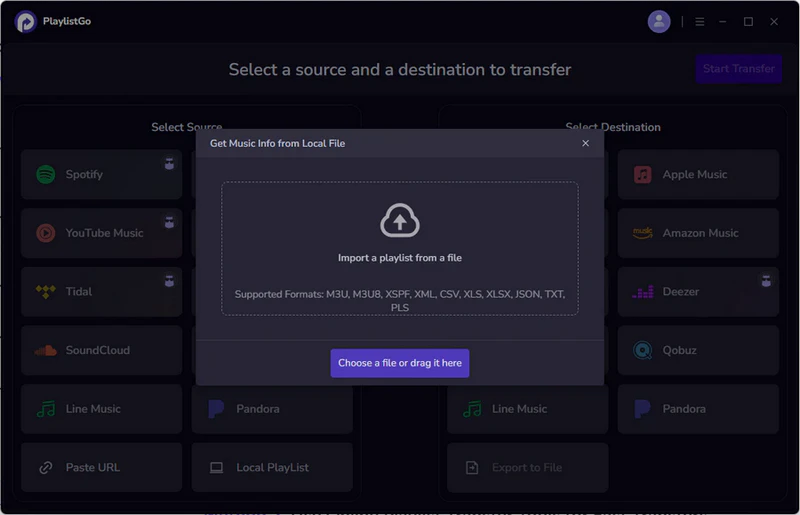
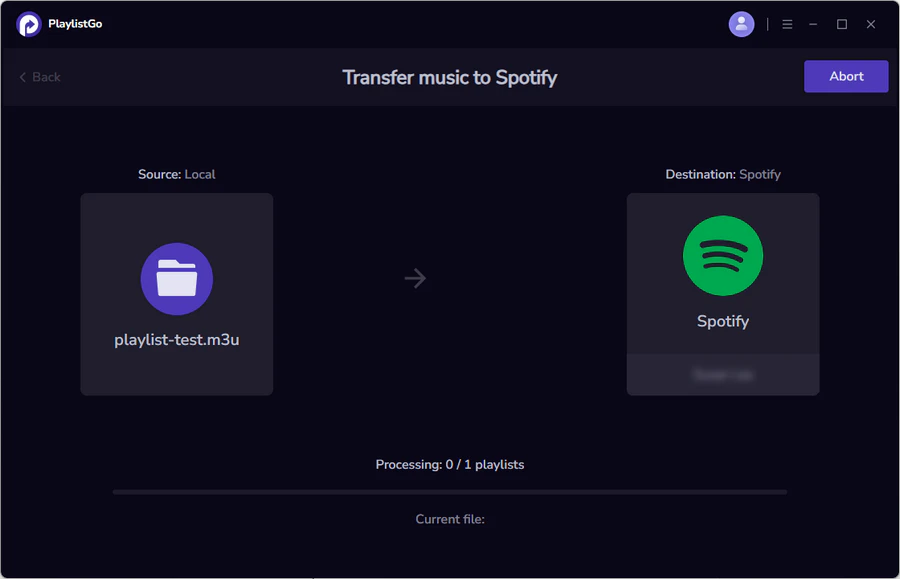
Open PlaylistGo and select Local Playlist as the source platform, then browse and select your M3U or M3U8 file from your local drive. PlaylistGo will read the file and display a preview of all detected tracks before doing anything to your Spotify account.
Select Spotify as Your Destination
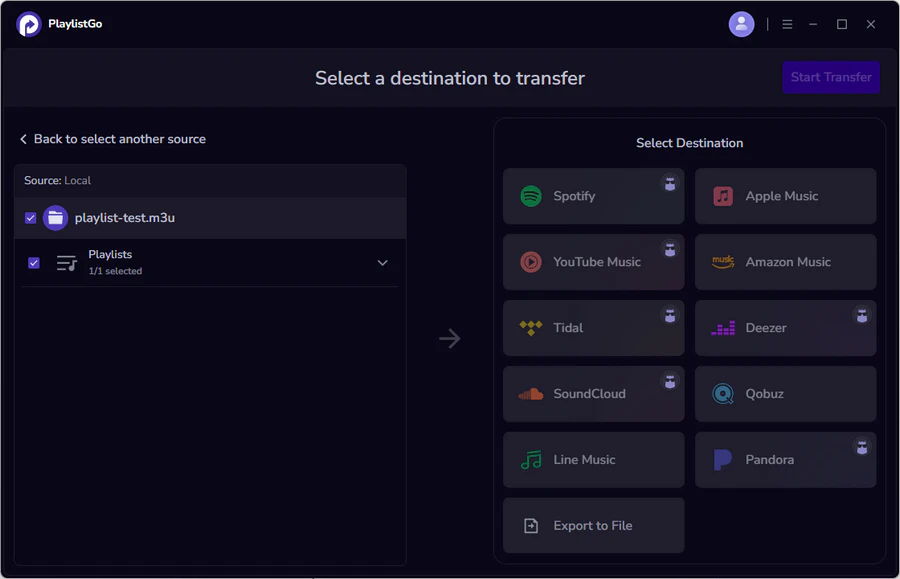
Choose Spotify as the destination and sign in to your account. PlaylistGo connects via official Spotify OAuth — you log in through Spotify's own login page and no passwords are stored.
PlaylistGo will then search Spotify's catalog and show you a preview of matched and unmatched tracks. If any tracks are missing, check the EXTINF tags in your M3U file for title or artist spelling.
Create Your Spotify Playlist
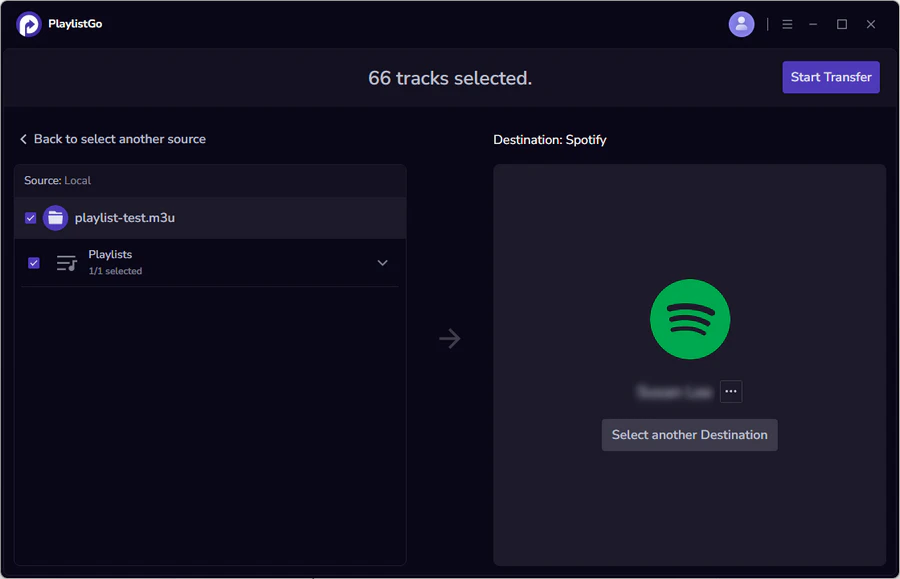
Once you're satisfied with the match results, click Start Transfer to confirm. PlaylistGo will create the playlist directly in your Spotify account with tracks in the same order as your M3U file. The playlist will appear in your Spotify library immediately and sync across all your devices.
How Accurate Is M3U to Spotify Conversion?
Match accuracy depends on how much metadata your M3U file contains. PlaylistGo identifies tracks using the following factors:
| Matching Factor | Impact on Accuracy | Notes |
|---|---|---|
| Song title | High | Required for any match to occur |
| Artist name | High | Resolves ambiguous titles with multiple artists |
| Album name | Medium | Helps distinguish between versions |
| ISRC code | Highest | Pinpoints the exact recording; avoids version conflicts |
Most M3U files exported from Foobar2000 or Kodi include full EXTINF tags, which is enough for strong results. Older Winamp exports sometimes omit metadata and save only file paths — in those cases, PlaylistGo attempts to extract title and artist from the filename, which works when files follow a consistent Artist - Title.mp3 format but fails with generic names like track01.mp3.
Common M3U to Spotify Import Problems and Fixes
M3U File Loads but No Songs Are Found
This usually means your M3U file contains only local file paths with no EXTINF metadata. Open the file in a text editor and check whether lines like #EXTINF:214,Artist - Title are present. If not, re-export from your source player with metadata enabled, or re-tag your audio files before exporting.
M3U Tracks Are Matched to the Wrong Song
This happens with songs that have very generic titles or multiple versions in Spotify's catalog — live recordings, remasters, singles, and album cuts can all appear as separate entries. Review the match results screen before exporting and use the manual correction option to swap in the right version.
Some M3U Tracks Are Not Available on Spotify
Not every track exists on Spotify, which is a catalog limitation, not a conversion error. Tracks from small independent releases, certain regional artists, or albums that have been removed from Spotify simply won't appear. PlaylistGo flags these as unmatched so you can see exactly which songs didn't transfer. If you want to minimize missing tracks before starting, see our guide on how to transfer playlists without losing songs.
M3U File Uses Only Local File Paths
This is the most common issue with older playlists. When your M3U contains entries like:
With no EXTINF tag above them, PlaylistGo has to guess the track identity from the filename. This works for filenames like Arctic Monkeys - R U Mine.mp3, but not for track01.mp3 or 02 - untitled.mp3. The fix is to re-export from your source player with full metadata, or to batch-tag your files before importing.
Import VLC, Winamp, Foobar2000, and Kodi Playlists to Spotify
All four players save playlists as M3U files, so the conversion process with PlaylistGo is identical. The difference is in how each player exports the file and what metadata it includes.
VLC to Spotify
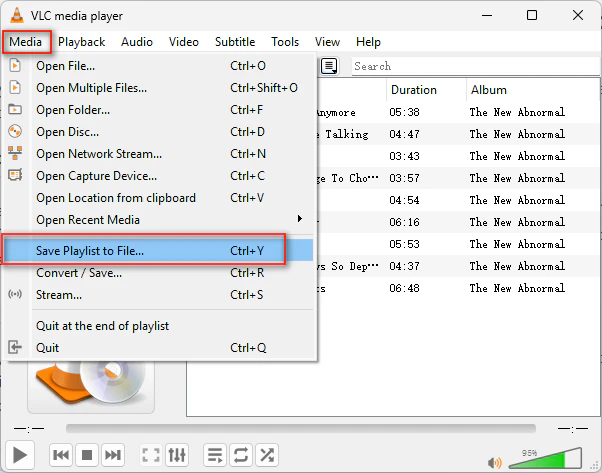
In VLC, open your playlist and go to Media > Save Playlist to File. Choose M3U as the format. The exported file will include EXTINF tags with track titles and durations if your audio files are properly tagged. Import that file into PlaylistGo and follow the steps above.
Winamp to Spotify
In Winamp, right-click the playlist and select Save Playlist. Older Winamp exports sometimes omit metadata and save only file paths. If your match rate is low, open the exported file in a text editor to check. Re-tagging your library before exporting will significantly improve results.
Foobar2000 to Spotify
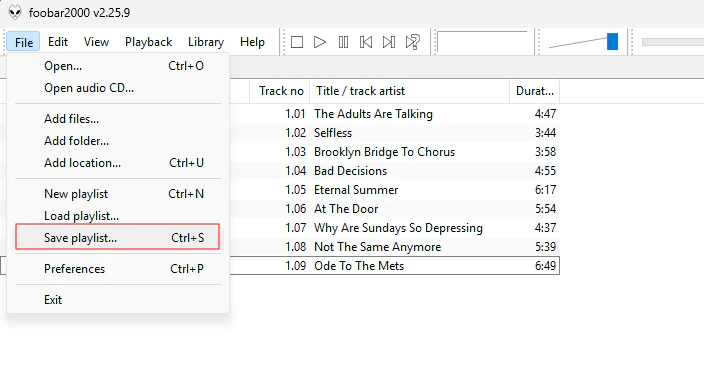
Foobar2000 is the most metadata-rich option here. Go to File > Save Playlist and select M3U8, which handles Unicode track names better than standard M3U. Foobar2000 includes full EXTINF tags by default, so match accuracy with PlaylistGo is typically high.
Kodi to Spotify
Kodi stores playlists in its userdata/playlists/music/ folder as M3U files. Navigate to that folder on your device, copy the M3U file to your desktop, and import it into PlaylistGo. Kodi's M3U files include track titles and artist info, so conversion accuracy is generally good.
Frequently Asked Questions about Importing M3U to Spotify
#EXTINF tags are present. Without these tags, PlaylistGo has almost no metadata to match against. If tags are there, the likely causes are misspelled titles or artist names, regional restrictions, or tracks not available on Spotify at all.
Artist - Title.mp3 works, but track01.mp3 doesn't. For better results, re-export from your player with metadata enabled, or batch-tag your files first.
Conclusion
M3U files aren't natively supported, but the process is straightforward with the right tool. Make sure your M3U file includes EXTINF metadata tags, import it into PlaylistGo, connect your Spotify account, review the match results, and your playlist will be live in Spotify within minutes.
If you also have playlists saved as spreadsheet files, the process is identical — see how to import a CSV playlist to Spotify.

PlaylistGo – Best Desktop Transfer Tool
The fastest and most reliable way to move entire Spotify library to Apple Music, YouTube Music, TIDAL, etc. 100% offline • No Cloud Required • 99.2% success rate


 Language ▴