



If you've been searching for a way to get your Apple Music playlists into a .m3u file, you've probably noticed Apple doesn't make this easy, since its export options are more limited than most people expect.
To convert Apple Music to M3U, you need a third-party tool that reads your Apple Music library and writes the playlist out in M3U format directly. This guide covers how to actually get an M3U file from your Apple Music playlists, and where those files come in handy once you have them.
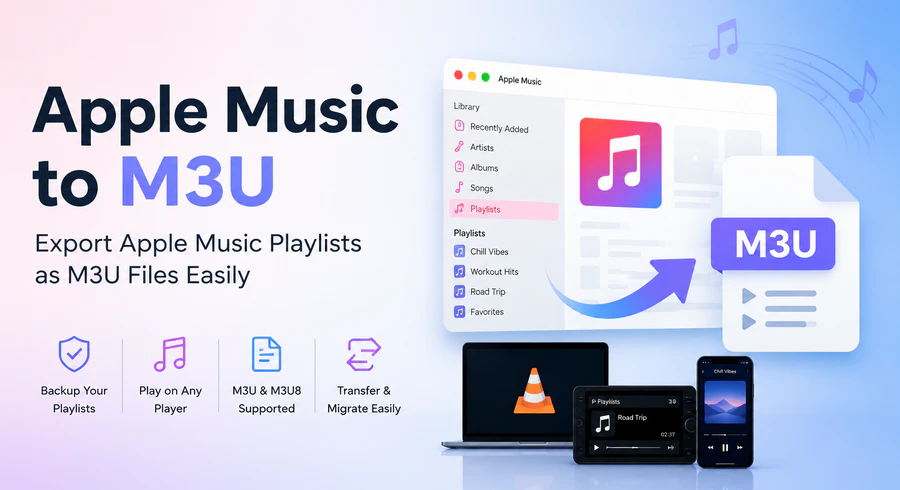
Part 1: Can You Export Apple Music Playlists to M3U Directly?
No. If you open the Music app and go to File → Library → Export Playlist, the Format menu only gives you two options: XML or Text. There's no M3U option anywhere in Apple's own software, on Mac, Windows, or iPhone.
Apple's XML export is mainly designed for apps that support Apple Music and iTunes library files. It's incompatible with most media players, car stereos, and DJ software. In addition, this XML file only includes tracks saved in your Music library. Streaming songs you haven't saved locally often won't show up in the export.
If you want playlists that run on almost any device, an Apple Music to M3U converter can help create portable M3U playlists for different devices and applications.
Part 2: How to Convert Apple Music Playlists to M3U
There are two practical ways to get an M3U file from Apple Music — using a dedicated converter, or exporting manually and converting the file yourself. Here's how they compare at a glance:
| Method | Difficulty | Output Format |
|---|---|---|
| PlaylistGo | Easy | M3U (direct) |
| Native XML Export | Medium | XML only (needs conversion) |
Method 1: Export Apple Music to M3U with PlaylistGo (Recommended)
Unlike Apple's own export tools, PlaylistGo builds the M3U file for you directly. Point it at your Apple Music account, pick a playlist or your whole library, and PlaylistGo writes out a ready-to-use M3U or M3U8 file in a matter of clicks.
Beyond M3U, it also covers nine other formats, including M3U8, PLS, XSPF, XML, CSV, XLS, XLSX, JSON, TXT. The whole process runs locally on your Windows or Mac computer, with nothing uploaded anywhere.
PlaylistGo: Export Apple Music Playlists to M3UTry It Free
Turn Apple Music playlists into M3U files ready for VLC, Kodi, Plex, and more.
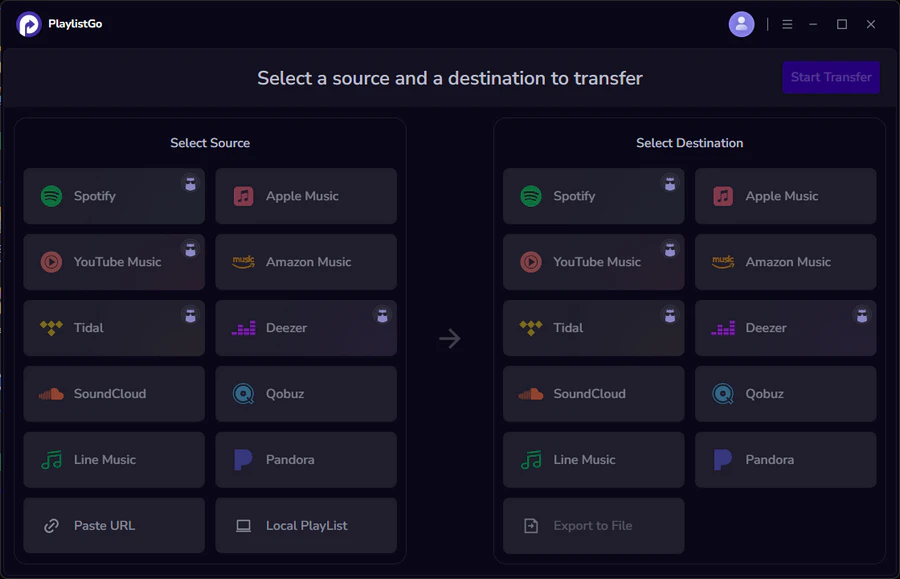
How to Export Apple Music Playlist to M3U: Step-by-step Tutorial
Connect Apple Music and Select Playlists to Export
Launch PlaylistGo, then pick Apple Music from the list of source platforms and log in with your Apple ID when prompted. The app pulls in everything tied to your account — Library songs, playlists and saved albums — so you can browse through and pick out exactly what you want to export.
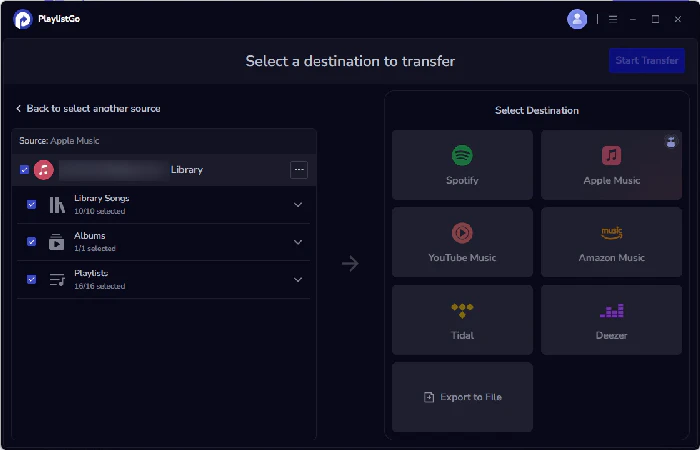
Choose M3U as the Export Format
Switch the destination setting to "Export to File", then open the format dropdown and pick M3U, or M3U8 if you'd rather keep UTF-8 encoding for playlists with accented or non-Latin titles.
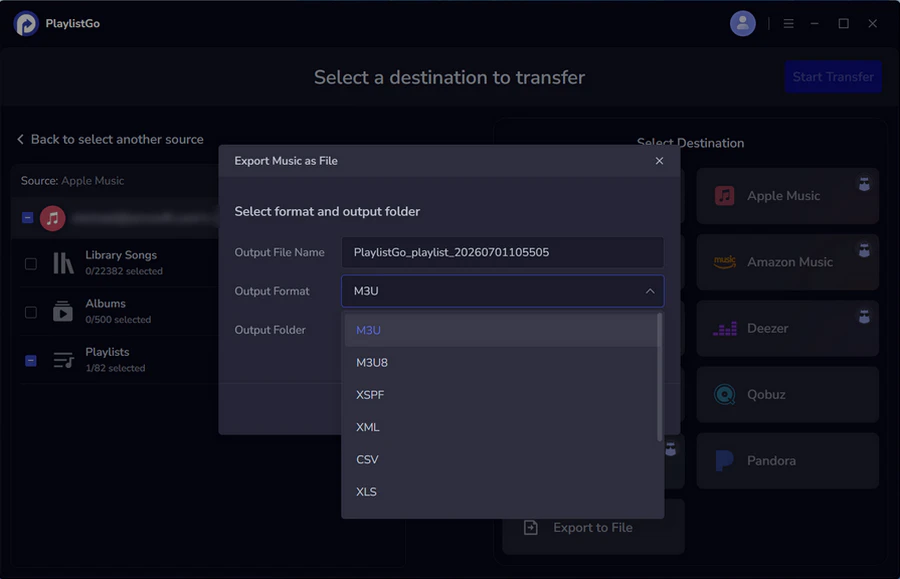
Export Apple Music Playlists to M3U File
Hit Start Transfer and let PlaylistGo do the matching. It checks each track against your Apple Music library and writes the results into the M3U file.
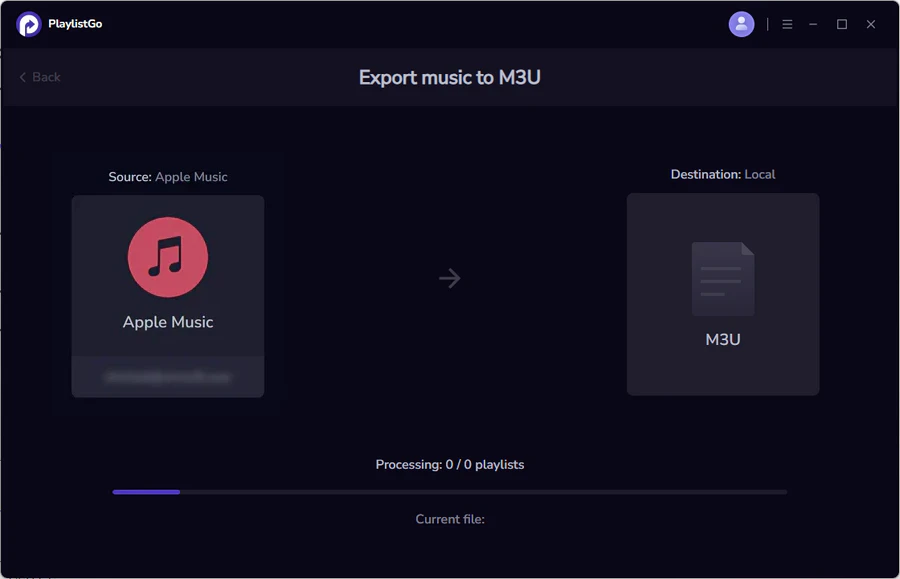
Method 2: Export as XML, Then Convert
If you'd rather not use a third-party app, you can still export manually, but note this works differently depending on your platform. On Mac, the Music app provides playlist export via XML or text. On Windows, this same option is only available in the older iTunes app, not in the newer Apple Music app that's gradually replacing it. Either way, it outputs XML instead of M3U, so you'll need a separate conversion step afterward:
- Open the Music app (Mac) or iTunes (Windows) and select a playlist in the sidebar.
- Go to File → Library → Export Playlist, choose XML from the Format menu, and save.
- Use a separate conversion tool or script to turn that XML file into M3U.
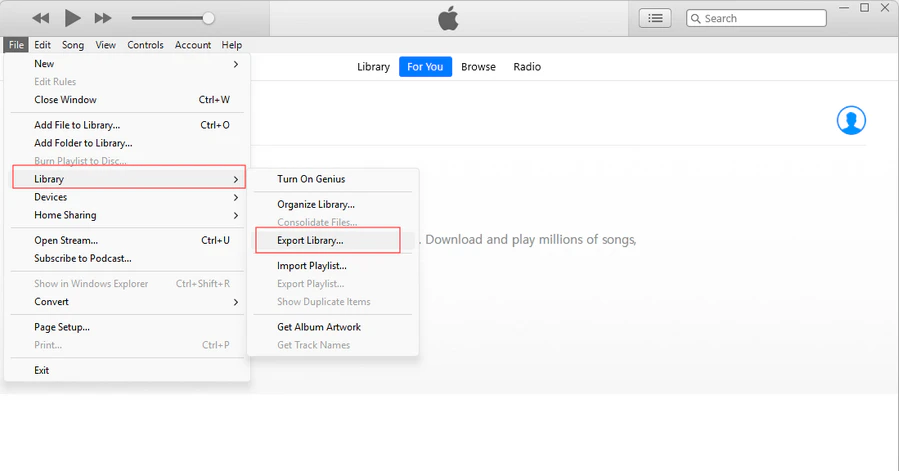
Note that this only applies if you're still on iTunes for Windows. Apple's newer Apple Music app for Windows, which is gradually replacing iTunes, doesn't include any playlist export option at all. If you've already switched, PlaylistGo is a simpler way to create M3U files directly, without needing an extra conversion step.
Even with iTunes, the method is limited: you only ever get XML, never M3U, so there's always an extra conversion step. Also, it only adds songs you've downloaded to your computer. Any streaming-only tracks you haven't saved locally might disappear from your exported playlist.
PlaylistGo vs. Native XML Export
| PlaylistGo | Native XML Export | |
|---|---|---|
| Direct M3U output | ✅ | ❌ (requires conversion) |
| Works on Windows | ✅ | ⚠️ Via legacy iTunes only, not the newer Apple Music app |
| Includes streaming-only tracks | ✅ (matched via ISRC/metadata) | ⚠️ Limited |
| Extra conversion step needed | No | Yes |
| Export whole library at once | ✅ | Playlist-by-playlist |
| Other formats available | M3U, M3U8, PLS, XSPF, XML, CSV, XLS, XLSX, JSON, TXT | XML, Text only |
Part 3: Where to Use Your Apple Music M3U File
M3U is a basic text file for playlists that simply records your playback order. Almost every media player and device supports it. M3U8 is essentially identical, only encoded in UTF-8. It displays special characters and non-English song titles without garbled text. Note that neither M3U nor M3U8 stores actual music files. They only tell your player which songs to play and in what sequence.
Once exported, the M3U file works with a wide range of local players, servers, and hardware:
VLC and foobar2000
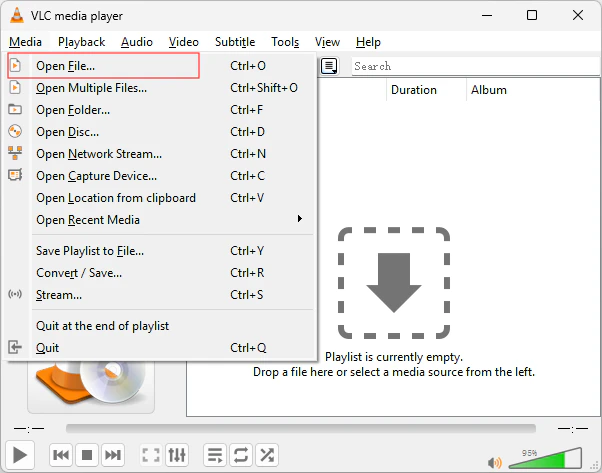
Open VLC and go to Media → Open File, then select your M3U file, or drag it straight into the VLC playlist window. foobar2000 works the same way — just drag and drop the file into the playlist panel.
Kodi and Plex
In Kodi, go to Music → Files → Add Music and point it to the folder containing your M3U file. In Plex, add that same folder as a library source under your Music library settings, then trigger a manual scan. Both apps need your local music files to remain in the exact paths listed inside the M3U file — if you move the songs elsewhere, the playlist will load but the tracks won't play.
Car stereos, NAS servers, and DJ software
Most car head units read M3U files straight from a USB drive. NAS platforms like Synology's DSM and QNAP's QTS support M3U natively, and DJ software such as Rekordbox and Serato can import M3U playlists directly for set preparation.
If you're planning to move playlists to another streaming service rather than a local player, M3U can also serve as an intermediate file — see our guides on exporting Apple Music to CSV and backing up your Apple Music library for related formats.
Part 4: Frequently Asked Questions about Apple Music M3U Export
Conclusion
To sum up, PlaylistGo is the quickest way to get a ready-to-use M3U file. Pick your Apple Music playlist, choose M3U, and you're done in a couple of minutes. If you don't mind an extra step, the built-in XML export works too. Either way, once you've got that M3U file in hand, it'll open right up in VLC, Kodi, Plex, your car stereo, or wherever else you need it.

PlaylistGo – Best Desktop Transfer Tool
The fastest and most reliable way to move entire Spotify library to Apple Music, YouTube Music, TIDAL, etc. 100% offline • No Cloud Required • 99.2% success rate


 Language ▴