

With PlaylistGo, you can transfer playlists, liked songs, and albums between music streaming services in just a few clicks. PlaylistGo currently supports 10 platforms: Spotify, Apple Music, YouTube Music, Amazon Music, Tidal, Deezer, Qobuz, SoundCloud, Pandora, and LINE MUSIC. Follow the steps below to move your music library from one platform to another.
Example: Spotify to Apple Music playlist transfer. The same steps apply to any supported platform pair.
Step 1: Download and Launch PlaylistGo
Download and install PlaylistGo on your Windows or Mac computer. Open the program to enter the main interface.
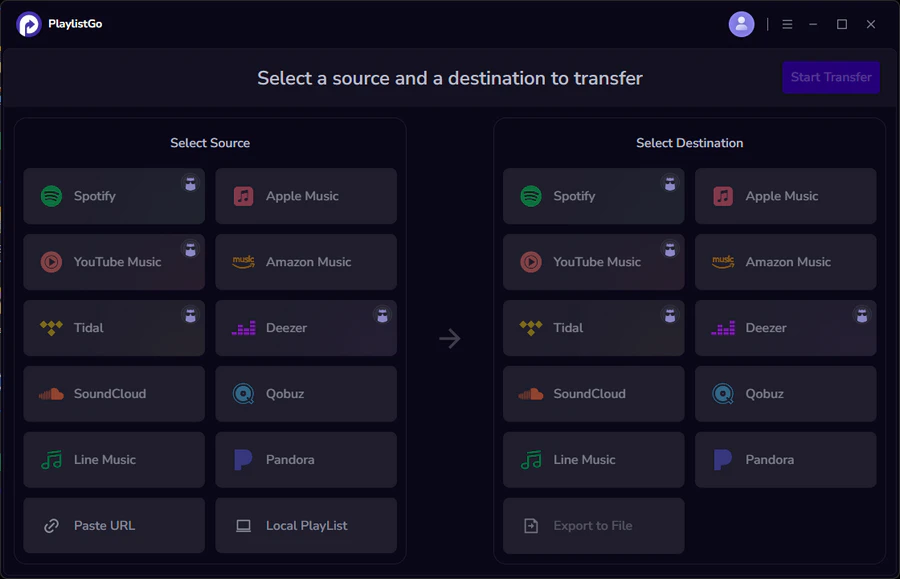
Step 2: Connect Your Source and Target Platforms
Select Spotify as your source platform and sign in. Then select Apple Music as the target platform and sign in to authorize access. PlaylistGo will load your Spotify library for you to choose what to transfer.
💡 Transfer with playlist URL: You can also paste a Spotify playlist link directly into the box and click to load it — no need to browse your full library.
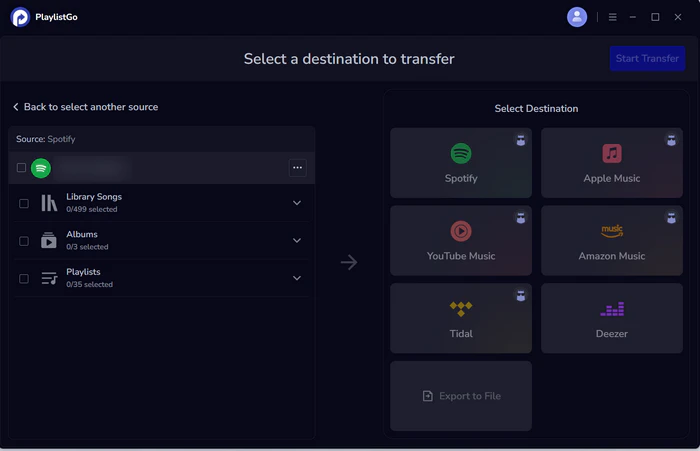
Step 3: Select Playlists to Transfer
Choose the playlists, albums, or liked songs you want to move from Spotify. Click Start Transfer to continue.
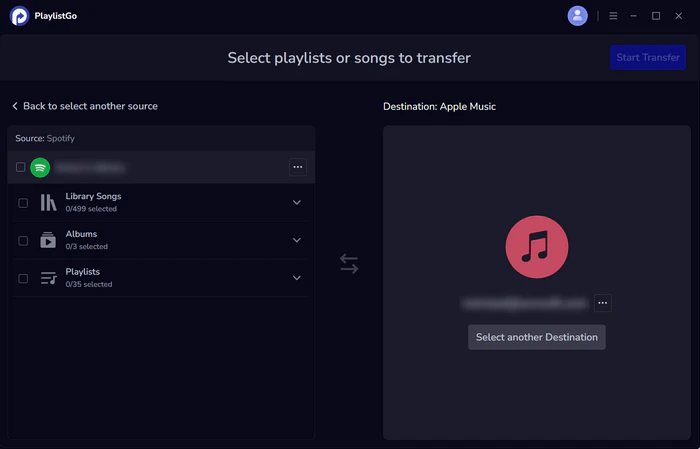
Step 4: Start Transfer and Confirm Results
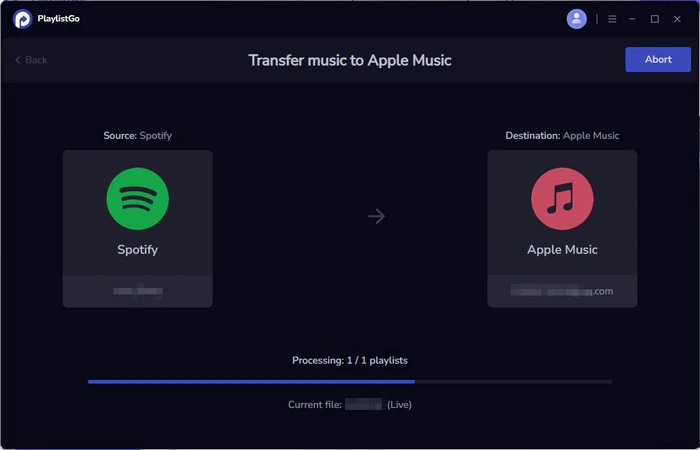
PlaylistGo will automatically match tracks and transfer them to Apple Music. Once complete, your transferred playlists and songs will appear in your Apple Music library.


 Language ▴