Loading
playlistgo logo
Trusted by over 100,000 music lovers

Transfer Your Apple Music Playlists to Pandora

PlaylistGo — the fastest desktop app for Windows & macOS to move your Apple Music library to Pandora.

  • Transfer Apple Music playlists, favorites and albums to Pandora
  • 99.2% Apple Music to Pandora match rate with correct version and order
  • Transfer large Apple Music libraries locally without slowdowns or track limits
  • Connects to Apple Music and Pandora via official OAuth with no passwords stored
99.2%+
Success Rate
100K+
Playlists Transferred
200+
Countries Served
Apple Music
Source
0
songs transferred
Pandora
Destination
Transfer Complete!
99.2% matched

Works seamlessly with

Spotify Spotify
Apple Music Apple Music
YouTube Music YouTube Music
Amazon Music Amazon Music
Tidal TIDAL
Deezer Deezer
SoundCloud SoundCloud
Pandora Pandora
Qobuz Qobuz
Line Line
••• More

How to Transfer Apple Music Playlists to Pandora

Transfer Apple Music playlists, favorites, and albums to Pandora on Windows & Mac — runs locally, no cloud upload.

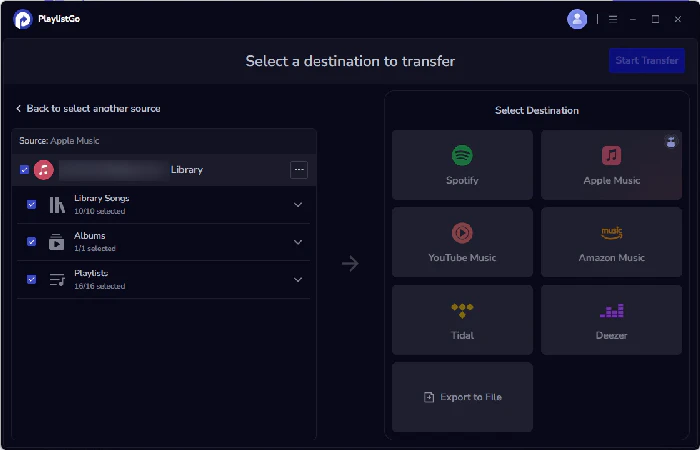
select apple music as source
1

Select Source

Choose Apple Music and your playlists

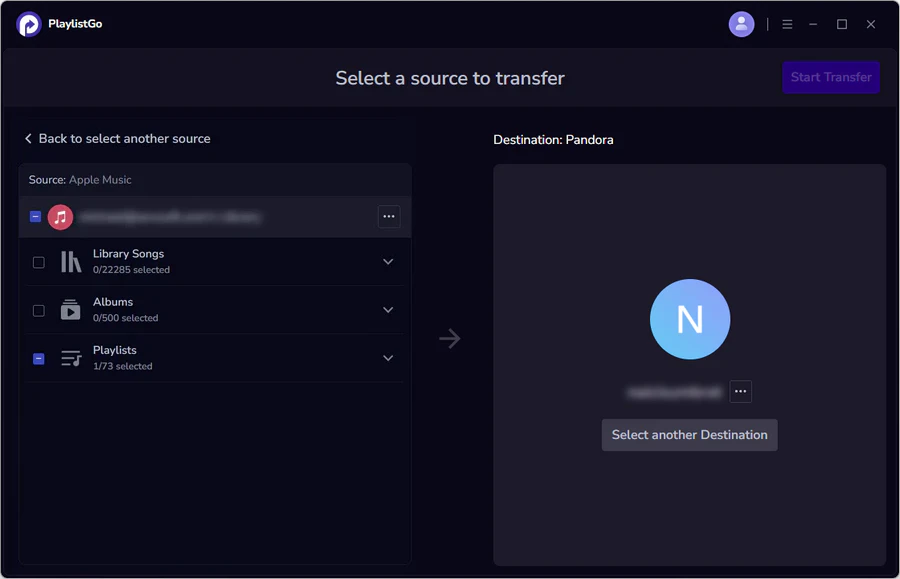
choose pandora as destination
2

Choose Destination

Select Pandora

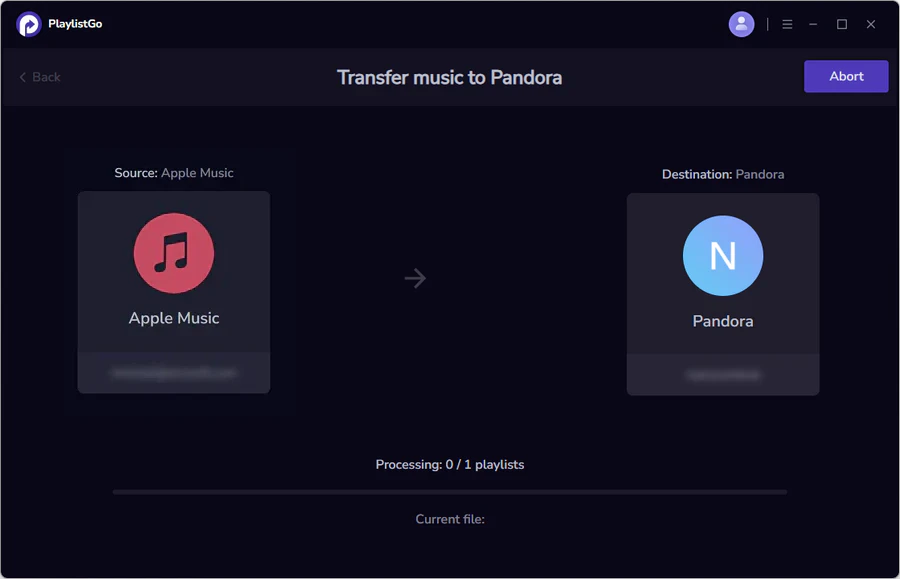
transfer apple music to pandora
3

Start Transfer

Transfer your Apple Music library to Pandora

What Can You Transfer from Apple Music to Pandora

PlaylistGo moves more than just playlists — your entire Apple Music library comes with you.

🎵
Apple Music Playlists

All your created Apple Music playlists transfer with original song order, names, and artwork intact.

❤️
Apple Music Favorites

Songs you've marked as favorites in Apple Music transfer directly into Pandora as a playlist.

💿
Apple Music Albums

Albums saved to your Apple Music library are matched and added to your Pandora collection.

🎤
Apple Music Artists

Artists you follow on Apple Music are transferred so you never miss a new release on Pandora.

📚
Apple Music Full Library

Transfer everything at once — playlists, favorites, albums, and followed artists — in a single session.

Why Music Lovers Choose PlaylistGo

The fastest, safest way to transfer Apple Music playlists to Pandora.

99.2% Apple Music to Pandora Match Rate

Matched by ISRC, title, artist and album. Correct version, correct order, fewer missing tracks.

🔀
Transfer Between All Music Streaming Platforms

10+ platforms including Spotify, Apple Music, YouTube Music, Amazon Music, Pandora.

♾️
Transfer Large Apple Music Libraries Without Crashing

Runs locally on your desktop. Handles 100,000+ songs without slowdowns — no data stored.

📦
Import, Export & Back Up Playlists Locally

Import M3U, CSV or JSON into Apple Music and Pandora. Export your full library in 10 formats.

What Our Users Say

Real feedback from music lovers who made the switch with PlaylistGo

★★★★★

"Wanted to move my Apple Music playlists to Pandora without losing the order I'd built up over years. PlaylistGo transferred everything in one session. Every track landed exactly where it should."

RK
Rachel Kim
Music Curator • Seattle
★★★★★

"Switched from Apple Music to Pandora for the Music Genome recommendations. Used PlaylistGo to bring my playlists and favorites across. The match rate is high! Barely anything was missing on the other side."

MW
Marcus Webb
Playlist Enthusiast • Austin
★★★★★

"Had a huge Apple Music library and was nervous about moving it to Pandora. PlaylistGo runs locally so nothing gets uploaded anywhere. Finished the whole transfer in one go. Feels completely safe to use."

DM
Diane Moreau
Music Lover • Montreal

Frequently Asked Questions

Yes. PlaylistGo transfers your Apple Music favorites directly into Pandora as a playlist. You can transfer your Apple Music playlists, saved albums, and followed artists in the same session.

PlaylistGo uses track title, artist, album, duration, and ISRC code to match songs in Pandora. This achieves a 99.2% match rate across most transfers.

Yes. PlaylistGo preserves the exact song order from your original Apple Music playlists when transferring to Pandora. Playlist names and available metadata are carried over as well.

Yes, a Pandora Premium subscription is required. Pandora's playlist feature is only available to Premium users — free and Plus accounts do not support creating or receiving playlists.

Totally safe. PlaylistGo connects to Apple Music and Pandora via official OAuth. Your passwords are never accessed or stored. All transfer data is processed locally on your device. Your credentials, and personal library remain fully private. If you run into any issues, reach our support team at [email protected].

Ready to Switch From Apple Music to Pandora?

Transfer your Apple Music playlists, favorites, and albums to Pandora in minutes — 99.2% match rate, no songs lost.