

If you're looking for a way to transfer your YouTube Music playlists to Spotify, you've come to the right place. As music streaming platforms continue to diversify, many users prefer to transfer their carefully curated YouTube Music playlists to Spotify rather than recreating them manually one song at a time.
In this guide, we’ll walk you through the complete steps on how to transfer playlists from YouTube Music to Spotify, helping you seamlessly transfer your favorite songs and continue enjoying your music on Spotify without any hassle.

Part 1: Why Transfer Playlists from YouTube Music to Spotify?
Many users choose to transfer their playlists from YouTube Music to Spotify, primarily for the following reasons:
- Enjoy a better cross-platform experience
Spotify offers better compatibility with devices such as mobile phones, tablets, computers, smart speakers, and car systems, allowing you to seamlessly play your favorite songs wherever you are. - Smarter recommendation systems
Spotify provides more accurate personalized recommendations based on your playlists, helping you quickly discover new songs that match your taste. - A richer functional ecosystem
Features like Discover Weekly, Daily Mix, collaborative playlists, and various official curated playlists are major reasons why many users choose to switch to Spotify. - Save time
By transferring your playlists, you won't need to search for and add songs one by one again. You can continue enjoying all your familiar music on Spotify in just a few minutes.
Overall, transferring your YouTube Music playlists to Spotify can help you manage your music collection more easily and enjoy a smoother, more intelligent listening experience.
Part 2: The Tool You Need - PlaylistGo
Currently, YouTube Music does not support directly transferring playlists to Spotify, so a stable and easy-to-use YouTube Music to Spotify playlist converter is crucial. PlaylistGo offers the most efficient solution for this task.
PlaylistGo is a professional playlist converter for quickly syncing playlists between different streaming music platforms. It currently supports six major platforms: YouTube Music, Spotify, Apple Music, Tidal, Amazon Music, and Deezer. PlaylistGo also supports importing and transferring local music files to your target platform, allowing you to integrate your local music collection into streaming platforms.
Furthermore, PlaylistGo offers a playlist backup function, allowing you to export playlists in formats such as M3U, M3U8, PLS, XSPF, XML, CSV, XLS, XLSX, JSON, and TXT for convenient long-term storage and management.
Download PlaylistGo 100% Free to start
Directly Transfer Your Entire Music Library between All Major Streaming Platforms
Part 3: How to Transfer YouTube Music Playlists to Spotify with PlaylistGo
With PlaylistGo, you can transfer your YouTube Music playlists to Spotify in just a few minutes. Simply follow these steps to complete the process:
Download and Install PlaylistGo
Install and launch PlaylistGo on your Windows or Mac computer.
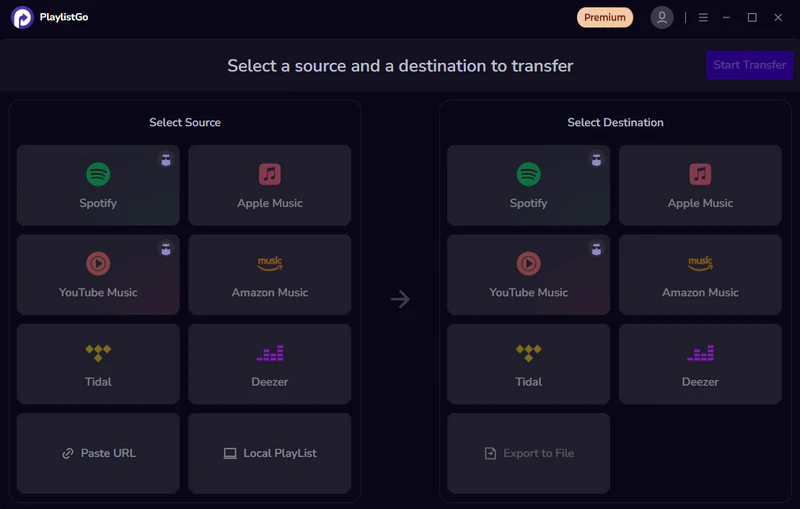
Select YouTube Music as the Source Music Platform
Select YouTube Music as the source platform and log in to your YouTube Music account. Once logged in successfully, your YouTube Music library will load automatically.
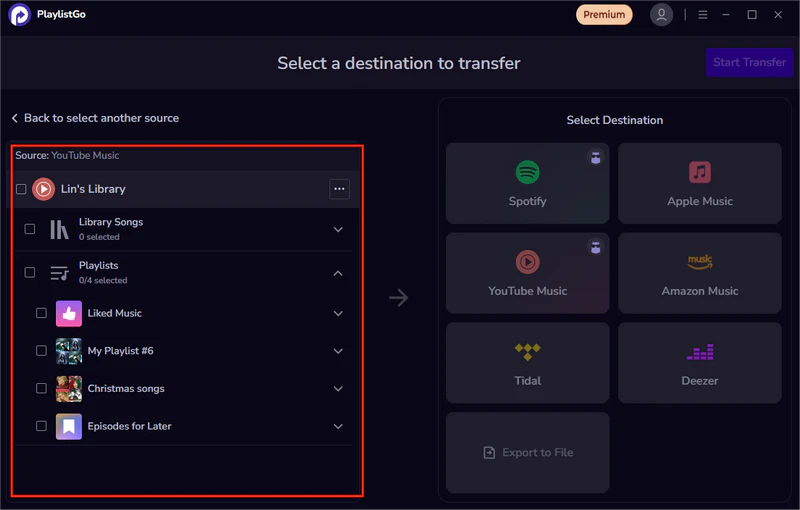
Select Spotify as the Destination Music Platform
Select Spotify as the destination music platform and log in to your Spotify account.
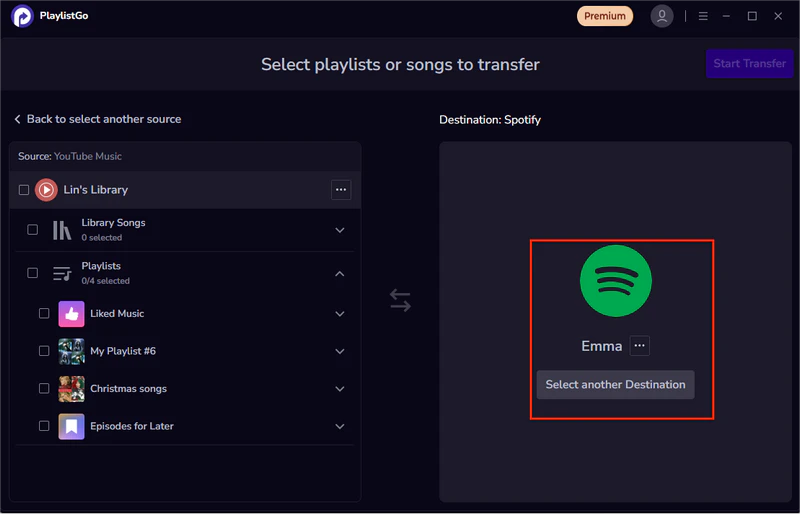
Start transferring YouTube Music Playlist to Spotify
Click "Start Transfer" and PlaylistGo will automatically match the songs on Spotify. Then click "Start Transfer" again to begin the transfer. Once completed, you can view and play all the transferred tracks within Spotify
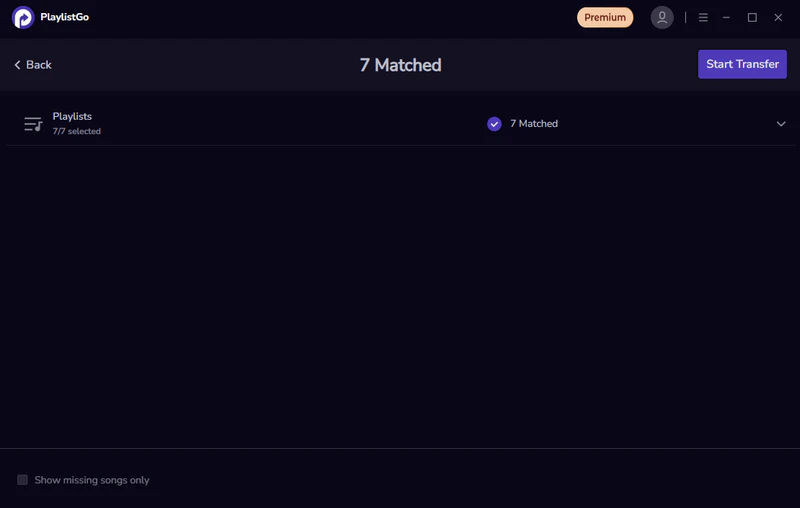
Once you have completed the steps above, your YouTube Music playlist will have been successfully transferred to Spotify. The entire transfer process requires no manual intervention. PlaylistGo will automatically match the songs and create the playlist while preserving the original order. Now you can continue enjoying all your familiar music on Spotify.
FAQs about Transferring YouTube Music to Spotify
Conclusion
Transferring your YouTube Music playlists to Spotify allows you to continue enjoying your favorite music with smarter recommendations and broader device support. Although YouTube Music doesn't support direct transfer, PlaylistGo makes it easy to transfer your playlists from YouTube Music to Spotify, allowing you to listen to your songs anytime on any device.

PlaylistGo – Best Desktop Transfer Tool
The fastest and most reliable way to move your entire Spotify library to Apple Music, YouTube Music, TIDAL, etc. 100% offline • One-time payment • 99.7% success rate


