

Spotify and Amazon Music offer different features, pricing, and playlist ecosystems. Many users plan to switch platforms but want to keep existing playlists, saved albums, and favorite tracks. Direct export is not available, which makes Spotify to Amazon Music transfer a common challenge. This guide explains practical ways to move Spotify library to Amazon Music, convert Spotify playlists across services, and complete a clean music migration between Amazon Music and Spotify without losing important data.

Part 1. Spotify vs Amazon Music
Spotify and Amazon Music differ in pricing, audio quality, library size, and user base, offering distinct experiences for music lovers.
| Category | Spotify | Amazon Music |
|---|---|---|
| Supported Platforms |
iOS, Android, Windows, macOS, Linux, Web 2000+ devices |
iOS, Android, Windows, macOS, Web, Fire TV, Echo devices No Linux support |
| Music Quality |
AAC (128/256 kbps) Up to 320 kbps (Ogg Vorbis) Lossless available (FLAC) |
MP3 256 kbps (Standard) Ultra HD Lossless 16-bit / 44.1 kHz HD up to 24-bit / 192 kHz |
| Library Size | 100M+ tracks | 100M tracks |
| Offline Download |
Up to 10,000 tracks per device Up to 5 devices |
Unlimited downloads per device (depending on subscription) Multiple devices supported |
| User Interface |
Dark theme Easy navigation & search |
Clean design Amazon ecosystem integration |
| Playlist Curation |
Rich user-generated playlists Personalized “For You” playlists |
Curated playlists Exclusive artist content |
| Music Recommendation |
Discover Weekly Release Radar DJ Feature |
Personalized recommendations Alexa-powered suggestions |
| Library Management |
Limited local file support No wireless sync to mobile |
Cloud library sync Upload personal music Metadata editing supported |
| Social Features |
Wrapped, Blend, Jam Collaborative playlists |
Share playlists via Amazon links Limited social features |
| Pricing (US / Month) |
Free / Student $5.99 Individual $11.99 / Family $19.99 |
Prime member included / Student $4.99 Individual $10.99 / Family $16.99 |
| Best For | Discovery, social listening, device compatibility | Lossless & Hi-Res audio, Amazon ecosystem users |
Part 2. Transfer Playlists from Spotify to Amazon Music via PlaylistGo (Fast and Safe)
PlaylistGo
PlaylistGo is a dedicated music playlist transfer tool. It supports direct playlist migration between major streaming platforms. Amazon Music and Spotify are both supported. The service also works with Tidal, YouTube Music, Deezer and Amazon Music. Besides music platlylist transfer between Spotify and Amazon Music, the program also enables you to import the local playlists (in the format of M3U, M3U8, PLS, XSPF, XML, CSV, XLS, XLSX, JSON, and TXT) to Spotify or Amazon Music. And if needed, you can opt to export Spotify playlists to local format and back up to your computer. In this way, when switching services from Spotify to Amazon Music, you can still safeguard the music playlists without loss.
Main Features
*Transfer playlists from Spotify to Amazon Music in one go.
*Move entire Spotify library across platforms.
*Preserve Spotify playlist order and ID3 metadata.
*Maintain Spotify track title, artist name, and album info.
*Support batch selection for multiple Spotify playlists and transfer to Amazon Music.
*Export Spotify playlists as offline playlist file format and import to other platforms.
*Keep a record of unmatched Spotify songs on Amazon Music.
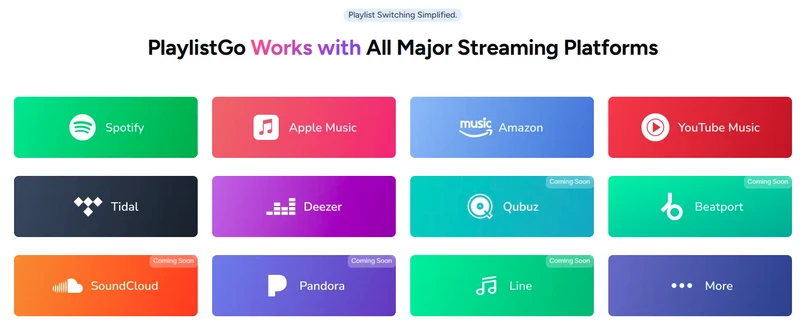
Download PlaylistGo 100% Free to start
Safely transfer entire playlists between Spotify, YouTube, Apple Music and other platforms
Steps to Move Spotify Playlists to Amazon Music
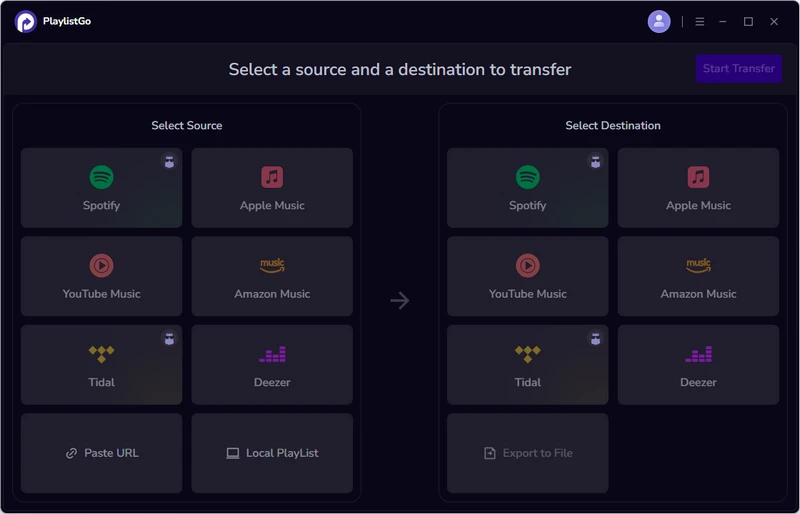
Select Source Platform as Spotify
Open PlaylistGo program. One the left side, pick Spotify the source platform, login to a Spotify account, load and choose the playlists or catalog you want to transfer to Amazon Music.
Pick Amazon Music as Destination Platform
On the right panel, select Amazon Music the target platform that will receive the playlists. Likewise, log into the Amazon Music account to connect to the transfer process.
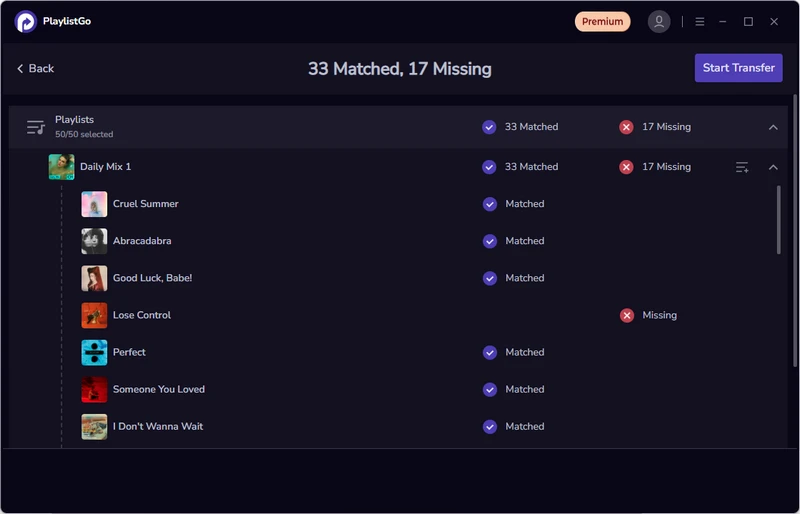
Match Spotify Playlist Songs to Amazon Music
Click "Start Transfer." PlaylistGo will read and write the matched tracks from the selected playlists or albums. Any unmatched songs will be listed, and the program will provide an option to back them up locally so they can be kept or imported to another platform if needed.
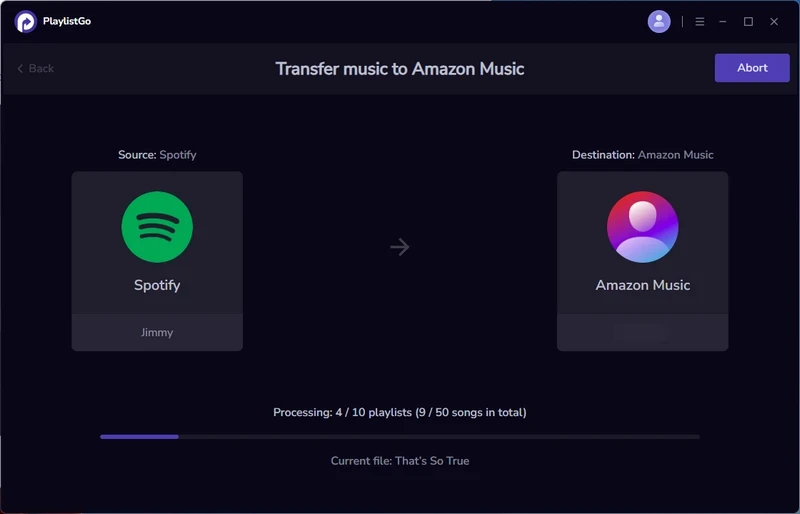
Start Spotify to Amazon Music Playlist Transfer
Review the selected playlists and click "Start Transfer" again to begin the full transfer from Spotify to Amazon Music.
Part 3. Transfer Music from Spotify to Amazon Music via TuneMyMusic
TuneMyMusic
TuneMyMusic is an online music migration service. It enables direct Spotify library migration (playlists, albums, liked songs, and followed artists) across 41+ popular streaming platforms. The service supports Amazon Music, Spotify, YouTube Music, Deezer, Amazon Music, and Tidal. No software installation is required. The tool offers free transfers for up to 500 tracks, with unlimited playlist transfers included in plans starting at $5.5 per month.
Main Features
*Online Spotify to Amazon Music playlist transfer.
*Transfer Spotify library into Amazon Music collections.
*Batch transfer multiple playlists at once.
*Export playlist as TXT or CSV for backup.
*Cloud backup for Spotify and Amazon Music playlists (paid).
*20 cross-platform syncs per day (paid).
*Export a CSV report of unmatched songs.
*Share playlists between music services.
*AI-powered playlist creator.
Pros & Cons
Pros
- No app installation.
- Works on Windows, Mac, and Browsers.
- Clean interface.
Cons
- Free version limits playlist quantity.
- Track mismatch may occur.
- Large library import may require paid plan.
Steps to Bulk Transfer Spotify Playlists to Amazon Music
Link your Spotify and Amazon Music accounts, and authorize TuneMyMusic.
Select favorite songs, artists, albums, and your curated playlists to transfer.
Start the playlists transfer from Spotify to Amazon music platform.

Part 4.Convert Amazon Music Songs to Spotify via Soundiiz
Soundiiz
Soundiiz provides a simple way to migrate playlists, albums, and liked songs from Spotify to Amazon Music and versa vice. With 40 streaming platforms support including smaller platforms such as Qobuz, SoundCloud, and Audiomack, the level of transfer support may vary depending on the platform combination, so full library migration is not always available in every case.
Soundiiz AI playlist generator can create playlists based on mood, genre, decade, or keywords. Similarily, you can enable automatic playlist syncing to keep Amazon Music playlists updated on Spotify at scheduled intervals. And the SmartLinks feature allows artists and creators to share playlists and new releases across multiple platforms using a single link.
Main Features
*Support music library transfer across 40+ streaming platforms.
*Import Amazon Music single playlist or the entire music library Spotify .
*Generate personalized playlists based on moods, genres, or tags.
*Create smart links to share playlists across platforms.
*Edit and organize playlists before exporting.
Pros & Cons
Pros
- Comprehensive playlist management before and after Spotify to Amazon Music transfer.
- Complete Spotify Music library transfer to Amazon, including albums, artists, and tracks.
- Keep Spotify playlists synced with Amazon Music after transfer.
- Transfer Amazon Music playlists to multiple streaming platforms beyond Spotify.
Cons
- Premium plan ($5/month) required for full library transfer and playlist syncing.
- Free version limited to 200 tracks per playlist transfer.
Steps to Import Spotify Playlist to Amazon Music via Soundiiz
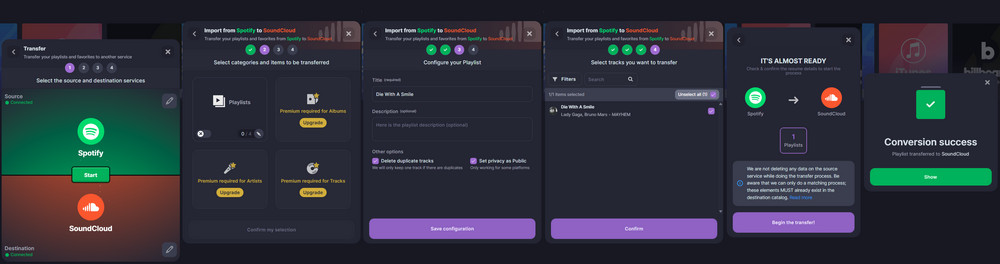
Select Source and Destination Platform (Spotify and SoundCloud respectively)
On the Soundiiz left navigation bar click on Transfer tool. Pick Spotify as the source and SoundCloud as the destination service.
Pick Transfer Content Type
Test with a free account, here we can only transfer playlists between Spotify to SoundCloud. To transfer albums, artists or single tracks, you need to upgrade Soundiiz Premium plan.
Configure Playlist Title and Description
Fill the playlist name and details. Tick off the option to delete duplicate tracks if needed. And tap Save Configuration to continue. Confirm the playlist to transfer and begin the conversion task.
Part 5. Migrate Spotify Collection to Amazon Music via FreeYourMusic
FreeYourMusic
FreeYourMusic is a desktop and mobile app designed for switching between music streaming services. It supports Windows, macOS, Android, iOS, and Linux. The app enables full music library migration from Spotify to Amazon Music. When using both platforms simultaneously, the Auto-sync feature can automatically synchronize Amazon Music playlists and albums to Spotify every 15 minutes. In addition, a built-in cloud backup service helps protect music data from accidental deletion.
Main Features
*Transfer Spotify albums and playlists to other streaming platforms.
*Scheduled Spotify playlist transfer between platforms.
*Reorder playlist tracks and rematch missing or incorrect songs.
*Local and cloud backup options for Spotify playlists migration.
*Smart duplicate detection when transferring Spotify songs to Amazon Music.
Pros & Cons
Pros
- Work across both computers and smartphones.
- Flexible backup choices for safer data protection.
- Clear workflow.
Cons
- Paid license required.
- Very large libraries may take longer to process.
- Some track versions may still require manual verification.
Steps to Switch from Spotify to Amazon Music via FreeYourMusic
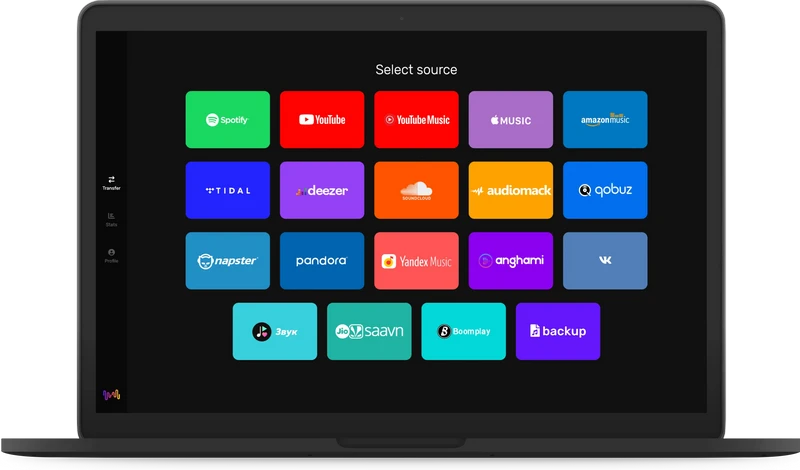
Select Spotify as Source
Choose Spotify platform as the source to start the playlist transfer.
Select Amazon Music as Received Platform
With an Amazon Prime, Unlimited or Unlimited HD account logged, pick Amazon Music as the platform to receive the playlists from Spotify.
Tick off Spotify Playlists to Transfer
Select all playlists or choose specific ones to transfer from Spotify to Amazon Music.
Part 6. Download Spotify Tracks and Import to Amazon Music (Most Safe and Complete Transfer)
Sidify Music Converter
Sidify Music Converter is a desktop program designed to convert Spotify tracks into common audio formats such as MP3, AAC, WAV, FLAC, AIFF, and ALAC. The software runs on both Windows and macOS.
Unlike playlist-matching methods, this approach converts Spotify songs into local audio files first, then imports those files into Amazon Music as local content. It works especially well when some Spotify songs are unavailable on Amazon Music or when full control over music files is needed. By avoiding track matching, this file-based solution enables a complete Spotify-to-Amazon Music transfer without track mismatches.
Main Features
Sidify Music Converter – Best Music Library Transfer Software 2026
Download and convert Spotify playlists to MP3, AAC, ALAC, AIFF, WAV, and FLAC formats.
- Locally offline store music from Spotify and import Spotify files to Amazon music with ease.
- Safely download Spotify playlists with ID3 tags and sound quality kept.
- Save Spotify music as local files for long-term backup.

Pros & Cons
Pros
- No playlist matching errors.
- Work even after platform change.
- Suitable for full music library migration
Cons
- Requires local storage space.
- Manual playlist rebuild inside Amazon library may be needed.
Steps to Download Playlists from Spotify and Import to Amazon Music
Add Spotify Playlists to Converter

Run Sidify Music Converter and Spotify app on the desktop. Directly drag and drop the playlists from Spotify to the converter. And select the playlist songs in need to download and convert to local audio file format.
Customize Spotify Music Download Format
Open the Settings menu and set up the download parameters for the Spotify music, such as Spotify quality, format, file name and file organization ways.
Start Spotify to MP3 Conversion
Click Convert to start to download and convert Spotify music to MP3 or other formats that you set up for.
Import Spotify Downloads to Amazon Music
When conversion is finished, go to History section and view all the Spotify download in local directory on the computer.
Open the Amazon Music desktop app, go to Profile > Settings, and scroll to Automatically Import Music From. Click Select Folder and choose the folder containing the downloaded Spotify music.
FAQs about Spotify to Amazon Music Playlists Transfer
Conclusion: Safely Transfer Everything from Spotify to Amazon Music
Moving music from Spotify to Amazon Music does not have to be complicated. By using reliable transfer tools or playlist migration services, entire playlists and favorite songs can be brought over quickly and safely. After the transfer is complete, the full music library can continue playing smoothly within the Amazon Music ecosystem.

PlaylistGo – Best Desktop Transfer Tool
The fastest and most reliable way to move entire Spotify library to Apple Music, YouTube Music, TIDAL, etc. 100% offline • One-time payment • 99.7% success rate

